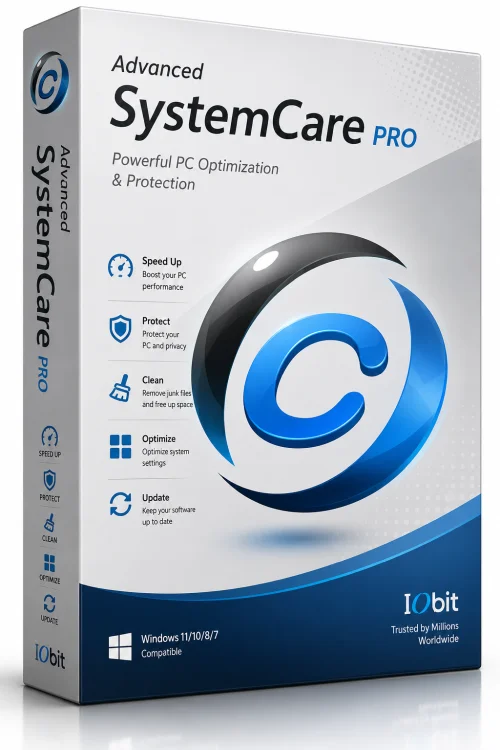
Advanced SystemCare Pro
PC Performance Optimizer
Overview
Introduction and Overview of Advanced SystemCare Pro
Advanced SystemCare Pro is a comprehensive PC optimization tool developed by IObit, designed to keep your Windows computer running smoothly, securely, and at peak efficiency. Combining powerful cleaning utilities, real-time system protection, and performance-boosting features, it serves as an all-in-one solution for common computer issues. Whether you are dealing with sluggish startup times, cluttered disks, or privacy concerns, this software offers an automated and user-friendly approach to systems maintenance.
The software leverages advanced artificial intelligence and cloud technology to detect and remove junk files, invalid shortcuts, broken registry entries, and malicious threats. With its one-click approach, even beginners can easily optimize their machine without needing deep technical knowledge. For advanced users, the suite provides fine-grained control over every aspect of the optimization process, making it a versatile choice for various skill levels. Additionally, the Pro edition includes premium features such as real-time RAM boosting, automatic software updates, and a dedicated privacy shield, setting it apart from the free version.
Key Features of Advanced SystemCare Pro
Advanced SystemCare Pro comes packed with features that address nearly every performance-related aspect of Windows. Below are the standout capabilities that make it an essential tool for many users:
- One-Click Optimization: Easily scan and clean junk files, fix registry errors, and speed up your system with a single click.
- Real-Time RAM Booster: Automatically free up memory when it reaches a critical threshold to maintain smooth multitasking.
- Privacy Shield: Cleans browsing traces, cookies, and recent document lists to protect your sensitive information from being exposed.
- Disk Cleaner: Removes unnecessary files from temporary folders, logs, and other clutter to free up valuable disk space.
- Registry Cleaner: Scans and repairs invalid entries, reducing system errors and crashes.
- Startup Optimizer: Manages startup programs to shorten boot times and improve overall responsiveness.
- Internet Booster: Optimizes network settings for faster browsing and more stable connections.
- Software Updater: Keeps your applications updated with the latest security patches, closing potential vulnerabilities.
- Malware Removal: Uses an advanced engine to detect and remove spyware, adware, and other malicious threats in real time.
- Scheduled Maintenance: Set automatic scans and cleanups at regular intervals to ensure your system stays optimized without manual effort.
System Requirements for Advanced SystemCare Pro
To run Advanced SystemCare Pro smoothly, your computer must meet the following specifications. Ensure your system matches at least the minimum requirements for basic functionality.
Minimum Requirements
- Operating System: Windows 7, Windows 8, Windows 8.1, Windows 10, or Windows 11 (32-bit or 64-bit)
- Processor: 1 GHz or faster
- RAM: 1 GB (2 GB for 64-bit systems)
- Disk Space: 500 MB of free hard disk space
- Display: 1024 x 768 resolution or higher
- Internet Connection: Required for product activation and some updates
Recommended Requirements
- Operating System: Windows 10 or Windows 11 (64-bit recommended)
- Processor: 2 GHz dual-core or better
- RAM: 4 GB or more
- Disk Space: 1 GB of free solid-state drive (SSD) space
- Display: 1366 x 768 resolution or higher
- Internet Connection: Broadband connection for real-time protection and cloud features
How to Install and Use Advanced SystemCare Pro
Getting started with Advanced SystemCare Pro is straightforward. Follow these simple steps to install and use the software effectively:
Step-by-Step Installation
- Step 1: Download the Advanced SystemCare Pro installer from the official IObit website or a trusted download portal. Ensure you select the correct version for your Windows architecture.
- Step 2: Double-click the downloaded executable file. If Windows prompts a User Account Control (UAC) warning, click Yes to allow the installation to proceed.
- Step 3: Once the setup wizard launches, choose your preferred language, then click the Install button. You can customize the installation directory by selecting the Browse option.
- Step 4: Wait for the installation to finish. In some cases, the system may require a restart to complete the setup.
- Step 5: After installation, launch Advanced SystemCare Pro. Enter your license key if you have a paid version, or start the 30-day free trial.
How to Use
- Step 1: On the Home screen, you will see the main dashboard. Click the Scan button to perform a full system check for junk files, registry issues, and security threats.
- Step 2: After the scan, review the detected items. You can choose to repair or clean all items with one click, or individually select which ones to address.
- Step 3: Visit the two-level Boost section to disable unnecessary background processes and free up CPU and RAM. A turbo mode is available for gamers and demanding tasks.
- Step 4: Under the Privacy Shield, enable browser tracking cleaning and real-time privacy protection to keep your online activities secure.
- Step 5: Schedule automatic maintenance by going to the Settings menu. Set a daily or weekly scan time so the software works in the background without requiring manual input.
Pros and Cons
Like any software, Advanced SystemCare Pro has its strengths and potential drawbacks. Below is an honest look at what makes it shine and where it could be improved.
Pros
- Comprehensive functionality: Combines cleaning, optimization, and security in one package, eliminating the need for multiple separate tools.
- User-friendly interface: Intuitive design and one-click actions make it accessible for beginners while still offering manual controls for experts.
- Real-time protection: Proactively guards against malware and privacy leaks rather than only fixing issues after they occur.
- Automated maintenance: Scheduling features allow the software to run scans and cleans without any user intervention, ensuring consistent performance.
- Performance impact: The premium version includes a RAM booster that actively prevents system lags, especially during resource-heavy tasks.
- Excellent support and updates: IObit frequently releases updates to keep up with the latest Windows versions and security threats.
Cons
- Aggressive prompts: The free version and even the Pro version sometimes display upgrade prompts or bundled offers, which can be intrusive.
- Resource usage: During deep scans, the software can consume significant CPU and memory, temporarily slowing down your computer.
- Potential over-cleaning: In some cases, the registry cleaner may remove valid entries, leading to issues if you use older or niche software.
- Subscription model: The Pro edition requires an annual subscription, which may not appeal to users who prefer one-time purchases.
- Privacy concerns: Because the software collects usage data to improve recommendations, privacy-conscious users may feel uneasy.
Conclusion
Advanced SystemCare Pro is an exceptional versatile utility for maintaining a clean, fast, and secure Windows PC. Its wide array of features, from one-click optimization to real-time protection, covers virtually every aspect of system health. The software is particularly well-suited for users who want a set-and-forget solution, as its automation capabilities handle routine maintenance with minimal effort. While there are minor drawbacks such as occasional resource spikes during scans and its subscription-based pricing model, the overall value it provides is undeniable. If you are looking for a dependable all-in-one PC optimization suite, Advanced SystemCare Pro is certainly worth considering. Download it today and give your computer the care it deserves for sustained peak performance and longer hardware lifespan.