Best Alternatives to AIMP Full PC
Explore top software like AIMP Full PC in 2026.
Overview
Introduction and Overview
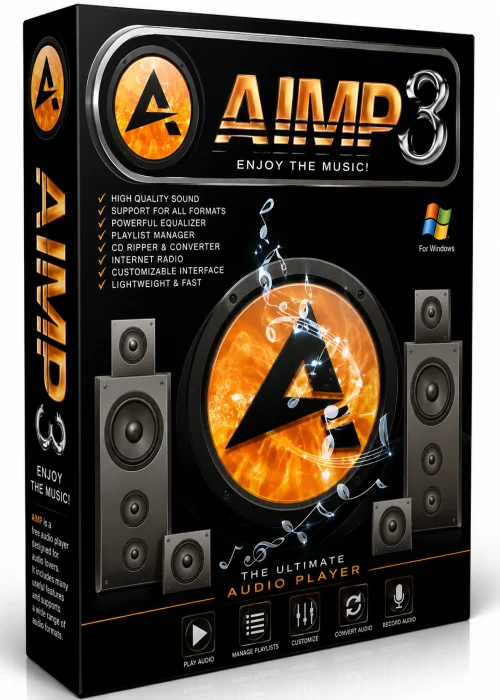
AIMP Full PC is a professional-grade audio player and management suite for Windows. Developed by Artem Izmaylov, it has earned a reputation for exceptional sound quality and blazing fast performance. Unlike heavier media platforms, AIMP focuses on the essentials: playing your music exactly as it was recorded. With support for a comprehensive list of audio codecs and a lightweight engine, it appeals to both casual users and audiophiles seeking precision. The software also goes beyond playback, offering a suite of tools for audio conversion, tagging, and recording.
If you're looking to replace stock media players or want control over your sound experience, AIMP Full PC is an excellent choice. It is completely free, free of ads, and packs a punch with advanced features normally found in premium apps.
Key Features
- Superior Audio Quality – 32-bit audio processing and multiple DSP effects deliver clear, high-resolution output.
- Broad Format Support – Handles MP3, AAC, FLAC, WAV, OGG, WMA, and even lossless formats without hiccups.
- Built-in Audio Converter – Easily transform audio between formats and preserve quality during transfer.
- Advanced Tag Editor – Edit ID3 tags, lyrics, album art, and organize your library metadata.
- Parametric Equalizer – 18-band equalizer with five presets lets you tailor the audio to your taste.
- Internet Radio – Access thousands of radio stations and record streaming audio directly to your disk.
- Plugin System – Expand functionality with additional skins and add-ons.
- Scheduler and Alarm – Set timers for sleep or use the alarm feature to wake up to your favorite track.
- Low Resource Footprint – Runs smoothly even on old hardware, using as little as 25 MB of memory.
- Portable Version – A portable app option lets you carry your music and player on a USB drive.
System Requirements
Minimum
- Operating System: Windows 7 (with latest service pack)
- Processor: 1 GHz Intel/AMD CPU
- RAM: 512 MB
- Free Disk Space: 50 MB
- Sound card: DirectSound-compatible
Recommended
- Operating System: Windows 10/11 64-bit
- Processor: Intel Core i3 or better
- RAM: 4 GB
- Free Disk Space: 200 MB (for library)
- High-resolution audio output (ASIO/WASAPI)
How to Install and Use
- 1. Download: Visit the official AIMP website or trusted software library to download the AIMP Full PC installer (.exe).
- 2. Run Installer: Double-click the downloaded file. If Windows prompts for User Account Control, click “Yes”.
- 3. Choose Options: Select a language, accept the license agreement, and choose your desired installation directory. Place a checkmark for features like file associations and shortcut creation.
- 4. Complete: Wait for the installation to finish, then launch AIMP from the desktop or start menu.
- 5. Add Music: Drag and drop audio files into the main player window or press Ctrl+O to open the file browser.
- 6. Enjoy: Use the player controls for playback, adjust the equalizer, and explore built-in radio.
Pros and Cons
Pros
- Completely free with no ads or hidden costs.
- Extremely lightweight compared to iTunes or Windows Media Player.
- Outstanding audio fidelity with support for FLAC and other lossless codecs.
- Includes a versatile audio converter and tag editor.
- Reasonable memory usage; doesn't slow down your PC.
- Regular active updates and dedicated community support.
Cons
- Simpler design may not appeal to users who prefer full-featured media centers.
- Some advanced options are hidden away, requiring a learning curve.
- No native integration with cloud music services.
Conclusion
In summary, AIMP Full PC is an exceptional choice for Windows users who value audio quality and efficiency. Its rich set of tools makes it more than just a player; it's a complete audio management system. Whether you need to rip CDs, convert files, or simply jam out to your playlist, AIMP handles it with ease. Give it a download today and experience your music in its purest form.