Best Alternatives to Ant Download Manager PRO
Explore top software like Ant Download Manager PRO in 2026.
Overview
Introduction and Overview
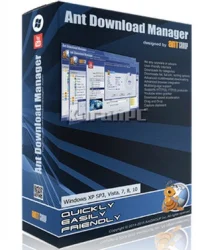
Ant Download Manager PRO is a powerful, feature-rich software designed to accelerate and manage file downloads from the internet. It supports a wide range of protocols including HTTP, HTTPS, FTP, and even streaming media. With its advanced multithreading technology, it splits files into multiple segments and downloads them simultaneously, significantly boosting download speeds. Additionally, it integrates seamlessly with popular web browsers to capture download links automatically. Whether you need to download videos from streaming sites, batch download files, or schedule downloads, Ant Download Manager PRO offers a comprehensive solution for both casual users and power downloaders.
Key Features
- High-Speed Downloads: Multithreaded downloading splits files into up to 32 segments for maximum speed.
- Browser Integration: Works with Chrome, Firefox, Edge, and other browsers to intercept downloads.
- Video Downloading: Supports downloading videos from YouTube, Vimeo, Dailymotion, and many other sites.
- Batch Downloads: Enables downloading multiple files simultaneously from a list.
- Scheduling: Set specific times to start, pause, or stop downloads.
- Resume Capability: Resumes interrupted downloads even after a system crash or network failure.
- Built-in Video Player: Preview partially downloaded videos before completion.
- Download Categories: Automatically organize downloads into folders by file type.
- Proxy Support: Works with HTTP, HTTPS, SOCKS4, and SOCKS5 proxies.
- Command Line Interface: For advanced users and automation.
System Requirements
Minimum
- Operating System: Windows 7 or later, macOS 10.12+, or Linux (Ubuntu 18.04+, Fedora 30+) with GUI
- Processor: 1 GHz or faster
- RAM: 512 MB
- Disk Space: 50 MB free
- Internet Connection: Broadband connection required for optimal performance
Recommended
- Operating System: Windows 10/11 64-bit, macOS 11+, or modern Linux distribution
- Processor: 2 GHz dual-core or better
- RAM: 2 GB or more
- Disk Space: 200 MB free for cache and logs
- Internet Connection: High-speed broadband (for maximum download speed benefits)
How to Install and Use
Installation
- Download the installer from the official Ant Download Manager website.
- Run the installer and follow the on-screen instructions. Choose your preferred language and installation directory.
- During installation, you may be prompted to install browser extensions. Select the browsers you use for automatic integration.
- Complete the installation and launch the software.
Basic Usage
- Open Ant Download Manager PRO. You’ll see the main interface with a list of downloads.
- To download a file, copy the URL to your clipboard, and the software will automatically capture it (if browser integration is enabled). Alternatively, click the 'Add Download' button and paste the URL.
- Choose download options: select the output folder, file name, number of segments (up to 32), and priority.
- Click 'Start' to begin downloading. Monitor progress in the main window.
- To schedule a download, right-click the task and select 'Schedule', then set the desired time.
- For video downloads, navigate to a video page in your browser. Click the Ant Download Manager button that appears in the browser toolbar or a floating bar. Select the video quality and format, then click 'Download'.
Advanced Features
- Batch Download: Go to 'File' > 'Import Download List' and upload a text file with URLs (one per line). All downloads will be added and can be started simultaneously.
- Proxy Configuration: Access 'Settings' > 'Proxy' to add proxy details. You can also use a PAC file.
- Command Line: Use commands like antdm -u "URL" -o "output_path" for scripting.
Pros and Cons
Pros
- Exceptional download speed improvement due to multithreading.
- Integrated video downloader for popular streaming sites.
- Cross-platform support (Windows, macOS, Linux).
- Lightweight and low resource usage.
- Reliable resume and error recovery.
- Regular updates and active development.
- Free version available with PRO upgrade for advanced features.
Cons
- Browser integration may occasionally conflict with other download managers.
- Some streaming sites require manual URL extraction.
- PRO version is paid; free version has limitations (e.g., max 4 segments).
- Linux version lacks some GUI polish compared to Windows/macOS.
- No built-in torrent support.
Conclusion
Ant Download Manager PRO stands out as a robust, versatile download manager that significantly enhances download speeds and offers a rich set of features for both everyday users and power downloaders. Its ability to handle video downloads, batch processing, and scheduling makes it a valuable tool for anyone who frequently downloads content from the internet. While the PRO version comes at a cost, the investment is worthwhile for users who demand maximum performance and advanced capabilities. If you seek a reliable, fast, and feature-packed download manager, Ant Download Manager PRO is an excellent choice.