Best Alternatives to CoolUtils PDF Splitter Pro
Explore top software like CoolUtils PDF Splitter Pro in 2026.
Overview
Introduction to CoolUtils PDF Splitter Pro
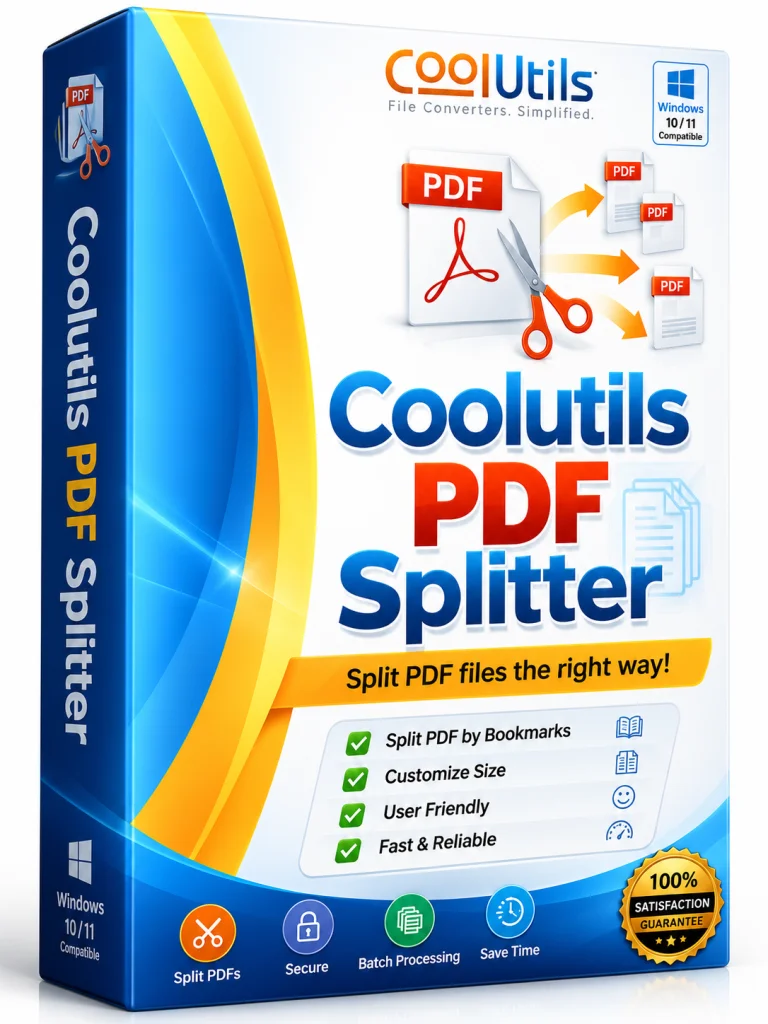
CoolUtils PDF Splitter Pro is a powerful, feature-rich desktop application designed to help users quickly and accurately split, merge, and organize PDF files. Whether you are a busy professional dealing with large reports, a student managing research papers, or a small business owner handling invoices, this tool simplifies the way you manage PDF documents. With its intuitive interface, robust processing engine, and a wide array of customization options, PDF Splitter Pro stands out as one of the most reliable PDF splitting tools on the market. It supports batch processing, allowing you to handle hundreds of files in one go, and offers flexible splitting criteria, from fixed page ranges to advanced filters based on bookmarks or metadata.
Unlike many online PDF tools, CoolUtils PDF Splitter Pro runs entirely on your desktop, ensuring your sensitive documents never leave your computer. This means faster processing speeds, no file size limits, and complete privacy. The software is compatible with all modern Windows operating systems and offers a free trial, making it a go-to solution for both novice users and IT professionals. In this article, we will dive deep into its key features, system requirements, installation process, and pros and cons to help you decide if it's the right PDF tool for you.
Key Features of CoolUtils PDF Splitter Pro
CoolUtils PDF Splitter Pro packs a punch with a broad range of features designed to cover all your PDF splitting and organizing needs. Here are the standout capabilities:
- Flexible Splitting Modes: Split PDFs by page ranges, individual pages, odd/even pages, or every N pages. This makes it easy to extract exactly what you need without manual sorting.
- Bookmark & Metadata Splitting: Automatically split a PDF based on bookmarks or document metadata, preserving the logical structure for e-books, user manuals, and catalogues.
- Batch Processing: Handle hundreds of PDF files in one operation. Save time by applying the same splitting rules to multiple documents simultaneously.
- Merge Functionality: In addition to splitting, you can combine multiple PDFs into one file, reorder pages, and delete unwanted pages, making it an all-in-one PDF manager.
- Page Extraction & Cropping: Extract specific pages into a new PDF with just a few clicks. Also, you can crop or rotate pages to fine-tune your output.
- Advanced Filters for Large Files: Filter pages by size, text content, or empty pages, which is particularly useful for cleaning up scanned documents.
- Command-Line Support: For advanced users, PDF Splitter Pro offers command-line parameters, allowing for automation in scripts and integration with other workflows.
- Fast Processing Engine: The software is optimized for speed, processing large PDFs without lag, even with hundreds of pages.
- No Adobe Requirement: It works independently of Adobe Acrobat, using its own PDF engine, which means no extra plugins or installations.
- User-Friendly Interface: A clean, modern interface with drag-and-drop support makes it easy for anyone to start splitting PDFs within seconds.
System Requirements
Minimum Requirements
- Operating System: Windows 7 or later (Windows 7, 8, 10, 11)
- Processor: 1 GHz Intel/AMD CPU
- RAM: 512 MB (1 GB recommended for large PDFs)
- Hard Disk Space: 100 MB of free space for installation
- Additional: Internet connection only needed for activation and updates
Recommended Requirements
- Operating System: Windows 10 or 11 (64-bit)
- Processor: 2 GHz multi-core CPU
- RAM: 4 GB or more
- Hard Disk Space: 500 MB free space (for large batch jobs and temporary files)
- Additional: High-resolution display (1920x1080) for best UX
These requirements ensure that the software runs smoothly even when dealing with multi-thousand-page documents or processing hundreds of files concurrently.
How to Install and Use CoolUtils PDF Splitter Pro
Step 1: Download and Install
To get started, visit the official CoolUtils website and download the PDF Splitter Pro installer. Run the .exe file and follow the on-screen instructions. You can choose a typical or custom installation directory. The installer will also ask whether you want a desktop shortcut and file association for .pdf files. Complete the installation and launch the program from the desktop shortcut or the Start menu.
Step 2: Add Files
Once the interface loads, you can add PDF files by clicking the 'Add Files' button, using drag-and-drop, or right-clicking a file in Windows Explorer and selecting 'Split with PDF Splitter Pro' (if you enabled file association). You can add multiple files at once; they will appear in the list with basic info like file size and page count.
Step 3: Choose Your Splitting Method
The software provides several splitting modes in the toolbar. You can select 'Split by Page Ranges' and enter ranges like '1-5, 8, 12-15'. Alternatively, choose 'Extract All Pages' to create a separate PDF for each page in the document. For advanced splitting, use the 'Bookmarks' mode to split according to outlined bookmarks. After selecting the mode, set the output folder where the new PDF files will be saved. You can also define naming conventions for the output files, such as using a prefix, timestamp, or original filename.
Step 4: Fine-Tune Output Settings
Before splitting, you can customize output settings in the 'Properties' tab. This includes selecting file compression levels, preserving metadata, using OCR for scanned documents, or setting a password for new PDFs. The software also offers a preview feature, so you can visually verify which pages will be extracted before running the operation.
Step 5: Split and Save
Double-check your settings, then click the 'Split' button. The progress bar will show the processing status. Once complete, open the output folder to access your new PDF files. The entire process is incredibly fast, even for large documents, and you can repeat it with different settings as needed.
Pros and Cons
Pros
- High Flexibility: Multiple splitting criteria (ranges, bookmarks, metadata, odd/even, size) cater to any use case.
- Speed and Performance: Handles large PDFs smoothly without crashes or slowdowns.
- Batch Processing: Massive productivity boost when dealing with many files at once.
- Data Privacy: Completely offline, so no risk of sensitive data being uploaded to a server.
- No Adobe Dependencies: Standalone engine reduces bloat and licensing issues.
- User-Friendly Interface: Suitable for beginners, while command-line options satisfy power users.
- Trial Available: Free trial lets you test features before purchasing.
Cons
- Windows Only: No macOS or Linux versions available.
- Paid License: The full version is not free; pricing may be a hurdle for occasional users.
- Limited Advanced Editing: It focuses on splitting/merging; for complex editing (like text or image manipulation), you'll need another tool.
- Demo Limits: The trial version may only split a limited number of pages per file or add watermarks.
These pros and cons show that CoolUtils PDF Splitter Pro is an excellent choice for professionals who need reliable, high-volume splitting, but if you're on a Mac or looking for a free solution, you might need to look elsewhere.
Conclusion
CoolUtils PDF Splitter Pro is a robust, efficient, and feature-packed PDF splitter that delivers on its promises. Its ability to handle batch operations, split by advanced criteria like bookmarks, and maintain high privacy makes it an invaluable tool for both individuals and businesses. The software's user-friendly design ensures a short learning curve, while its command-line interface gives advanced users the automation they require. Despite being Windows-only and requiring a paid license, the time saved and the reliability factor justify the cost for frequent PDF users.
If you regularly work with PDFs, need to split large manuals, or want to automate document processing tasks, CoolUtils PDF Splitter Pro is definitely worth a try. Download the free trial, test it with your own files, and experience how effortless PDF splitting can be. With its extensive features and top-notch performance, it's a tool that can streamline your workflow and become a staple in your software collection.