Best Alternatives to Fender Studio Pro
Explore top software like Fender Studio Pro in 2026.
Overview
Introduction and Overview
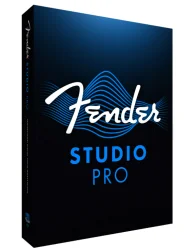
Fender Studio Pro is a cutting-edge digital audio workstation (DAW) tailored for musicians, producers, and sound engineers. Developed by Fender Digital—a division of the iconic guitar company—this software bridges the gap between professional studio recording and intuitive home production. Whether you're tracking guitars, mixing vocals, or mastering a full band project, Fender Studio Pro offers a streamlined workflow with high-quality built-in effects, virtual instruments, and seamless hardware integration. Its real-time amp modeling and cabinet simulation, inspired by Fender's legendary amplifiers, set it apart from competitors. With support for VST, AU, and AAX plugins, it's designed to be both powerful and accessible, making it ideal for beginners and pros alike.
Key Features
- Authentic Amp Modeling: Over 50 meticulously crafted amp models, including classics like the Twin Reverb, Deluxe Reverb, and Bassman, with adjustable mic placements and room ambience.
- Advanced Recording Engine: 64-bit float processing, up to 192 kHz sample rate, and low-latency monitoring for pristine audio capture.
- Smart Composing Tools: Built-in chord track, arranger track, and a drum pattern generator to speed up songwriting.
- Integrated Mixing Console: 64 stereo tracks with flexible routing, dual-channel strips, and a full suite of professional plugins (EQ, compressor, reverb, delay, etc.).
- Cloud Collaboration: Real-time project sharing and version control via Fender Cloud, with remote recording capabilities.
- MIDI & Score Editor: Powerful MIDI editing with piano roll, drum map, and notation view, plus a score editor with export to MusicXML.
- Hardware Integration: Optimized for Fender’s USB interfaces and controllers, with automatic setup and control surface mapping.
- Sound Library: 10 GB of high-quality loops, samples, and presets, with monthly content updates.
System Requirements
Minimum
- OS: Windows 10 64-bit (version 1909 or later) / macOS 10.15 Catalina
- CPU: Intel Core i5 or AMD Ryzen 5 (2.5 GHz)
- RAM: 8 GB
- Storage: 20 GB free space (SSD recommended)
- Display: 1280x800 resolution
- Audio: ASIO-compatible interface or Core Audio (built-in audio)
Recommended
- OS: Windows 11 64-bit / macOS 12 Monterey or later
- CPU: Intel Core i7 or AMD Ryzen 7 (3.0 GHz or higher)
- RAM: 16 GB or more
- Storage: 50 GB SSD (NVMe preferred)
- Display: 1920x1080 or higher
- Audio: Fender USB audio interface or any class-compliant interface with low-latency drivers
How to Install and Use
Installation:
- Download the installer from the official Fender website or your account portal.
- Run the installer and follow the on-screen instructions. Choose installation path and components (e.g., bundled content).
- Authorize the software using your Fender ID. An internet connection is required for initial activation.
- Launch Fender Studio Pro. On first run, you can set up your audio device and MIDI controller preferences.
Basic Usage:
- Create a new project: Select template (e.g., Recording, Mixing, or Blank).
- Add tracks: Right-click in the track area to add audio, instrument, or bus tracks.
- Record audio: Arm a track, set input source, and press record. Use the metronome for timing.
- Edit MIDI: Open the piano roll from a MIDI clip. Draw notes, adjust velocity, and apply quantization.
- Mix: Use the mixing console to adjust levels, pan, and insert effects. The built-in Fender plugins emulate classic studio gear.
- Export: Go to File > Export > Audio Mixdown. Choose format (WAV, AIFF, MP3) and settings (bit depth, sample rate).
Tip: Utilize the “Amp Match” feature to capture the tone of your real amp and apply it to DI tracks.
Pros and Cons
Pros
- Unparalleled amp modeling quality with genuine Fender character.
- User-friendly interface with customizable workflows.
- Robust collaboration tools for remote teams.
- Regular updates and extensive sound library.
- Optimized for Fender hardware but works with any standard interface.
- 64-bit floating point mixing engine ensures high headroom.
Cons
- Subscription model required for cloud features and full plugin suite (perpetual license available with fewer features).
- Higher system resource usage compared to some lighter DAWs.
- Limited advanced scoring capabilities relative to dedicated notation software.
- Some users report a learning curve for advanced routing features.
Conclusion
Fender Studio Pro successfully combines the legacy of Fender’s analog excellence with modern DAW versatility. Its authentic amp simulations and intuitive recording environment make it a standout choice for guitarists and full-band producers. While the subscription pricing might deter budget-conscious users, the perpetual license offers substantial value for those who prefer a one-time purchase. The software excels in tracking and mixing, especially for rock, blues, and country genres, but its robust feature set also accommodates electronic music and orchestral scoring. If you seek a DAW that feels like a virtual studio with the soul of vintage Fender gear, Fender Studio Pro is a compelling investment. Download the free trial today and experience the synergy of innovation and tradition.