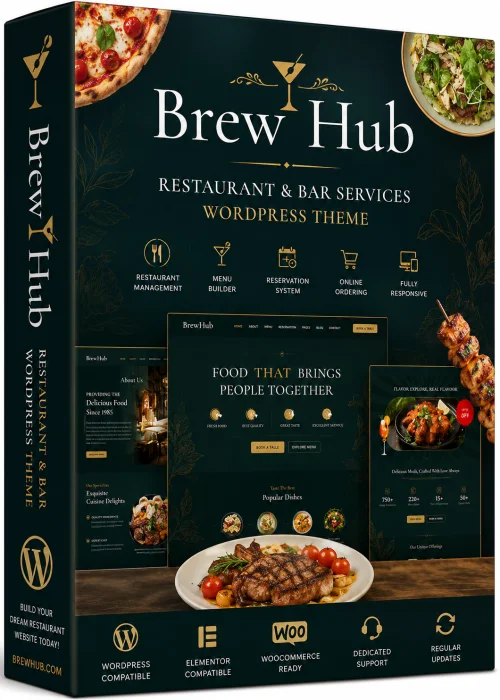
Best Alternatives to Free Brewhub - Bar & Restaurant WordPress Theme
Explore top software like Free Brewhub - Bar & Restaurant WordPress Theme in 2026.
Overview
Free Brewhub is a feature-rich, free WordPress theme designed exclusively for bars, restaurants, pubs, breweries, and other hospitality businesses. It provides a stunning, modern, and highly functional online presence without requiring any coding skills. With its intuitive customization options, restaurant owners can effortlessly showcase their menu, share their story, and attract more customers. Whether you're launching a new craft brewery or revamping an established eatery, Brewhub delivers a professional look and seamless user experience that drives engagement and reservations.
Key Features
- One-click demo import to set up your site quickly
- Fully responsive and retina-ready design
- Custom widgets for displaying menus, opening hours, and events
- WooCommerce integration for online ordering and merchandise sales
- SEO-friendly code to help your site rank higher in search results
- Drag-and-drop page builder compatibility (Elementor)
- Integrated reservation system and contact forms
- Social media icons and link integration
- Google Maps integration for easy location finding
- Translation-ready with RTL support
- Extensive typography and color options
- Fast loading and lightweight architecture
System Requirements
Minimum Requirements
- WordPress 4.7 or later
- PHP 5.6 or later
- MySQL 5.6 or later
- 10MB of disk space
Recommended Requirements
- WordPress 5.8 or later
- PHP 7.4 or later
- MySQL 8.0 or later
- HTTPS enabled
- At least 50MB of disk space for smooth operation
- Latest version of Google Chrome, Firefox, Safari, or Edge
How to Install and Use
- Download the Free Brewhub theme zip file from the official source.
- Log in to your WordPress admin dashboard and go to Appearance → Themes.
- Click the Add New button, then choose Upload Theme.
- Select the downloaded zip file and click Install Now.
- After installation, click Activate to enable the Brewhub theme on your site.
- Install and activate the recommended plugins (Slider Revolution, Elementor, etc.) as prompted.
- Go to the theme's demo import section and click the Import Demo button to replicate the demo layout.
- Customize the theme using the WordPress Customizer: add your logo, change colors, upload menu images, and set up your contact information.
- Create or edit pages using Elementor and assign them to your chosen sidebar and menu locations.
- Finally, test your site on desktop and mobile devices to ensure everything displays perfectly.
Pros and Cons
Pros
- Completely free to use with premium-like features
- Very easy to set up with one-click demo import
- Optimized for speed and SEO, helping your site perform well
- Highly customizable – full control over design and layout
- Mobile-first design ensures a flawless experience on all devices
- Regular updates from the theme developer
Cons
- Free version lacks dedicated premium support (only community support)
- Some extended features require third-party plugins
- Demo content may require manual adjustment for specific business needs
- Documentation is basic and may not cover every customization
Conclusion
Free Brewhub is an outstanding choice for any bar, restaurant, or brewery looking to build a beautiful website without breaking the bank. It combines style, functionality, and ease of use in a single package. The theme’s responsive design ensures your visitors enjoy a seamless experience, whether they are browsing on a desktop, tablet, or smartphone. With straightforward installation and extensive customization options, you can have a fully operational website up and running in under an hour. While the free nature may come with limitations in support, the strong feature set and regular updates make Brewhub a reliable solution. Download Free Brewhub today and elevate your hospitality business to the next level.