Best Alternatives to Lightburn Full PC
Explore top software like Lightburn Full PC in 2026.
Overview
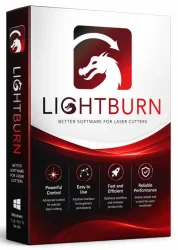
LightBurn Full PC is a powerful, feature-rich software application designed specifically for laser cutting and engraving. It is an all-in-one solution that provides advanced CAD tools, precise control, and an intuitive workflow, making it a top choice for both hobbyists and professionals. With LightBurn, you can design, edit, and produce high-quality laser projects with ease. Whether you are working with a diode, CO2, or fiber laser, LightBurn offers comprehensive support and robust features that streamline the entire laser processing experience. Its ability to handle vector graphics, generate G-code, and optimize cut paths sets it apart from other software solutions.
Key Features
- Advanced CAD and Design Tools: Create and edit vector graphics, custom shapes, and intricate patterns with precision. The software includes a complete set of drawing and editing tools, enabling you to craft intricate designs from scratch or modify existing vector files.
- Extensive File Compatibility: Import and export DXF, SVG, AI, PDF, plus many other common formats. This flexibility ensures seamless integration with your existing design workflow and allows you to work with files from other graphics software.
- Job Optimization: Automatically arrange and optimize cuts and engraving paths to minimize material waste and reduce production time. The software calculates the most efficient order of operations, saving you time and money.
- Real-time Preview: Visualize your job before processing to ensure precise results. The preview mode simulates the laser path, allowing you to catch potential issues before they waste material.
- Layer Control: Manage multiple layers with customizable colors, speeds, and power settings. This feature enables you to assign different actions to various elements of your design, such as cutting deeply, engraving lightly, or scoring.
- Camera Setup: Use a camera to align your design with the physical workpiece. This is particularly useful for positioning artwork relative to pre-existing objects or edges, enhancing accuracy for jobs like custom prints.
- Material Library: Store and apply settings for various materials like wood, acrylic, leather, and metal. You can create a library of recipes for different materials, thicknesses, and laser types, ensuring consistent, repeatable results.
- G-code Generation: Convert your designs into machine-readable commands for any laser controller. LightBurn supports a wide range of controllers, including Ruida, Cohesion3D, Smoothieboard, and many others, making it a versatile solution.
- Calibration Tools: Set up and troubleshoot your laser system for maximum accuracy. The built-in calibration wizards help you adjust steps per mm, align mirrors, and fine-tune the software’s controls to match your machine’s physical behavior.
- Cross-platform Support: Available for Windows, macOS, and Linux, LightBurn ensures that you can use it on your preferred operating system without compatibility issues.
System Requirements
To run LightBurn smoothly, your computer should meet at least the minimum specifications, but for large or complex projects, a recommended setup is highly beneficial.
Minimum Requirements
- Operating System: Windows 7/8/10, macOS 10.13, or Linux (Ubuntu 18.04+)
- Processor: 64-bit Intel or AMD compatible CPU
- RAM: 2 GB
- Storage: 500 MB available space
- Graphics: GPU that supports OpenGL 2.0
- Display: 1280x720 resolution
Recommended Requirements
- Operating System: Windows 10/11, macOS 11+, or Linux (Ubuntu 20.04+)
- Processor: Multi-core 3 GHz+ CPU
- RAM: 8 GB or more
- Storage: SSD with 2 GB free space
- Graphics: Dedicated GPU with OpenGL 3.3+
- Display: 1920x1080 or higher
How to Install and Use
This step-by-step guide will help you get LightBurn up and running on your PC, from download to your very first laser job.
Installation
- Visit the official LightBurn website at lightburnsoftware.com.
- Navigate to the Downloads section and select your operating system (Windows, macOS, or Linux).
- Download the installer executable (e.g., LightBurn.exe).
- Run the installer and follow the on-screen instructions. You may be prompted to accept the license agreement and choose an installation directory.
- Once the installation completes, launch LightBurn from the Start menu or desktop icon.
First-Time Setup and Usage
- When you first open LightBurn, you will be prompted to activate your license. If you are evaluating the software, you can start the 30-day trial, which allows full functionality.
- Configure your laser device: Go to the "Device" menu and select "Add Device". Choose your controller type from the list (e.g., Ruida, Cohesion3D).
- Set up the connection parameters: Enter the communication port (e.g., COM port on Windows), baud rate, and any network settings if applicable. Click "Test Connection" to ensure LightBurn communicates with your laser.
- Create a new project or import an existing design: Use the drawing tools (rectangle, circle, text, etc.) or drag-and-drop SVG, DXF, AI, or PDF files into the workspace.
- Assign layers and settings: Use the Layer panel to set color, speed, power, pass count, and mode (Cut/Score/Engrave) for each element in your design. For example, a thick line might be a cut layer, while a shading area might be an engrave layer.
- Preview the job: Click the Preview button to see the calculated motion. Check for any overlaps, missing sections, or incorrect order.
- Frame the workpiece: Use the "Frame" function to draw the outer boundary of your job on the laser bed, allowing you to position your material accurately.
- Send the job to the laser: Click "Start" to begin the laser operation. Monitor progress and make adjustments if necessary.
Pros and Cons
LightBurn is highly regarded in the laser community, but like any software, it has its strengths and weaknesses.
Pros
- Comprehensive Toolset: Combines CAD, layout, and laser control in one package, eliminating the need for separate software.
- Intuitive Interface: The user-friendly design makes it accessible to beginners while offering advanced options for professionals.
- Top-Notch Community Support: Active forums, documentation, and video tutorials from the community make it easy to learn and troubleshoot.
- Cross-Platform Compatibility: Works on Windows, macOS, and Linux, giving users flexibility.
- Optimized for Various Controllers: Supports a wide range of laser controllers, ensuring you can use it with almost any machine.
Cons
- Paid License: LightBurn is not free, but it is a one-time purchase with free updates. The trial version is time-limited.
- Complex for Advanced CAD: While it includes design tools, those needing heavy 3D parametrical design may prefer specialized CAD software.
- Hardware Requirements for Camera Features: Some functions, like camera alignment and scanning, require a webcam or camera, which may add extra cost.
Conclusion
LightBurn Full PC is an indispensable tool for anyone who wants to unlock the full potential of their laser cutter or engraver. Its powerful features, such as advanced vector editing, precise boundary control, and excellent material management, make it a must-have for both small workshops and industrial environments. The software’s ease of use, combined with its depth of customization, ensures that you can quickly turn ideas into physical products with exceptional accuracy. While it is a paid product, the efficiency gains and superior output quality justify the investment. If you are looking for a reliable, feature-packed laser software solution, LightBurn is undoubtedly worth downloading. Try it today and experience the difference in your laser projects.