Best Alternatives to OCCT OverClock Checking Tool
Explore top software like OCCT OverClock Checking Tool in 2026.
Overview
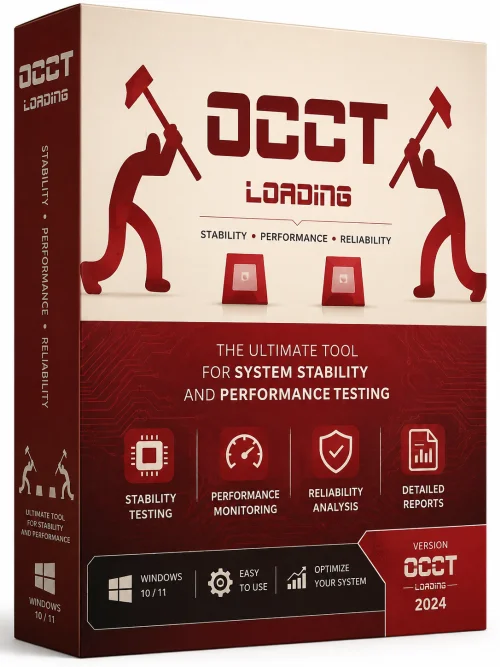
OCCT (OverClock Checking Tool) is a powerful, all-in-one stability testing and diagnostic utility designed for PC enthusiasts, overclockers, and system builders. It provides a comprehensive suite of stress tests, benchmarks, and real-time monitoring tools to push your hardware to its limits and ensure absolute stability. Whether you are a seasoned overclocker seeking that perfect voltage/frequency balance or a casual user wanting to verify system integrity, OCCT is an indispensable tool that delivers reliable results with a user-friendly interface.
Introduction and Overview
OCCT, short for OverClock Checking Tool, is a widely respected software application that enables users to thoroughly test the stability of their computer's core components, including the CPU, GPU, RAM, and power supply. It generates heavy, artificial workloads to stress components and detect errors, crashes, or overheating issues that would otherwise remain hidden during ordinary usage. This makes it an essential utility for validating overclocks, diagnosing hardware faults, and ensuring a system is ready for demanding tasks like gaming, video editing, or 3D rendering.
The software offers a wide range of test types, from quick 30-second checks to intensive multi-hour endurance runs. It provides detailed graphs and logs that track temperatures, voltages, fan speeds, and clock frequencies in real-time, giving users deep insight into how their hardware behaves under pressure. OCCT is available in a free version for basic testing, as well as a Pro version with advanced features like custom test patterns, more extensive monitoring, and memory integrity checks. Its clean interface and robust reporting capabilities have made it a favorite among hardware review sites and PC building communities.
Key Features
- Comprehensive Stress Testing: CPU, GPU, RAM, and power supply stress tests that push components to their maximum limits.
- Real-Time Monitoring: Track temperatures, voltages, fan speeds, and frequencies with high-frequency sampling and detailed curves.
- Error Detection: Instantly identifies hardware errors, WHEA errors, and system instability, with detailed logs for troubleshooting.
- Customizable Test Profiles: Adjust load types, test duration, core usage, and memory ranges to target specific hardware.
- Advanced Memory Testing: Multiple memory test modes, including high-usage and bit-pattern tests to detect RAM errors.
- GPU Test Options: Customizable shader complexity and 3D loads to stress the GPU and VRAM effectively.
- Benchmark Mode: Quickly benchmark overclock stability and compare performance between configurations.
- Data Logging and Charts: Export CSV logs and visually inspect graphed data to spot anomalies.
- Alarm System: Visual and audible alarms when thresholds are exceeded, preventing hardware damage.
- Power Supply Test: Combined CPU and GPU stress to evaluate PSU stability under maximum load.
System Requirements
Minimum Requirements
- Operating System: Windows 7 (64-bit) or later (macOS and Linux versions also available for OCCT 12+).
- Processor: 1 GHz dual-core CPU (or equivalent for macOS/Linux).
- RAM: 2 GB.
- Storage: 200 MB of available disk space.
- Display: 1024x768 resolution, DirectX 10 capable GPU for 3D tests.
Recommended Requirements
- Operating System: Windows 10 or Windows 11 (64-bit) / macOS 12+ / Ubuntu 20.04+.
- Processor: 3 GHz quad-core or higher, preferably unlocked for overclocking.
- RAM: 8 GB or more.
- Storage: SSD with at least 500 MB free space for logs and reports.
- Graphics: DirectX 11/12 compatible GPU with at least 2 GB VRAM.
- Power Supply: High-quality PSU with adequate wattage for your system, plus active cooling.
How to Install and Use
Installation Steps
- Download: Visit the official OCCT website and download the latest version. Choose between the free edition or the Pro trial.
- Run Installer: Locate the downloaded executable file (e.g., OCCT_Setup.exe) and run it as administrator. Follow the on-screen prompts.
- Installation Options: Select the installation directory and optionally choose to create a desktop shortcut. Accept the license agreement when prompted.
- Complete Setup: Wait for the installation to finish, then launch OCCT. If you have a Pro license, activate it via the 'Help' menu.
How to Run a Stability Test
- Choose Test Type: On the main dashboard, select from CPU, GPU, Memory, or Power Supply tests.
- Configure Settings: Adjust the test duration, load type (e.g., 100% for CPU), and temperature limits. For beginners, the default settings are sufficient.
- Start the Test: Click the 'Start' button. OCCT will begin stressing the component and recording real-time data.
- Monitor Progress: Watch the live graphs and thermometer tiles. Any errors will be displayed in the 'Errors' panel.
- View Report: Once the test finishes (or you stop it early), OCCT generates a detailed report summarizing the hardware behavior and any errors found.
- Analyze Results: If errors occur, your overclock may be unstable. Reduce clock speeds or increase voltage slightly, then rerun the test.
Pros and Cons
Pros
- Extremely thorough and reliable stress testing that catches even subtle instability.
- Excellent real-time monitoring with detailed, customizable dashboards and charts.
- Supports a wide range of hardware components and includes a dedicated PSU test.
- Free version offers substantial functionality for casual users and enthusiasts.
- Intuitive interface with one-click test presets and clear error reporting.
- Regularly updated by an active developer, with cross-platform support for Windows, macOS, and Linux.
Cons
- The free version lacks some advanced features (e.g., custom patterns and long-term logging) that are only in the paid Pro edition.
- Stress tests generate significant heat and may increase fan noise, requiring proper cooling.
- Heavy usage can be time-consuming and may reduce the lifespan of components if run excessively beyond safe limits.
- Some test options can be overly complex for novice users, though defaults work well.
Conclusion
OCCT OverClock Checking Tool is a must-have application for anyone serious about system stability, overclocking, or hardware diagnostics. Its combination of powerful stress tests, comprehensive monitoring, and user-friendly interface makes it stand out in a crowded field of benchmarking utilities. Whether you are pushing your CPU to 5 GHz, testing a new graphics card, or simply want peace of mind that your PC is rock-solid, OCCT provides the reliable data you need to make informed decisions. With a generous free version and an affordable Pro upgrade, it offers outstanding value for both novices and professionals. Download OCCT today and put your hardware to the ultimate test.