Best Alternatives to PanoramaStudio Pro
Explore top software like PanoramaStudio Pro in 2026.
Overview
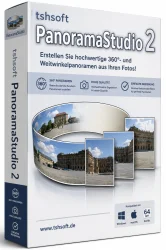
PanoramaStudio Pro is a powerful, all-in-one panoramic imaging software designed for photographers, graphic designers, and VR content creators. It enables users to seamlessly stitch multiple images into high-resolution panoramas, create 360° virtual tours, and export to various formats including interactive VR-ready files. With advanced blending algorithms and intuitive workflow, PanoramaStudio Pro stands out as a professional tool for immersive visual storytelling.
Key Features
- Seamless Stitching: Automatically align and blend multiple images into panoramas, supporting full 360° x 180° spherical, cylindrical, and planar projections.
- Interactive 360° Tours: Create clickable virtual tours with hotspots, floor plans, and multimedia elements.
- High Dynamic Range (HDR) Support: Combine and tone-map bracketed exposures for enhanced detail in shadows and highlights.
- Batch Processing: Stitch multiple panoramas at once with consistent settings.
- Advanced Editing Tools: Manual control points, masking, cropping, color correction, and retouching.
- Export Flexibility: Output to JPEG, TIFF, PNG, PSD, layered files, Flash (SWF), HTML5, or VR-ready formats for Oculus Rift, HTC Vive, and other devices.
- GPU Acceleration: Leverage NVIDIA CUDA and OpenCL for faster processing.
- Raw File Support: Process RAW photos directly from major camera brands.
- Perspective Correction: Automatically correct lens distortion and perspective errors.
System Requirements
Minimum
- Operating System: Windows 7/8/10/11 or macOS 10.12+ (Intel/M1)
- Processor: 2 GHz dual-core
- RAM: 4 GB (8 GB recommended for large panoramas)
- GPU: DirectX 10 compatible with 1 GB VRAM
- Hard Drive: 500 MB free space for installation
Recommended
- Operating System: Windows 11 or macOS 11+
- Processor: 3 GHz quad-core or higher
- RAM: 16 GB or more
- GPU: Dedicated GPU with 4 GB VRAM (NVIDIA GTX 1060 or better)
- Hard Drive: SSD with 10 GB free space for projects
How to Install and Use
- Download: Visit the official PanoramaStudio Pro website and download the installer for your operating system.
- Install: Run the installer and follow the on-screen instructions. Activate using the license key provided after purchase.
- Import Images: Launch the software, go to File > Import Images, and select the photos you want to stitch. The software can automatically detect the sequence if the files are named in order.
- Align and Stitch: Click Auto Align to let the software detect control points and align images. For manual adjustments, use the Control Points tab.
- Edit the Panorama: Use the Edit menu to crop, adjust exposure, apply filters, or mask ghosting artifacts.
- Create a 360° Tour (optional): Switch to the Tour Editor mode. Add nodes (panorama scenes), link them with hotspots, and include info points or floor plans.
- Export: Go to File > Export, choose your desired format (e.g., JPEG for print, Flash for web, or HTML5 for mobile-friendly viewing). For VR, select Oculus or Cube format.
- Save Project: Keep the project file (.psp) for future edits.
Pros and Cons
Pros
- Intuitive interface with a short learning curve.
- Excellent stitching quality with little manual intervention.
- Broad export options including VR and interactive tours.
- Fast processing thanks to GPU acceleration.
- Regular updates and responsive customer support.
Cons
- No native Linux support.
- Advanced features like manual control points can be cumbersome for beginners.
- Pricing may be high for casual users (one-time license ~$79–$99).
- Lack of full RAW editing capabilities (must convert to DNG or use external software).
Conclusion
PanoramaStudio Pro is an exceptional tool for anyone serious about panoramic photography and virtual tour creation. Its robust feature set, combined with ease of use, makes it suitable for both professionals and enthusiasts. While it has minor drawbacks—such as the lack of Linux support and a learning curve for advanced features—the overall value is undeniable. Whether you need to create immersive 360° tours or high-resolution prints, PanoramaStudio Pro delivers reliable and impressive results. Download it today and elevate your visual projects to the next level.