Best Alternatives to The Bat Professional Edition
Explore top software like The Bat Professional Edition in 2026.
Overview
Introduction and Overview of The Bat Professional Edition
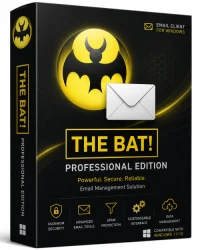
The Bat Professional Edition is a powerful, secure, and highly customizable email client developed by Ritlabs, SRL. Designed for power users, businesses, and privacy-conscious individuals, this software provides a robust alternative to standard email clients like Microsoft Outlook or Mozilla Thunderbird. Unlike many web-based email services, The Bat stores all data locally, giving users full control over their messages, attachments, and settings. It supports multiple email accounts, advanced filtering, encryption, and integration with external tools. Whether you manage a single mailbox or dozens, The Bat Professional Edition offers the speed, reliability, and security demanded by professional environments. Its unique features, such as virtual folders, templates, and strong spam filtering, make it a top choice for users who value efficiency and data privacy.
Key Features
- Unlimited Email Accounts: Manage an unlimited number of email accounts from different providers within a single interface.
- PGP and S/MIME Encryption: Protect your emails with end-to-end encryption using OpenPGP or S/MIME standards.
- Advanced Message Filtering: Create complex rules to automatically sort, forward, or delete messages based on sender, subject, keywords, and more.
- Virtual Folders: Dynamically organize emails using custom search criteria without moving them from their original folders.
- Message Templates: Pre-define email formats for quick replies, auto-responses, or standard business correspondence.
- Powerful Search: Instantly locate messages across all folders with indexed search and Boolean operators.
- Attachments Management: Preview, save, or delete attachments with ease; supports drag-and-drop.
- Spam Protection: Integrated Bayesian and heuristic spam filters, plus blacklist/whitelist support.
- Portable Version Support: Run The Bat from a USB drive without installation using the portable edition.
- Scripting and Automation: Use built-in scripting to automate repetitive tasks, such as cleaning old mail or generating reports.
- Multi-Language Interface: Full support for over 20 languages.
- Import/Export Wizards: Seamlessly migrate from Outlook, Thunderbird, Eudora, and other clients.
- High Performance: Handles large mailboxes (GBs) without slowdown, even with thousands of messages.
System Requirements
Minimum Requirements:
- Operating System: Windows 7, 8, 10, or 11 (32-bit or 64-bit)
- Processor: 1 GHz or faster
- RAM: 1 GB (2 GB for large mailboxes)
- Hard Disk: 200 MB free space for installation
- Internet Connection: Required for email sending/receiving
Recommended Requirements:
- Operating System: Windows 10 or 11 (64-bit)
- Processor: 2 GHz dual-core or better
- RAM: 4 GB or more
- Hard Disk: 1 GB free space for optimal cache performance
- Internet Connection: Broadband for large attachments
Note: The Bat Professional Edition does not support macOS or Linux natively, but it can run via compatibility layers like Wine.
How to Install and Use The Bat Professional Edition
Installation Steps:
- Download the Installer: Visit the official Ritlabs website or a trusted software portal and download the latest version of The Bat Professional Edition.
- Run the Setup: Double-click the downloaded .exe file. If a User Account Control prompt appears, click Yes.
- Choose Language: Select your preferred language from the dropdown menu and click OK.
- Accept the License Agreement: Read the terms, check the box, and click Next.
- Select Installation Type: Choose 'Complete' for all components or 'Custom' to hand-pick features.
- Installation Folder: Accept the default path (e.g., C:\Program Files\The Bat!) or browse to a custom location.
- Configure Optional Settings: You may be asked if you want to import settings from another email client; select as needed.
- Install: Click Install and wait for the process to complete. Then click Finish.
Initial Setup and Usage:
- Launch The Bat: Open the program from the Start menu or desktop shortcut.
- Create New Account: Go to Account > New Account. Enter your name, email address, and password. The Bat will attempt to auto-configure server settings (POP3/IMAP and SMTP).
- Adjust Advanced Settings: For manual configuration, click 'Change' and input your incoming/outgoing server details (e.g., imap.gmail.com, port 993, SSL/TLS).
- Set Up Folders: The Bat will create default folders (Inbox, Sent, Drafts, etc.). You can add custom folders or virtual folders via the folder panel.
- Compose and Send Email: Click the New Message button or press Ctrl+N. Write your email, add attachments, and click Send.
- Organize with Filters: Go to Tools > Message Filter. Click Add, define conditions (e.g., if From contains 'newsletter'), and actions (move to folder).
- Enable Encryption: To use PGP, install a PGP plugin or use built-in OpenPGP. Generate a key pair via Tools > OpenPGP > Generate Key.
- Backup Your Data: Regularly back up your mailbox by copying the entire The Bat directory (typically in AppData or Documents).
Pros and Cons
Pros:
- Exceptional Security: Native support for PGP encryption, password protection for accounts, and no cloud storage by default.
- Highly Customizable: Extensive options for interface layout, message display, keyboard shortcuts, and scripting.
- Excellent Performance: Handles large volumes of email quickly and efficiently, even with databases in the gigabytes.
- Advanced Filtering and Organization: Virtual folders and filters give you precise control over mail management.
- Portable Version: Perfect for users who need their email client on the go without leaving traces.
- Lifetime License: One-time purchase with free updates for the major version; no subscription hassles.
Cons:
- Steep Learning Curve: The extensive features can be overwhelming for beginners. Documentation is thorough but dense.
- Windows Only: No native support for macOS or Linux, limiting cross-platform use.
- Outdated Interface: The default design looks dated compared to modern clients; though customization can improve it.
- Limited Collaboration Features: No built-in calendar, task manager, or team chat, unlike Outlook or Thunderbird with add-ons.
- Price: While reasonable for professionals, it's not free; license costs around $30-50 depending on version.
Conclusion
The Bat Professional Edition stands out as a top-tier email client for users who prioritize security, control, and performance over flashy UI or all-in-one suites. Its robust encryption, powerful filtering, and efficient handling of large mailboxes make it an indispensable tool for professionals handling sensitive communications. While the learning curve and lack of cross-platform support may deter some, those who invest time in mastering its features will be rewarded with unmatched efficiency and peace of mind. For businesses, journalists, or anyone managing high-volume email with strict privacy requirements, The Bat Professional Edition is a wise investment. Download the trial today to experience the difference firsthand.