Adobe Camera Raw Full PC Free Download 64-bit Offline Installer
Get the standalone offline installer for 64-bit systems.
Overview
Introduction and Overview
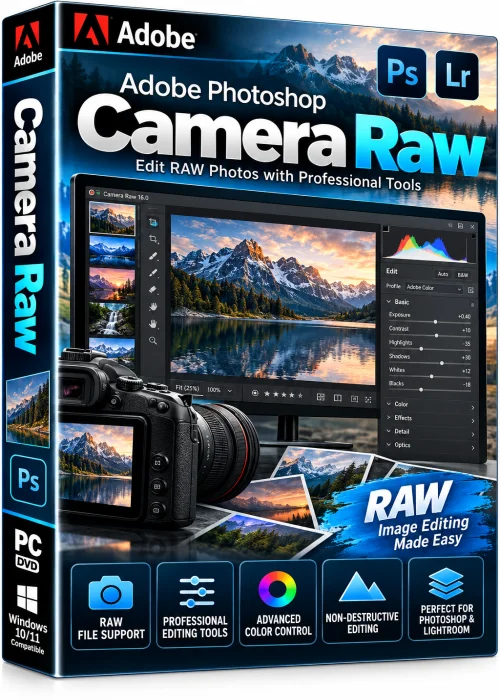
Adobe Camera Raw is the free, professional-grade image processing engine from Adobe that lets photographers open, develop, and perfect raw files from more than 800 camera models. Although it began life as a Photoshop plug-in, it now runs as a standalone host application and also powers the Develop module inside Lightroom, which is why so many editors search for Adobe Camera Raw full PC free download. The good news is that the plug-in itself is completely free — you only need a compatible host such as Photoshop, Bridge, or the standalone app to launch it.
Unlike basic viewers, Camera Raw decodes proprietary formats like CR2, CR3, NEF, ARW, RAF, ORF, and DNG, then presents every captured pixel in a non-destructive workspace. Your original file is never altered, so you can experiment with exposure, white balance, tone curves, and color without risk. Whether you shoot weddings, landscapes, or product photography, Camera Raw gives you studio-level control in a single window.
Key Features
- Non-destructive editing of raw, JPEG, TIFF, PNG, and HEIC files
- AI-powered masking for Subjects, Sky, Background, Objects, and People
- Super Resolution upscaling that boosts detail using Adobe AI models
- Healing Brush, Remove tool, Clone Stamp, and content-aware retouching
- Advanced color grading with curves, HSL sliders, and split toning
- Automatic lens profile corrections and chromatic aberration removal
- Camera matching profiles, film simulations, and custom presets
- Batch processing with the filmstrip, copy and paste settings, and syncing
- Panorama merge, HDR merge, and raw-to-DNG conversion
- Seamless hand-off to Photoshop, Lightroom, After Effects, and Bridge
System Requirements
Minimum Requirements
- Windows 10 (64-bit, version 22H2) or macOS 12 Monterey
- Intel 6th Gen or AMD Ryzen 1000 series processor
- 8 GB of RAM
- 4 GB of GPU memory with DirectX 12 or Metal support
- 10 GB of free disk space
- 1280 x 800 display resolution
Recommended Requirements
- Windows 11 or macOS 14 Sonoma
- Intel 8th Gen, AMD Ryzen 3000, or Apple Silicon chip
- 16 GB of RAM or more
- 8 GB of GPU memory with DirectX 12 and GPU acceleration enabled
- SSD with 20 GB of free space
- 1920 x 1080 or higher display
How to Install and Use Adobe Camera Raw
Installation Steps
- Download the official Camera Raw installer from the Adobe website for your Windows PC.
- Close Photoshop, Lightroom, and Bridge before launching the setup file.
- Run the executable and accept the license agreement.
- Choose the destination folder and click Install.
- Wait for the progress bar to finish, then click Finish and restart your host application.
Editing Workflow
- Open a raw file in Photoshop or Bridge — Camera Raw opens automatically.
- Adjust exposure, contrast, highlights, and shadows on the Basic panel.
- Apply a mask to target the sky or subject only.
- Use the Details panel for sharpening and noise reduction.
- Save as DNG, JPEG, or TIFF, or click Open to continue in Photoshop.
Pros and Cons
Pros
- Completely free to download and use on Windows PC
- Industry-standard raw decoding quality and camera support
- Non-destructive editing with instant preview
- Constant updates with new AI features
- Integrates perfectly with the entire Adobe ecosystem
Cons
- Requires a host application for full functionality
- GPU-accelerated features demand a modern graphics card
- Interface can feel overwhelming for absolute beginners
- Fewer layout and library tools than Lightroom
Conclusion
Adobe Camera Raw remains the gold standard for raw photo development, and the best part is that it costs nothing to download and install on a Windows PC. With AI masking, Super Resolution, and precise color controls, it delivers results that rival paid editing suites. Download the official build, keep your system within the recommended specifications, and you will have a fast, reliable foundation for every image you edit.