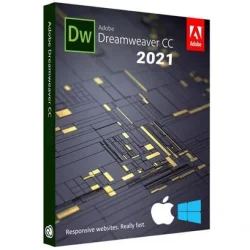
Adobe Dreamweaver 2021 for Windows 10/11
Optimize your PC with the fully compatible Windows 10 version.
Overview
Introduction and Overview
Adobe Dreamweaver 2021 is a powerful web design and development application that streamlines the process of creating, coding, and managing responsive websites. Renowned for its intuitive visual interface combined with a robust code editor, Dreamweaver empowers beginners and advanced developers alike to build professional-grade websites efficiently. With built-in support for HTML, CSS, JavaScript, and server-side languages, it serves as an all-in-one solution for front-end and back-end web development. The 2021 edition introduces enhanced live view capabilities, improved code editing tools, and tighter integration with Adobe Creative Cloud, making it a top choice for designers who demand speed and flexibility.
Key Features
- Visual Live View: Edit and preview your website in real time as if it were live, with interactive elements fully functional.
- Multi-monitor Support: Work seamlessly across multiple screens with customizable workspace layouts.
- Enhanced Code Editor: Smart autocompletion, syntax highlighting, and code hints for HTML, CSS, JS, PHP, and more.
- Git Integration: Version control built directly into the interface, allowing for easier collaboration and code management.
- Starter Templates: Over 100 responsive design starter templates to kickstart your projects.
- CSS Grid & Flexbox Support: Visual tools for creating modern, flexible layouts without writing complex code.
- Integrated FTP/SFTP: Publish and sync files directly to your web server with secure transfer protocols.
- Emmet Support: Accelerate HTML and CSS coding with shorthand abbreviations and expansions.
- Creative Cloud Integration: Access Adobe Fonts, Adobe Stock, and sync settings across devices.
- Live Source Preview: See how your code changes affect the rendered page in real time.
System Requirements
Minimum Requirements
- Operating System: Windows 10 (64-bit) version 1809 or later / macOS 10.14 (Mojave) or later
- Processor: Intel 6th Gen or newer with 64-bit support
- RAM: 4 GB (8 GB recommended)
- Storage: 1.5 GB of free hard disk space for installation; additional space required for projects
- Screen Resolution: 1280 x 1024 display at 100% UI scaling
- Internet: Internet connection required for software activation and access to online services
Recommended Requirements
- Operating System: Windows 10 (64-bit) version 20H2 or later / macOS 11 (Big Sur)
- Processor: Intel 8th Gen or newer with multi-core support
- RAM: 16 GB or more
- Storage: SSD with at least 10 GB free for project caching and performance
- Screen Resolution: 1920 x 1080 or higher with a dedicated graphics card (2 GB VRAM)
- Internet: Broadband connection for cloud features and updates
How to Install and Use
Installation Steps
- Visit the Adobe Creative Cloud website and download the Creative Cloud desktop app.
- Sign in with your Adobe ID (or create one) and start a free trial or use your subscription.
- In the Creative Cloud app, navigate to the "Apps" section, locate Dreamweaver 2021, and click "Install".
- Wait for the installation to complete. Launch Dreamweaver from the Start menu (Windows) or Applications folder (Mac).
- Enter your credentials if prompted, and accept the license agreement to begin.
Basic Usage Guide
- Create a New Site: Go to Site > New Site, enter your local folder path and site name.
- Design with Live View: Switch to Live View (Window > Live View) to see real-time changes as you edit.
- Use Starter Templates: Choose File > New > Starter Templates to select a responsive layout.
- Code Efficiently: Utilize Emmet (e.g., type "div.container" and press Tab) to generate code quickly.
- Preview in Browsers: Click the Preview/Debug button or press F12 to test in your default browser.
- Publish via FTP: Set up remote server under Site > Manage Sites > Servers, then upload with one click.
Pros and Cons
Pros
- Dual visual and code view caters to both designers and developers.
- Live View enables rapid prototyping without constant browser refreshes.
- Extensive starter templates save time on layout design.
- Git integration simplifies team collaboration.
- Full Creative Cloud suite compatibility streamlines asset management.
Cons
- Subscription-based pricing may be expensive for occasional users.
- Steep learning curve for complete beginners unfamiliar with coding concepts.
- Some features are limited without an internet connection.
- Occasional performance issues with large files or complex projects.
- Not as lightweight as some dedicated code editors like VS Code.
Conclusion
Adobe Dreamweaver 2021 remains a robust choice for web designers and developers who value a blend of visual editing and powerful code functionality. Its live preview, integrated Git support, and responsive design tools make it especially suited for projects requiring rapid iteration and collaborative workflows. While the subscription model and learning curve may deter some, the extensive features and Creative Cloud ecosystem justify the investment for professionals. Whether you're building a simple portfolio or a complex web application, Dreamweaver 2021 provides the tools needed to bring your vision to life efficiently.