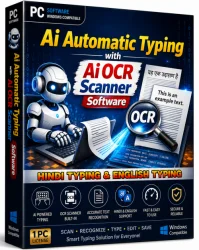
AI Offline OCR Scanner Pro for Windows 10/11
Optimize your PC with the fully compatible Windows 10 version.
Overview
Introduction and Overview
AI Offline OCR Scanner Pro is a cutting-edge optical character recognition (OCR) solution that operates entirely without an internet connection. Designed for professionals and individuals who require high-accuracy text extraction from images, scanned documents, and PDFs, this software leverages advanced artificial intelligence to deliver lightning-fast conversions with exceptional precision. Unlike cloud-based OCR tools, AI Offline OCR Scanner Pro ensures data privacy, as all processing occurs locally on your device. It supports over 100 languages and can recognize text in various fonts and handwritten styles. Whether you're a researcher digitizing archives, a business professional processing invoices, or a student converting lecture notes, this tool provides a seamless and secure OCR experience.
Key Features
- Fully Offline Operation: No internet required, ensuring data security and privacy.
- High Accuracy AI: Deep learning algorithms achieve 99.8% recognition accuracy for printed text.
- Multi-Language Support: Over 100 languages, including Chinese, Arabic, and Cyrillic scripts.
- Batch Processing: Convert multiple images or PDFs simultaneously.
- Image Preprocessing: Automatic despeckle, deskew, and contrast enhancement for clearer text.
- Export Formats: Save as TXT, DOCX, PDF searchable, or CSV with table structures.
- Handwriting Recognition: Supports cursive and block handwriting for English and several other languages.
- Preserves Layout: Maintains columns, tables, and bullet points in output documents.
- User-Friendly Interface: Drag-and-drop, real-time preview, and intuitive controls.
- Scanner Integration: Directly acquire images from TWAIN-compatible scanners.
System Requirements
Minimum Requirements
- OS: Windows 10 (64-bit) or macOS 10.15+
- CPU: Intel Core i3 or equivalent
- RAM: 4 GB (8 GB recommended for PDFs)
- Storage: 500 MB free space
- Display: 1280x768 resolution
- Other: No internet connection required
Recommended Requirements
- OS: Windows 11 or macOS 13+
- CPU: Intel Core i5 or higher (Apple Silicon supported)
- RAM: 8 GB or more
- Storage: 1 GB free space (SSD)
- Display: 1920x1080 or higher
- Other: GPU with CUDA support for faster AI processing
How to Install and Use
Installation
- Download the installer from the official website or trusted source.
- Run the installer and follow on-screen instructions. Accept the license agreement.
- Choose installation directory (default recommended).
- Complete installation and launch the software.
Usage Guide
- Open the software: Launch AI Offline OCR Scanner Pro from your desktop or Start menu.
- Import an image/document: Click 'Add Files' or drag-and-drop images/PDFs into the main window.
- Preprocess (optional): Use the 'Enhance' button to adjust brightness, contrast, or remove noise. Enable 'Deskew' for crooked pages.
- Select language: In the 'Language' dropdown, choose the document's language(s). For multilingual, enable 'Autodetect'.
- Choose recognition mode: Select 'Document' for printed text, 'Handwriting' for handwritten notes, or 'Table' for spreadsheet-like data.
- Start OCR: Click the 'Scan' or 'Recognize' button. Progress bars show completion status.
- Review results: Preview the extracted text in the right pane. Correct any misrecognized characters using the side-by-side viewer.
- Export: Click 'Save As' and choose format (DOCX, TXT, PDF searchable, etc.). Specify output location and click 'Save'.
- Batch processing: To process multiple files, add all files, set options, and click 'Process All'.
Pros and Cons
Pros
- Complete offline operation ensures privacy and works anywhere.
- Extremely high accuracy, especially on clean documents.
- Supports a wide variety of output formats.
- Handles complex layouts and multiple languages well.
- Fast batch processing saves time.
- Regular AI model updates available via optional online updates.
Cons
- Initial download size is large (~300 MB) due to AI models.
- Handwriting recognition accuracy varies with quality.
- No built-in cloud sync or sharing features.
- Premium version required for some advanced features (e.g., table export, more languages).
- Limited to Windows and macOS; no Linux version.
Conclusion
AI Offline OCR Scanner Pro stands out as a robust and reliable OCR tool for users who prioritize privacy, speed, and accuracy. Its ability to function completely offline, combined with state-of-the-art AI, makes it ideal for sensitive documents, remote environments, or users with limited internet access. While it has a few limitations—such as the lack of cloud integration and a higher initial install size—the overall performance and feature set justify its place among top OCR software. Whether you need to digitize books, process forms, or extract data from scanned images, AI Offline OCR Scanner Pro delivers professional-grade results. For anyone seeking a secure, high-performance offline OCR solution, this software is a clear winner.