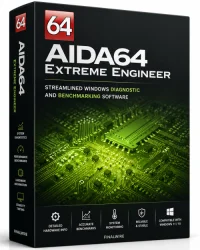
AIDA64 Engineer Edition for Windows 10/11
Optimize your PC with the fully compatible Windows 10 version.
Overview
Introduction and Overview
AIDA64 Engineer Edition is a comprehensive system diagnostics and benchmarking tool designed for IT professionals, system integrators, and power users. It provides detailed hardware and software information, stress tests, and sensor monitoring. With support for over 200,000 hardware devices and extensive software detection, it helps identify issues, optimize performance, and verify system stability. The Engineer Edition includes advanced features such as remote monitoring, command-line automation, and extensive customization options, making it ideal for corporate environments and labs.
Key Features
- Hardware Detection: Detailed information on CPU, motherboard, memory, storage, graphics, and peripherals with up-to-date database.
- Software Analysis: Detects operating system, drivers, installed programs, and license keys.
- Benchmarking: CPU, FPU, memory, disk, and graphics benchmarks with results comparison.
- Stress Testing: System stability tests including FPU, cache, memory, and GPU stress.
- Sensor Monitoring: Real-time monitoring of temperatures, voltages, fan speeds, and power consumption with logging.
- Remote Monitoring: Access sensor data and diagnostics over a network via AIDA64 Remote Sensor Panel.
- Command-Line Support: Automate reports and tests with command-line parameters.
- Customization: User-defined alarms, OSD panels, and reporting templates.
- Lifetime Updates: Free updates for the duration of the license, including new hardware support.
System Requirements
Minimum Requirements
- Operating System: Windows 7 or later (32-bit or 64-bit)
- Processor: 1 GHz Intel or AMD CPU
- RAM: 512 MB
- Hard Disk: 50 MB free space
- Display: 1024x768 resolution
Recommended Requirements
- Operating System: Windows 10/11 (64-bit)
- Processor: 2 GHz dual-core or higher
- RAM: 2 GB or more
- Hard Disk: 100 MB free space
- Display: 1920x1080 resolution
How to Install and Use
Installation
- Download AIDA64 Engineer Edition from the official website or your software portal.
- Run the installer executable (EXE) as administrator.
- Choose the installation directory (default is recommended).
- Select the components: Full installation includes all modules.
- Complete the installation and launch AIDA64 from the Start menu or desktop shortcut.
Basic Usage
- Upon first launch, the main window displays a menu tree on the left and detailed information on the right.
- Navigate to Computer > Summary to see an overview of your system.
- Click on any category (Motherboard, Display, Storage) to explore detailed data.
- To run a benchmark, go to Tools > System Stability Test or Cache & Memory Benchmark.
- For sensor monitoring, open Computer > Sensor to view real-time readings.
- To create reports, use File > Report and choose a wizard (e.g., HTML, CSV).
- For remote monitoring, enable File > Preferences > Remote Sensor Panel and configure network settings.
Pros and Cons
Pros
- Extremely detailed hardware and software detection.
- Comprehensive benchmarking and stress testing tools.
- Real-time sensor monitoring with logging and alarms.
- Remote monitoring capability for multiple machines.
- Command-line automation for scripting and integration.
- Lifetime updates with new hardware support.
- Professional-grade reliability and accuracy.
Cons
- Higher price compared to the Extreme or Business editions.
- Interface can be overwhelming for beginners.
- Some features (like remote monitoring) require network configuration.
- No native Linux or macOS support (runs only on Windows).
Conclusion
AIDA64 Engineer Edition is an indispensable tool for IT professionals and enthusiasts who need deep diagnostics, stress testing, and system monitoring. Its extensive feature set, accuracy, and remote capabilities make it a top choice for corporate environments and technical users. While the price is higher and the interface may be complex, the lifetime updates and professional-grade results justify the investment. Whether you are troubleshooting hardware issues, verifying system stability, or optimizing performance, AIDA64 Engineer Edition delivers reliable, detailed information that empowers you to make informed decisions.