AllMapSoft Offline Map Maker Full for Windows 10/11
Optimize your PC with the fully compatible Windows 10 version.
Overview
Introduction and Overview
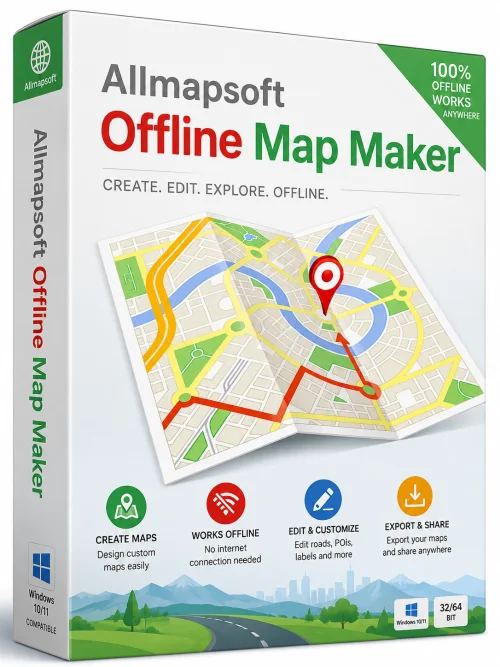
AllMapSoft Offline Map Maker Full is a powerful, user-friendly software solution designed to create offline maps for navigation, GPS devices, and mobile applications. Whether you are planning a remote trip, developing a location-based app, or simply need reliable maps without an internet connection, this tool enables you to download map tiles from major providers like Google Maps, Bing Maps, OpenStreetMap, and Yahoo Maps, and then stitch them together into a seamless, portable format. The software supports a wide range of output formats, including MBTiles, OruxMaps, KMZ, and GeoPackage, making it compatible with popular GPS apps and devices. With an intuitive interface, batch processing capabilities, and advanced georeferencing options, AllMapSoft Offline Map Maker Full is the go-to choice for professionals and hobbyists alike who require dependable offline cartography.
Key Features
- Multi-Provider Map Download: Fetch tiles from Google Maps, Bing Maps, OpenStreetMap, Yahoo Maps, and many other sources, with support for both raster and vector maps.
- Flexible Output Formats: Export maps to MBTiles, OruxMaps, KMZ, GeoPackage, PNG, JPEG, and more, ensuring compatibility with a wide range of applications.
- Zoom Level Control: Select specific zoom levels or a range of zoom levels to optimize map detail and file size.
- Custom Map Area: Define a specific region by drawing a rectangle on the map or by entering coordinates, allowing precise extraction of only the areas you need.
- Batch Processing: Queue multiple map areas or tile requests to run sequentially, saving time for large projects.
- Georeferencing: Automatically embeds geographic coordinates into the exported maps, enabling accurate positioning on GPS devices and mapping software.
- Projection Support: Handles common projections like Web Mercator (EPSG:3857) and WGS84 (EPSG:4326), with options to convert between them.
- High-Speed Download Engine: Multi-threaded downloading accelerates the process, and the tool can pause and resume downloads at any time.
- User-Friendly Interface: A clean, intuitive layout makes it easy for beginners, while advanced settings are available for power users.
- Offline Package Preview: View the downloaded area before export, ensuring you captured the correct region.
System Requirements
Before installing AllMapSoft Offline Map Maker Full, ensure your system meets the following requirements for optimal performance:
Minimum Requirements
- Operating System: Windows 7 SP1, Windows 8, Windows 10, or Windows 11 (32-bit or 64-bit)
- Processor: Intel Core i3 or equivalent (1.5 GHz or faster)
- RAM: 4 GB
- Hard Disk Space: 200 MB for installation, plus additional space for downloaded map data
- Display: 1024x768 resolution
- Internet Connection: Required during the download of map tiles
Recommended Requirements
- Operating System: Windows 10 or Windows 11 (64-bit)
- Processor: Intel Core i5 or better (2.5 GHz or faster)
- RAM: 8 GB or more
- Hard Disk Space: 5 GB or more (for large map packages)
- Display: 1920x1080 resolution
- Internet Connection: High-speed broadband for faster tile downloading
How to Install and Use
Follow these step-by-step instructions to install and start using AllMapSoft Offline Map Maker Full:
Installation
- Download the installer from the official website. Ensure you choose the full version to access all features.
- Run the downloaded .exe file. If prompted by User Account Control, click “Yes” to allow changes.
- Follow the setup wizard: select your preferred language, read and accept the license agreement, and choose an installation folder (the default location is fine).
- Click “Install” and wait for the process to complete. Once finished, click “Finish” to launch the application.
Usage
- Select Map Source: On the main interface, choose a map provider from the dropdown list (e.g., Google Maps, OpenStreetMap).
- Define Area: Use the built-in map to navigate to your desired region. Click and drag to draw a rectangle around the area you want to download. Alternatively, enter coordinates in the “Lat/Lon” fields.
- Set Zoom Levels: Use the slider or enter numeric values to specify the minimum and maximum zoom levels. Higher zoom levels provide more detail but increase file size.
- Choose Output Format: Under the “Output Settings,” select the desired format (e.g., MBTiles, OruxMaps, KMZ). You can also adjust projection and other advanced options if needed.
- Start Download: Click the “Start” button to begin fetching tiles. You can monitor progress in the status bar. Downloads can be paused and resumed at any time.
- Export and Use: Once downloading is complete, the app will automatically generate the offline map file in your chosen format. Copy the file to your GPS device, smartphone, or mapping application to use offline.
Pros and Cons
Pros
- Comprehensive Map Provider Support: Works with all major map services, giving users flexibility and redundancy.
- Multiple Export Formats: Ensures compatibility with a wide array of GPS software and hardware.
- Batch Downloading: Saves time when creating maps for multiple regions.
- Accurate Georeferencing: Maps align perfectly with GPS coordinates, essential for navigation and GIS applications.
- User-Friendly: The interface is approachable even for non-technical users, yet includes advanced settings for professionals.
- Reliable Performance: Multi-threaded engine downloads tiles quickly and handles interruptions gracefully.
Cons
- Windows Only: There is no Mac or Linux version, limiting cross-platform use.
- No Free Version: The full software requires a paid license; there is no permanently free tier (though a trial is available).
- Dependency on Tile Providers: Frequent changes to map providers' APIs can occasionally cause download errors, though updates usually resolve these.
- Large File Sizes: High-resolution maps often consume significant disk space, and tile downloads can be slow on poor connections.
Conclusion
AllMapSoft Offline Map Maker Full stands out as a robust and versatile solution for creating offline maps. Its extensive feature set, combined with an intuitive interface, makes it suitable for everyone from outdoor enthusiasts to professional GIS developers. While it is Windows-only and requires a paid license, the time saved and the quality of the resulting maps justify the investment for anyone who regularly works with offline cartography. With support for multiple providers, broad export options, and reliable performance, this tool is an essential addition to your software toolkit. Download AllMapSoft Offline Map Maker Full today and never worry about losing your way again—even in the most remote corners of the world.