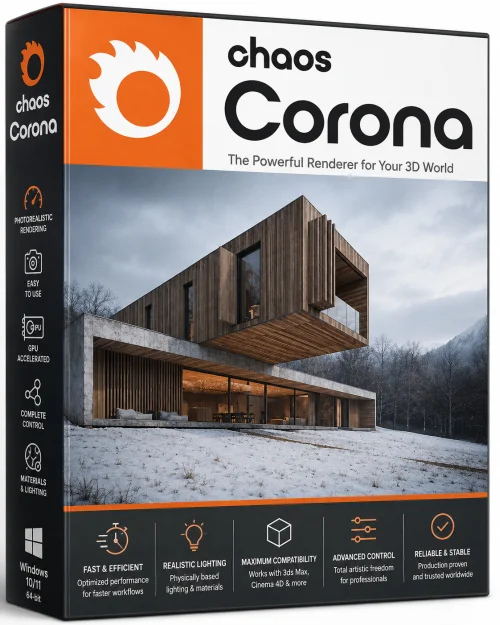
Chaos Corona 15 for Autodesk 3ds Max 64-bit Offline Installer
Get the standalone offline installer for 64-bit systems.
Overview
Introduction & Overview
Chaos Corona 15 for Autodesk 3ds Max is a cutting-edge, photorealistic renderer that has become the go-to choice for architects, designers, and 3D artists worldwide. Developed by Chaos Group, this powerful plugin integrates seamlessly with 3ds Max, offering a streamlined workflow that transforms complex scenes into stunning, high-fidelity images. Whether you are crafting architectural visualizations, product renderings, or interior design concepts, Corona 15 delivers exceptional speed, realism, and user-friendliness. It is renowned for its physically based lighting and rendering engine, which simulates real-world light behavior to produce images that are virtually indistinguishable from photographs. With its recent update, Corona 15 introduces a host of powerful enhancements that push the boundaries of creativity and efficiency, making it an indispensable tool for professionals and hobbyists alike.
Key Features
- Interactive Rendering: See changes in real time as you adjust lighting, materials, or camera settings, dramatically accelerating the creative iteration process.
- Advanced Material System: Create physically accurate materials with a simple, node-based workflow. The built-in library includes hundreds of ready-to-use materials like glass, metal, wood, and fabric.
- Superior Lighting Tools: Use Corona Sky, Corona Sun, and HDRI environment maps to achieve natural and convincing daylight or artificial lighting. The renderer also supports global illumination, caustics, and volumetric effects for enhanced realism.
- Corona Light Mix: Interactively adjust the intensity and color of all lights in your scene after rendering, without re-rendering, providing ultimate flexibility.
- Fast, Noise-Free Rendering: The adaptive denoiser combined with an efficient sampling algorithm produces clean images in a fraction of the time compared to previous versions or other renderers.
- Corona Scatter: Effortlessly populate scenes with thousands of objects like grass, trees, or crowds, using a new powerful and memory-efficient instancing system.
- Physical Camera Models: Mimic real-world camera settings including shutter speed, ISO, and depth of field for accurate exposure and creative control.
- Render to Texture: Bake lighting and materials onto objects for use in real-time engines or game development, a feature greatly enhanced in version 15.
- Improved Decal Support: Easily apply decals and labels to uneven surfaces with enhanced projection and wrapping options.
- Cloud Rendering Integration: Submit render jobs to Chaos Cloud directly from 3ds Max, ensuring you never run out of local compute power.
System Requirements
Minimum Requirements
- Microsoft Windows 10, 11 (64-bit only)
- Autodesk 3ds Max 2021, 2022, 2023, 2024, or 2025 (64-bit)
- Intel Pentium 4 or AMD Athlon XP processor (SSE2 support)
- 8 GB RAM (16 GB recommended for complex scenes)
- 4 GB of free disk space for installation
- 1 GB or more video memory, supporting DirectX 11, OpenGL 3.3
- 1024 x 768 display resolution
Recommended Requirements
- 64-bit Windows 10 or 11
- Intel Core i7 or AMD Ryzen 7 or higher
- 32 GB RAM or more
- SSD drive with at least 20 GB free space for cache and swap
- NVIDIA GeForce GTX 1060 or better, or AMD Radeon RX 580 (6 GB VRAM)
- 2560 x 1440 monitor with true color support
- Three-button mouse with a scroll wheel
How to Install and Use
- Step 1: Download the Installer – Visit the official Chaos Group website or a trusted reseller and download the Chaos Corona 15 installer for 3ds Max. Ensure you select the correct version for your 3ds Max installation (e.g., 2024).
- Step 2: Run the Setup – Locate the downloaded EXE file and double-click to launch the installation wizard. If prompted by User Account Control, click Yes to allow changes.
- Step 3: Choose Installation Options – The wizard will ask you to agree to the license agreement. Select whether to install the standalone material library and check which versions of 3ds Max you want to integrate with. It is recommended to install the material library for full functionality.
- Step 4: Complete Installation – Click Install and wait for the process to finish. This may take a few minutes. Once done, click Finish.
- Step 5: Activate Your License – Launch 3ds Max. You will see the Corona license dialog. Enter your license credentials (from your Chaos account) or point to the license server. For trial, select the trial option.
- Step 6: Set Corona as the Renderer – In 3ds Max, press F10 to open the Render Setup window. Under the 'Common' tab, in the 'Assign Renderer' rollout, click the button and choose 'Corona' from the list. Set Corona as the Production and Material Editor renderer.
- Step 7: Explore the Interface – New Corona-specific menus and panels will appear in 3ds Max. The Corona Render Settings dialog (from the rendering menu) allows you to control everything from image resolution to denoising. The Corona Material Library is accessible from the Material Editor, where you can drag and drop ready materials onto your objects.
- Step 8: Beginner’s Workflow – Start by adding a Corona Camera to your scene, then apply Corona Sky and Sun for lighting. Add a few materials from the library. Hit the interactive render button (teapot icon) to see your scene update in real time. Use the Corona Light Mix to fine-tune lighting. When satisfied, adjust output settings and render the final image.
Pros and Cons
- Pros:
- Unmatched rendering quality with physically accurate lighting and reflections.
- Intuitive, easy to learn interface, especially for those familiar with 3ds Max.
- Interactive renderer provides a live, real-time preview that dramatically speeds up workflow.
- Great automatic features like light mix and denoising, reducing manual cleanup.
- Extensive, high-quality material library saves time.
- Active community and extensive online tutorials.
- Cons:
- Rendering can be slower in some complex scenes compared to GPU-based renderers like V-Ray, especially without good CPU core count.
- Memory usage is high; complex scenes require substantial RAM.
- Not a GPU renderer natively, though some processes leverage it; the CPU-only engine limits users with older hardware.
- Subscription-based pricing may be a hurdle for hobbyists.
- Occasional plugin conflicts with other 3ds Max extensions.
Conclusion
Chaos Corona 15 for Autodesk 3ds Max is a remarkable rendering solution that balances ease of use with professional-grade output. Its intuitive tools and real-time feedback empower artists to explore creative directions without being bogged down by technical complexities. The system requirements are reasonable, and the installation process is straightforward, even for beginners. While it may not be the fastest for every scenario and its CPU-bound nature could be a limitation for some, the quality and usability far outweigh these cons. Whether you are a seasoned professional or just starting in 3D visualization, Corona 15 is a worthy investment that will elevate your work to new heights. Download it today and experience the future of photorealistic rendering.