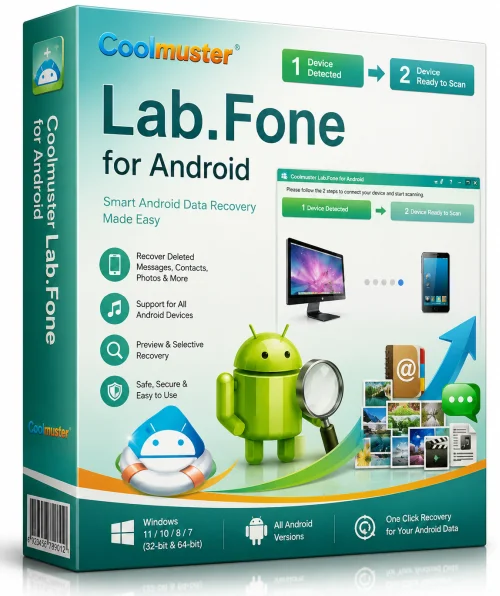
Coolmuster Lab.Fone For Android 64-bit Offline Installer
Get the standalone offline installer for 64-bit systems.
Overview
Introduction and Overview
Coolmuster Lab.Fone For Android is a professional and comprehensive data recovery solution designed specifically for Android users. In an era where we store countless precious memories and critical information on our smartphones, accidental deletion, system crashes, or malware attacks can lead to significant data loss. This powerful tool enables you to restore lost data from your Android device with just a few clicks. Whether you need to retrieve contacts, text messages, call logs, photos, videos, or documents, this software promises a reliable and straightforward recovery experience. It is developed by Coolmuster, a trusted name in the data recovery industry, known for delivering high-quality software that performs effectively across various scenarios. The program is especially appreciated for its intuitive interface, making it suitable for both beginners and tech-savvy professionals.
Unlike many other recovery tools that require complex instructions, Coolmuster Lab.Fone For Android simplifies the process into an easy-to-follow wizard. It supports a wide range of Android devices, including Samsung, Huawei, Xiaomi, LG, Motorola, and many more, and works with both internal storage and external SD cards. By using advanced scanning algorithms, it can detect and recover data that has been deleted or corrupted, offering a second chance to access your invaluable information.
Key Features
Multiple Data Type Recovery
The software allows you to recover a diverse array of data types, including:
- Contacts and phone numbers
- Text messages (SMS) and multimedia messages (MMS)
- Call logs
- Photos and images
- Videos
- Audio files (music, voice recordings)
- Documents (PDF, Word, Excel, etc.)
- WhatsApp messages and attachments
Broad Device Compatibility
This tool claims to support over 8000 Android device models, including brands like Samsung, Google Pixel, OnePlus, LG, HTC, Sony, and many others. It also works with almost all Android operating systems, from older versions like Android 2.1 to the latest releases. No matter what device you own, there is a high chance that this tool will be compatible.
Quick Scan and Deep Scan
To cater to different recovery needs, the software offers two scanning modes:
- Quick Scan: This mode is ideal for recently deleted files. It scans your device at high speed and quickly shows the recovered items, making it perfect for immediate retrieval.
- Deep Scan: For more thorough recovery—especially after a factory reset or when data loss has occurred long ago—the Deep Scan mode digs deeper into your device’s memory. Note that this mode requires root access to function fully.
Preview and Selective Recovery
Before you commit to recovering the data, you can preview each file type. This feature allows you to verify the integrity and content of the deleted items. You can selectively choose which files to restore, avoiding the hassle of restoring unnecessary data and saving storage space.
Safe and Non-Destructive Operation
Coolmuster Lab.Fone For Android works in a read-only mode. It scans and recovers data without altering existing files or causing any harm to your device. The safety of your current data is always prioritized, ensuring no overwriting or corruption occurs during the recovery process.
Easy-to-Use Interface
The program is designed with a clean, user-friendly interface. Each step is clearly guided, and the on-screen instructions help you navigate through the process effortlessly. Even a non-technical user can recover data without external help.
System Requirements
Minimum Requirements
- Operating System: Microsoft Windows XP (Service Pack 2) or later versions
- Processor: 1 GHz or higher
- RAM: 256 MB or more
- Hard Disk Space: At least 1 GB of free space
- Display: 1024 x 768 screen resolution
- USB Port: A working USB port for device connectivity
- Android Device: Must have USB debugging enabled (check Android developer options)
Recommended Requirements
- Operating System: Windows 10, 8.1, 8, or 7 (both 32-bit and 64-bit versions)
- Processor: 2 GHz dual-core processor or better
- RAM: 1 GB or more
- Hard Disk Space: 2 GB of free space
- Display: 1280 x 800 or higher
- Internet Connection: Required for activation and updates
- Android Device: Recommended to have root access for deep scanning
- Supported Android Versions: Android 2.1 up to the latest version
How to Install and Use
Follow these step-by-step instructions to effectively use Coolmuster Lab.Fone For Android for recovering your lost data:
Step 1: Download and Install
Visit the official Coolmuster website and download the setup file for Lab.Fone For Android. Run the installer and follow the on-screen prompts to complete the installation. Once installed, launch the program from your desktop or Start menu.
Step 2: Connect Your Android Device
Use a suitable USB cable to connect your Android device to your computer. To ensure a successful connection, you must enable USB Debugging on your phone:
- Go to Settings > About Phone and tap Build Number seven times to unlock Developer Options.
- Then navigate to Settings > Developer Options and enable USB Debugging.
After enabling, plug in the device. The software will automatically detect it and install necessary drivers if needed.
Step 3: Select Data Types
Once your device is recognized, you will see a list of file types that can be recovered. Tick the checkboxes corresponding to the data you want to recover—such as Contacts, Messages, Photos, and Videos—and click Next.
Step 4: Scan Your Device
The software will begin scanning your device. The Quick Scan starts automatically and typically completes within a few minutes. If you need a more comprehensive recovery, wait for the Quick Scan to finish, then click on Deep Scan to search deeper. Note that Deep Scan requires root permissions.
Step 5: Preview and Recover
After scanning, all recoverable data will be displayed in categorized folders. Click on each category to preview the files. If you find the data you need, simply tick the checkboxes next to the desired items. Then click the Recover button.
Step 6: Choose Output Format
You can choose to export the data to your computer. For contacts and messages, you have the option to save them as an HTML or CSV file. For media files like photos and videos, they will be exported in their original formats. Select your preferred output location and confirm.
That's it! Your lost data is now saved on your computer, allowing you to access and use it as you wish.
Pros and Cons
Pros
- Excellent device support: Compatible with a vast range of Android devices and manufacturers.
- Comprehensive data recovery: Recovers a wide variety of data types, including WhatsApp messages.
- Beginner-friendly: No technical skills required; the wizard-led approach makes it simple.
- Dual scanning options: Offers both Quick and Deep Scan to balance speed and thoroughness.
- Preview before recovery: You can view files in advance and selectively choose what to restore.
- Safe and secure: Read-only mode eliminates the risk of further data damage.
- Regular updates: The software is updated to support the latest Android devices and versions.
Cons
- Limited free version: The trial version has restrictions and does not allow full recovery; you need a paid license for complete access.
- Deep Scan requires root: Rooting your device may void warranty and is not recommended for everyone.
- Windows only: This software is not available for macOS, which limits compatibility for Apple users.
- Recovery not guaranteed: The success of recovery depends on the extent of data overwriting and device condition.
Conclusion
Coolmuster Lab.Fone For Android stands out as a robust and dependable tool for anyone facing data loss on their Android device. With its extensive features, such as supporting a broad spectrum of data types and offering both quick and deep scanning, it provides a one-stop solution for all your recovery needs. The user-friendly interface ensures that even novices can navigate the recovery process with ease, making it accessible to a wide audience. Although it has a few drawbacks—mainly the need for root access for deep scanning and the limitation of being Windows-only—the software remains a top choice among recovery utilities. If you value your contacts, precious photos, or essential business documents, investing in Coolmuster Lab.Fone For Android is a wise decision. Don't wait until it's too late; download the software today and safeguard yourself against the permanent loss of important data.