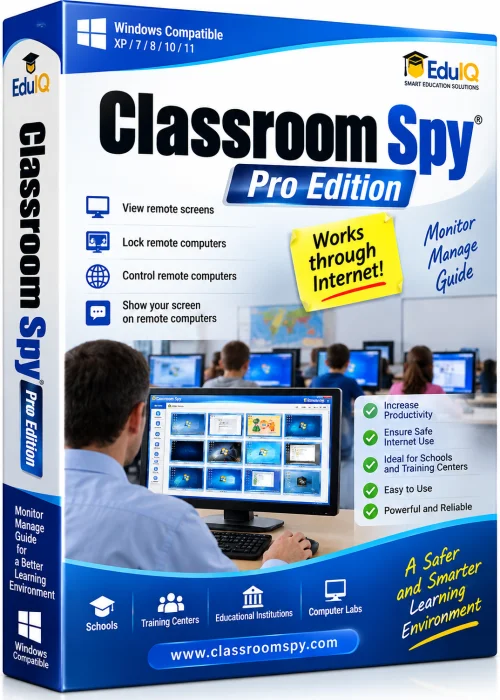
EduIQ Classroom Spy Pro Edition 64-bit Offline Installer
Get the standalone offline installer for 64-bit systems.
Overview
Introduction and Overview
EduIQ Classroom Spy Pro Edition is a powerful classroom management and monitoring software designed for educational institutions. It allows teachers and administrators to monitor student computer activity in real-time, take remote control, broadcast screens, enforce web filtering, and much more. This tool enhances productivity, ensures digital safety, and facilitates effective online learning. Ideal for computer labs, BYOD environments, and remote classrooms, Classroom Spy Pro Edition helps educators maintain student focus and provides robust reporting for assessment purposes.
Key Features
- Real-time screen monitoring of multiple student computers simultaneously.
- Remote desktop control to assist students individually.
- Screen broadcasting to share teacher's or a student's screen with the class.
- Application and website usage tracking with detailed logs.
- Web filtering and URL blocking to restrict inappropriate content.
- File transfer and remote handouts for distributing materials.
- Activity alerts for forbidden keywords or programs.
- Powerful reporting and export options (PDF, CSV, HTML).
- Supports both LAN and remote connections via internet.
- Multi-platform support: Windows, macOS, Linux (limited).
System Requirements
Minimum Requirements
- Operating System: Windows 7 or later (32-bit/64-bit)
- Processor: 1 GHz or faster
- RAM: 1 GB (2 GB recommended for multiple monitors)
- Hard Disk: 200 MB free space
- Network: TCP/IP connection
Recommended Requirements
- Operating System: Windows 10/11 Pro or Education (64-bit)
- Processor: Dual-core 2 GHz or higher
- RAM: 4 GB or more
- Hard Disk: 500 MB free space (SSD preferred)
- Network: Gigabit Ethernet or high-speed Wi-Fi
How to Install and Use
Installation
- Download the EduIQ Classroom Spy Pro Edition installer from the official website.
- Run the installer as an administrator on the teacher's computer.
- Choose installation type: Teacher (for monitoring) or Student (for monitored machines).
- Follow the on-screen prompts to complete installation.
- For student machines, repeat on each computer. Use silent installation with pre-configured settings for large deployments.
Basic Usage
- Launch the Teacher console from the Start menu.
- The software automatically detects student computers on the network. Ensure all student agents are running.
- Select a student or group to view live thumbnails or full screen.
- Use toolbar buttons to remote control, broadcast, send messages, or lock screens.
- Set up web filtering rules via the Settings panel.
- Generate reports from the Logs tab and export as needed.
Pros and Cons
Pros
- Intuitive interface with easy navigation.
- Flexible monitoring views (thumbnail, full screen, multi-screen).
- Low system footprint on student machines.
- Supports cross-platform environments.
- Affordable pricing compared to competitors.
- Detailed logging and reporting capabilities.
Cons
- No built-in chat feature (third-party integration required).
- Limited macOS/Linux features compared to Windows.
- Requires manual student agent installation for non-domain networks.
- Web filtering URL database not automatically updated.
- No cloud-based management console.
Conclusion
EduIQ Classroom Spy Pro Edition is a reliable and cost-effective solution for classroom management and monitoring. Its feature set covers essential needs such as screen monitoring, remote control, broadcasting, and web filtering, making it suitable for schools, training centers, and corporate training environments. While it lacks some advanced features like integrated chat or cloud management, its ease of use and robust reporting compensate well. For educators seeking a straightforward, high-performance monitoring tool, Classroom Spy Pro Edition is an excellent choice. Download your free trial today and experience enhanced classroom control.