PVS Studio Full PC Free Download for Windows 10/11
Optimize your PC with the fully compatible Windows 10 version.
Overview
PVS-Studio Overview: A Professional Static Code Analyzer
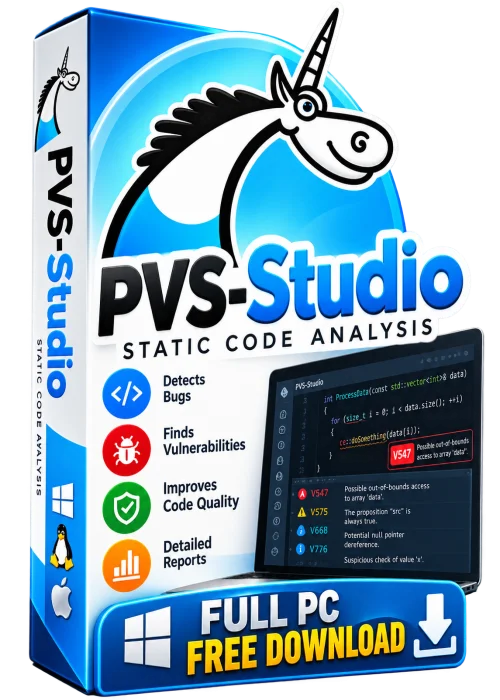
PVS-Studio is a static analysis tool built for C, C++, C#, and Java developers who want to catch bugs long before the code ever reaches a compiler, a tester, or a customer. Rather than running your program, PVS-Studio scans the source code itself and hunts for suspicious fragments: typos, copy-paste mistakes, null pointer dereferences, uninitialized variables, buffer overflows, incorrect shift operations, and dozens of other defect classes that quietly survive code review.
The analyzer plugs straight into the tools developers already use, including Visual Studio, CLion, IntelliJ IDEA, Rider, and VS Code, and it also runs from the command line or inside a CI pipeline. Many people search for a PVS-Studio full PC free download, expecting unlimited functionality at no cost. The honest answer is that PVS-Studio is commercial software. Legitimate copies come only from the official vendor website, where you can claim a free trial and, for students, teachers, and active open-source maintainers, a genuinely free license. Cracked or repackaged builds are pirated, are often bundled with malware, and never receive security or diagnostic updates.
Key Features
- Deep static analysis for C, C++, C#, and Java projects of any size.
- Hundreds of diagnostic rules spanning memory handling, concurrency, security, and portability.
- Native IDE plugins for Visual Studio, CLion, IntelliJ IDEA, Rider, and VS Code.
- SAST capabilities that help teams satisfy security and compliance requirements.
- Mapping to MISRA and CWE standards for safety-critical and regulated development.
- Incremental analysis plus baseline files to suppress known warnings and cut false positives.
- Ready-made integration for GitHub Actions, GitLab CI, Jenkins, and Azure DevOps.
- Clear reports with severity levels, code fragments, and practical fix recommendations.
System Requirements
Minimum
- 64-bit operating system: Windows 10, a modern Linux distribution, or macOS 11.
- Dual-core processor with 4 GB of RAM.
- Around 3 GB of free disk space for the analyzer and plugins.
- A supported IDE or a working command-line build environment.
Recommended
- Quad-core processor or better with 16 GB of RAM.
- Solid-state drive for noticeably faster project scanning.
- Latest Windows, Ubuntu LTS, or macOS release with current IDE versions.
- Network access for license activation and update checks.
How to Install and Use PVS-Studio
- Step 1: Visit the official PVS-Studio website and create a free account.
- Step 2: Request a trial license or apply for a free license if you qualify as a student or open-source developer.
- Step 3: Download the installer that matches your operating system.
- Step 4: Run the installer, accept the license agreement, and select the IDE plugins you need.
- Step 5: Restart your IDE and open the project you want to check.
- Step 6: Launch the analysis from the PVS-Studio menu or toolbar button.
- Step 7: Review warnings by severity level, fix the real defects, and mark false positives as suppressed.
- Step 8: Add the command-line analyzer to your CI pipeline so every commit is checked automatically.
Pros and Cons
Pros
- Finds real bugs early, which reduces debugging and maintenance costs.
- Excellent IDE integration keeps the workflow fast and familiar.
- Strong documentation and rapid rule updates from the vendor.
- Free licensing options exist for education and open-source work.
Cons
- Full commercial licenses are paid, so it is not truly freeware.
- Initial scans on large legacy codebases can produce many warnings.
- Advanced enterprise features require higher-tier plans.
- Cracked downloads found online are illegal and frequently unsafe.
Conclusion
PVS-Studio is one of the most capable static analyzers available for C, C++, C#, and Java, and it earns its reputation through accurate diagnostics, smooth IDE integration, and dependable CI support. If you want the full experience on your PC, download it from the official source, start with the free trial, and check whether you qualify for a no-cost license. Skip the counterfeit full versions floating around the web; they risk your machine, your code, and your project far more than they save.