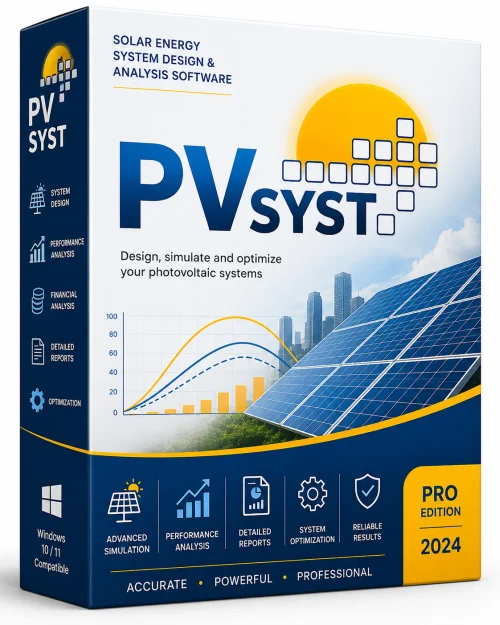
PVsyst Program for Windows 10/11
Optimize your PC with the fully compatible Windows 10 version.
Overview
Introduction and Overview of PVsyst Program
PVsyst is one of the most trusted and powerful software tools for the design, simulation, and analysis of photovoltaic (PV) systems. Developed by the University of Geneva and continuously refined for decades, this program is the industry standard for solar energy professionals, engineers, researchers, and system integrators. Whether you are working on a small rooftop installation, a large utility-scale solar farm, or an off-grid standalone system, PVsyst provides the depth of modeling and sensitivity analysis needed to optimize energy yield and financial performance.
In essence, PVsyst takes the guesswork out of solar PV design. It imports high-resolution meteorological data, applies sophisticated physical models, and simulates the behavior of your array, inverters, and batteries under real-world conditions. The program handles all types of systems—grid-connected, stand-alone, and hybrid—and provides detailed yield predictions, loss diagrams, and financial indicators. Engineers rely on it to compare configurations, detect performance bottlenecks, and produce bankable reports. With its latest versions, PVsyst now includes advanced features like 3D scene shading visualization, bifacial module simulation, and seamless integration with GIS and mapping tools.
For any serious solar developer, mastering PVsyst is almost a prerequisite. It is used in project development, feasibility studies, energy auditing, and academic research. The software is continuously updated to keep pace with emerging solar technologies and IEC standards, making it a indispensable asset in the renewable energy sector.
Key Features of PVsyst
- Comprehensive System Sizing: Automatic and manual sizing of grid-connected and stand-alone systems, including array tilt, orientation, and inter-row spacing.
- Meteorological Data Import: Built-in access to numerous databases (NASA SSE, Meteonorm, PVGIS, etc.) and support for custom weather files (TMY, EPW).
- High-Frequency Simulation: Hourly or sub-hourly simulation modes that account for temperature, irradiance, spectral effects, and partial shading.
- 3D Unlimited Shading Analysis: Create 3D models of your site, including nearby buildings and vegetation, with detailed 3D visualization of shade losses throughout the year.
- Bifacial Module Modeling: Simulate the increased yield of bifacial panels by modelling front and rear irradiance capture.
- Detailed Loss Tree: Transparent and granular loss breakdown, showing exactly where energy is lost—from soiling to inverter clipping.
- Financial Evaluation: Cash flow, payback period, LCOE, and other economic indicators based on customizable tariffs and investment costs.
- Grid-Aware Features: Simulate grid injection constraints, power curtailment, and participation in demand-side management.
- Battery and Storage Modeling: Advanced state-of-charge models for lead-acid and lithium-ion batteries, with aging calculation.
- Database of Components: Scores of inverter performance curves, PV module parameters, and battery models, plus the ability to import your own.
- Batch Simulations: Run hundreds of parameter variations in a single session for sensitivity analysis or optimization.
- Report Generation: Generate customizable PDF reports and CSV exports with all simulation results and graphics.
System Requirements for PVsyst
The program is Windows-based and continues to evolve, so your hardware should meet certain criteria for smooth performance. Below are the minimum and recommended specifications.
Minimum Requirements
- Operating System: Windows 10 (64-bit)
- Processor: Any modern x86/x64 CPU (Intel Core i3 or equivalent)
- RAM: 4 GB
- Graphics: Integrated GPU with OpenGL 2.1 support
- Storage: 2 GB of free disk space
- Screen Resolution: 1024x768
Recommended Requirements
- Operating System: Windows 11 (64-bit)
- Processor: Intel Core i5 or i7 (or AMD Ryzen 5/7) with at least 4 cores
- RAM: 8 GB (16 GB preferred for 3D shading)
- Graphics: Dedicated GPU with ≥1 GB VRAM and OpenGL 3.3 or higher (for smoother 3D rendering)
- Storage: 10 GB of free SSD space for meteorological databases
- Screen Resolution: 1920x1080 or higher
How to Install and Use PVsyst
Installing PVsyst is a straightforward process. The software is available as a free trial from the official website, and licensed versions are activated via a license file or dongle. Follow these steps to get started.
Installation Steps
- Download the Installer: Visit the official PVsyst website (pvsyst.com) and navigate to the 'Download' section. Choose your preferred version (32-bit or 64-bit) and download the .exe file.
- Run the Installer: Double-click the downloaded file. If Windows prompts a security warning, choose 'Yes' to allow the program to make changes.
- Follow Setup Wizard: Accept the license agreement, choose your installation directory, and select components. You can keep the default options for most users.
- Complete Installation: Click 'Install' and wait for the process to finish. Once done, launch PVsyst from the desktop shortcut or Start Menu.
- Activate Software: You will either be prompted to enter a license code file (downloadable from your PVsyst account) or connect a USB dongle. Follow the on-screen instructions to finalize activation.
- Update Databases: After first launch, the software may ask to update satellite maps and meteorological database indexes. It's recommended to allow this for optimal performance.
Basic Usage Workflow
- Create a New Project: Click 'New Project' and enter a name, location, and time zone. You can also import a GPS coordinate from a map.
- Define the System: For grid-connected, select 'Grid-Connected' and choose your panel and inverter models from the database. The program will suggest system parameters based on your location.
- Import Weather Data: Use 'Meteo Sources' to download weather data from one of the embedded databases or import your own TMY file.
- Run the Simulation: Click 'Simulation' and set the simulation period (usually one year). The program will compute hourly production, losses, and performance ratios.
- Analyze Results: View the detailed report, loss diagram, time-series graphs, and financial summaries. Use the 'Color Maps' to visualize irradiance and temperature effects.
- Refine and Optimize: Adjust module tilt, inverter loading ratio, or use the 'Parameter Study' feature to find the optimal configuration.
- Export & Share: Generate a PDF report or export data to Excel for further analysis or client deliverables.
Pros and Cons of PVsyst
Every tool has its strengths and limitations. Here is an honest look at the advantages and potential drawbacks of PVsyst.
Pros
- Industry Standard: Recognized and demanded by investors, EPCs, and government agencies globally; reports are bankable.
- Extremely Accurate: The physical models and loss calculations are validated against real-world PV plants to within a few percent.
- Powerful Shading Simulator: The 3D scene tool is among the best in the industry, enabling precise roof and terrain shading analysis.
- Flexible Storage Modelling: No other mainstream software models hybrid systems and battery aging in such a detailed yet user-friendly way.
- Large Component Database: You will rarely need to manually enter module or inverter data, and you can easily update from manufacturer curves.
- Constant Development: Updates are regular and incorporate the latest solar research, including plug-in support for smart grids.
Cons
- Steep Learning Curve: The sheer number of options and parameters can be overwhelming for beginners. Expect to spend hours studying tutorials and guides.
- Windows Only: There is no native macOS or Linux version, although some users run it on virtual machines.
- High License Cost: A permanent license is expensive, which can be a barrier for students or hobbyists. There is a free trial, but it’s limited in features.
- Complex Import Processes: Importing custom weather files or GIS data sometimes requires specific formatting and patience.
- No Real-Time Monitoring: It is a design tool, not a monitoring dashboard. You cannot connect live plant data directly to it.
Conclusion
PVsyst Program remains the premier choice for solar PV system design and simulation across the globe. Its unmatched accuracy, detailed shading analysis, and comprehensive financial reporting make it an essential tool for anyone serious about solar energy. While the licensing cost and initial complexity can be daunting, the investment pays for itself in reduced design errors and optimized energy production.
For engineers transitioning from simpler tools, PVsyst offers a giant leap forward in technical credibility. For researchers, it provides a robust platform to publish reliable findings. For investors, PVsyst reports are the closest thing to a guarantee of real-world performance. The growing number of features, especially for storage and smart grid integration, ensures that PVsyst will remain at the forefront of solar software for years to come.
If you are committed to mastering solar project development, download a trial and start exploring today. Browse the built-in examples, delve into the 3D shading tool, and run your first simulation. The deeper you go, the more you will appreciate why PVsyst has earned its reputation as the gold standard in photovoltaic simulation. Whether you are designing a tiny cabin system or a megawatt-scale solar farm, PVsyst has the power and precision to bring your project to life.