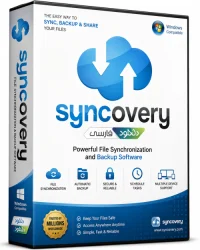
Syncovery Pro Enterprise for Windows 10/11
Optimize your PC with the fully compatible Windows 10 version.
Overview
Introduction and Overview
Syncovery Pro Enterprise is a powerful, cross-platform backup and synchronization software designed for businesses and IT professionals. It supports a wide range of storage targets including local drives, network shares, FTP/SFTP servers, cloud services (Amazon S3, Google Drive, Dropbox, OneDrive, etc.), and even tape drives. With its advanced scripting capabilities, granular scheduling, and robust compression/encryption, Syncovery ensures that your critical data is always protected, consistent, and recoverable. Whether you need to sync files between multiple locations or create automated backups with versioning, this enterprise-grade tool delivers performance, reliability, and flexibility.
Key Features
- Multi-Platform Support: Available for Windows, macOS, Linux, and Unix, with consistent functionality across all systems.
- Broad Storage Targets: Supports local folders, network shares, FTP/SFTP, WebDAV, Amazon S3, Google Cloud Storage, Azure, Dropbox, OneDrive, Backblaze B2, and more.
- Scheduling & Automation: Flexible scheduling (daily, weekly, custom triggers) and real-time file monitoring for instant sync.
- Incremental & Delta Sync: Only transfers changes, saving bandwidth and time. Delta copying further reduces transfer size.
- Encryption & Compression: AES-256 encryption for data at rest and in transit, plus on-the-fly compression to reduce storage needs.
- Versioning & Deletion Handling: Keeps multiple versions of files, with options to restore or delete older versions automatically.
- Scripting & Command Line: Full automation via built-in scripting language (based on Pascal) and command-line interface for integration with other tools.
- SSH Key Authentication: Secure password-less connections to SFTP servers using SSH keys.
- Email Notifications: Get alerts on job success, failure, or warnings.
- Centralized Management: Manage multiple instances from a single administration console (Enterprise feature).
System Requirements
Minimum Requirements
- Operating System: Windows 7 or later, macOS 10.12+, Linux (Kernel 2.6+) with glibc 2.15+, or Unix (FreeBSD, etc.)
- Processor: 1 GHz dual-core
- RAM: 512 MB
- Disk Space: 200 MB for installation
- Network: Internet connection for cloud storage
Recommended Requirements
- OS: Windows 10/11, macOS 11+, Ubuntu 20.04+
- Processor: 2.5 GHz quad-core or higher
- RAM: 2 GB (more for large file sets)
- Disk Space: 500 MB (more for logs and temporary files)
- Network: High-speed broadband for cloud sync
How to Install and Use
- Download: Visit the official Syncovery website and download the installer for your operating system.
- Install: Run the installer. On Windows, accept the license agreement, choose destination folder, and select components (Pro version includes scheduler, GUI, and optional service). On macOS, drag the app to Applications. On Linux, install via package manager or run the provided script.
- Launch: Open Syncovery. On first run, you'll see the main interface with the job list.
- Create a New Profile: Click "Create New" or "Add Profile". Name the profile (e.g., "Backup to Cloud").
- Configure Source and Destination:
- For local: select folder via Browse.
- For cloud: click "Add Cloud" and log in.
- For FTP/SFTP: enter server details.
- Set Sync Mode: Choose one-way mirror, two-way sync, or custom rules. Enable versioning if needed.
- Schedule: Go to Schedule tab, set frequency (e.g., daily at 2 AM) or enable real-time monitoring.
- Advanced Options: Configure encryption, compression, filters, and email notifications under the respective tabs.
- Save and Run: Click OK to save. To test, select profile and click "Run Now". Monitor progress in the log.
- Automation (optional): Use the command line for scripting: e.g., syncovery.exe /profile="MyBackup" /sync.
Pros and Cons
Pros
- Extremely versatile: supports almost any storage type.
- Enterprise features: centralized management, scripting, service mode.
- High performance: delta copying, multi-threading, and bandwidth throttling.
- Strong security: AES-256, SSH keys, and SSL/TLS.
- Reliable versioning with customizable retention policies.
- Active development with regular updates.
Cons
- Steep learning curve for advanced features; may overwhelm new users.
- User interface could be more modern; some dialogs feel dated.
- Price: higher than some competitors, though feature-rich.
- Linux GUI limited; primarily command-line driven on that platform.
Conclusion
Syncovery Pro Enterprise is a top-tier backup and synchronization solution that excels in flexibility, security, and automation. Its wide array of supported platforms and storage targets makes it suitable for any environment, from small businesses to large enterprises. While the interface may seem complex at first, the depth of customization and control it offers is unmatched. If you need a reliable, enterprise-grade tool to safeguard your data with minimal manual oversight, Syncovery Pro Enterprise is an excellent investment. Try the 30-day free trial to experience its capabilities firsthand.