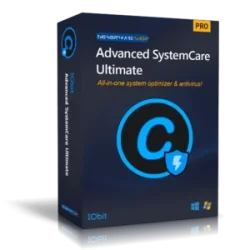
Advanced SystemCare Ultimate Old & Previous Versions
Download legacy versions of Advanced SystemCare Ultimate.
Overview
Introduction and Overview
Advanced SystemCare Ultimate is a comprehensive PC optimization and security suite developed by IObit. It combines powerful system cleaning, performance boosting, and real-time antivirus protection into one integrated solution. Designed for both novice and advanced users, the software aims to keep your computer running at peak efficiency by removing junk files, fixing registry errors, and defending against malware, ransomware, and other online threats. With its one-click approach and intelligent scanning engine, Advanced SystemCare Ultimate helps prolong the lifespan of your device while ensuring a smooth, responsive user experience.
Key Features
- AI-Powered PC Cleanup: Scans and removes over 20 types of junk files, including browsing traces, temporary files, and invalid shortcuts.
- Real-Time Malware Protection: Built-in antivirus engine (Bitdefender) guards against viruses, spyware, and ransomware.
- Privacy Shield: Blocks unauthorized access to your webcam and prevents identity theft by erasing digital footprints.
- Performance Boost: Optimizes startup, disables unnecessary background processes, and defragments disks for faster boot and app launches.
- Registry Cleaner: Repairs and defragments the Windows registry to eliminate errors and crashes.
- Software Updater: Automatically detects and updates outdated programs to close security loopholes.
- Game Booster: Allocates system resources to games for smoother gameplay with higher FPS.
- Large File Scanner: Identifies and removes big, useless files to free up disk space.
- Secure Browsing: Blocks malicious websites and phishing attempts in real time.
- 24/7 Technical Support: Priority support for Ultimate users, including live chat and email assistance.
System Requirements
Minimum Requirements
- Operating System: Windows 7, 8, 10, 11 (32-bit or 64-bit)
- Processor: 1 GHz or faster
- RAM: 512 MB
- Disk Space: 100 MB free
- Internet connection for updates and activation
Recommended Requirements
- Operating System: Windows 10/11 (64-bit)
- Processor: 2 GHz dual-core or better
- RAM: 2 GB or more
- Disk Space: 500 MB free
- Internet connection for full features
How to Install and Use
Installation
- Download the Advanced SystemCare Ultimate installer from the official IObit website.
- Run the installer as administrator (right-click and select 'Run as administrator').
- Follow the on-screen prompts: choose installation language, accept the license agreement, and select installation folder (default is recommended).
- If prompted, uncheck any optional offers (e.g., browser extensions) unless desired.
- Click 'Install' and wait for the process to complete. Once finished, click 'Finish' to launch the software.
How to Use
- Initial Scan: On first run, click the 'Scan' button to perform a comprehensive system check. The software will analyze junk files, registry issues, malware, and privacy threats.
- Clean & Optimize: After scanning, review the results and click 'Fix' to resolve all issues. You can customize which items to clean by expanding each category.
- Real-Time Protection: Ensure the 'Security' tab is active. Enable 'Real-Time Protection' to guard against threats continuously.
- Boost Performance: Use the 'Boost' tab to manage startup items, system services, and background processes. Enable 'Game Booster' when playing intensive games.
- Update Software: Go to 'Toolbox' > 'Software Updater' to check for outdated programs and update them with one click.
- Schedule Scans: Set automatic daily, weekly, or monthly scans via 'Settings' > 'Schedule' to keep your system clean automatically.
Pros and Cons
Pros
- All-in-one solution: combines cleanup, antivirus, and performance tools
- User-friendly interface with one-click operation
- Powerful detection and removal of malware (Bitdefender engine)
- Game Booster effectively improves gaming performance
- Privacy protection features (webcam guard, digital fingerprint removal)
- Regular updates and dedicated support
Cons
- Advanced features require paid subscription (free version is limited)
- Occasional false positives during system cleanup
- Can be resource-heavy during deep scans
- Some users may find promotional pop-ups intrusive
Conclusion
Advanced SystemCare Ultimate stands out as a robust, all-in-one utility for maintaining a healthy PC. By integrating deep cleaning, real-time security, and performance optimization, it eliminates the need for multiple standalone tools. While the free version provides basic functionality, the paid Ultimate edition unlocks its full potential—especially for users who demand comprehensive protection and maximum speed. Whether you're a casual user looking for simple maintenance or an enthusiast seeking top-tier performance, Advanced SystemCare Ultimate delivers reliable results. Its intuitive design and potent feature set make it a worthy investment for anyone serious about their computer's health. Give it a try and experience a faster, safer, and cleaner system.