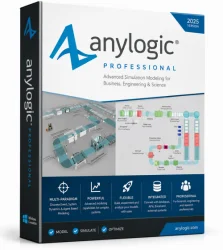
AnyLogic Professional Old & Previous Versions
Download legacy versions of AnyLogic Professional.
Overview
Introduction and Overview
AnyLogic Professional is a cutting-edge simulation software designed to model complex systems across various industries, including logistics, manufacturing, healthcare, transportation, and more. Unlike traditional simulation tools that focus on a single methodology, AnyLogic Professional uniquely supports three primary modeling paradigms: agent-based (AB), discrete event (DES), and system dynamics (SD). This multi-method approach allows users to capture the intricate interplay between different system behaviors, making it an indispensable tool for researchers, engineers, and business analysts seeking to optimize processes, reduce costs, and predict outcomes. With its intuitive drag-and-drop interface, extensive libraries, and powerful analytical capabilities, AnyLogic Professional empowers users to build realistic, interactive simulations that drive informed decision-making.
Key Features
- Multi-Method Modeling: Seamlessly combine agent-based, discrete event, and system dynamics approaches within a single model to capture complex system behaviors.
- Rich Library of Modeling Objects: Access pre-built blocks for processes, agents, and stocks, speeding up model development.
- 3D Animation and Interactive Visualizations: Create stunning 3D animations and interactive dashboards to visualize simulation runs in real time.
- GIS Integration: Incorporate geographic information system data to model spatial dynamics, such as supply chains and traffic flows.
- Cloud and Parallel Computing: Run simulations on local clusters or cloud platforms to handle large-scale, computationally intensive models.
- Java and Python API: Extend models with custom code using Java or Python, enabling integration with external databases, algorithms, and scripts.
- Experiment Framework: Automate parameter sweeps, optimization, and sensitivity analysis to explore hundreds of scenarios efficiently.
- Model Export: Export models as standalone Java applications for deployment to clients or team members without AnyLogic licenses.
System Requirements
Minimum Requirements:
- Operating System: 64-bit Windows (10 or 11), macOS (10.15+), or Linux (Ubuntu 18.04+)
- Processor: 2 GHz single-core
- RAM: 4 GB (8 GB recommended for larger models)
- Disk Space: 2 GB for installation (SSD recommended)
- Java: Java Runtime Environment (JRE) 11 or later (included with installer)
- Graphics: Any OpenGL-compatible GPU (for 3D visualization, dedicated GPU with at least 1 GB VRAM recommended)
Recommended Requirements:
- Processor: Quad-core or higher, 3 GHz or faster
- RAM: 16 GB or more
- Disk Space: SSD with at least 10 GB free
- Graphics: Dedicated GPU with 4 GB+ VRAM (NVIDIA GeForce GTX or Quadro series)
- Resolution: 1920x1080 or higher
How to Install and Use
Installation Steps:
- Download: Visit the official AnyLogic website and download the Professional installer for your operating system.
- Run Installer: Launch the installer and follow the on-screen instructions. Accept the license agreement and choose installation directory.
- Select Components: During installation, you can select additional components such as sample models, tutorials, and the Java development kit (JDK).
- Complete Installation: Finish the installation and launch AnyLogic Professional from the desktop shortcut or start menu.
Basic Usage Steps:
- Create a New Model: In the welcome screen, click 'New Model' and name your project. Choose the main modeling method (agent-based, discrete event, system dynamics) or opt for a blank model to combine methods.
- Define the Model Structure: Use the Project View to add agents, processes, or stocks. For agent-based modeling, create agent types and define their states, actions, and interactions. For discrete event, drag and drop process blocks (e.g., Source, Queue, Delay, Sink) onto the diagram.
- Configure Parameters: Set model parameters such as arrival rates, service times, and resource capacities. Use sliders or text fields to make parameters adjustable during simulation.
- Run a Simulation: Click the 'Run' button to start a single simulation run. Observe the animation in 2D or 3D (switch using the view toolbar).
- Analyze Results: Use the built-in charts, histograms, and data statistics to evaluate performance metrics. You can also create custom dashboards to monitor key indicators in real time.
- Run Experiments: Open the 'Experiments' panel to set up parameter variation, optimization, or sensitivity analysis. Define ranges and objectives, then execute to automatically compare outcomes.
- Export Model: Once satisfied, export your model as a standalone Java application for sharing or deployment. Go to File > Export > Java Application.
Pros and Cons
Pros
- Versatility: Support for multiple modeling paradigms allows users to tackle a wide range of problems without switching tools.
- User-Friendly Interface: The drag-and-drop GUI and visual programming reduce the need for extensive coding, speeding up model development.
- Extensive Libraries: Pre-built objects for common scenarios (e.g., manufacturing, logistics) accelerate modeling and reduce errors.
- Strong Community and Support: Active user forums, comprehensive documentation, and professional training options help users master the software.
- Scalability: Cloud computing and parallel processing enable handling of large-scale models with high performance.
- Customizability: Java and Python APIs provide flexibility to extend functionality and integrate with external systems.
Cons
- Cost: AnyLogic Professional licenses are expensive, which may be a barrier for small businesses or individual users. Educational licenses are available but with limitations.
- Learning Curve: While basic modeling is intuitive, mastering advanced features like custom coding and multi-method integration requires significant time and effort.
- Resource Intensive: Running complex simulations, especially with 3D animations, demands powerful hardware.
- Limited Native Integration: Compared to some competitors, AnyLogic has fewer direct connectors to popular enterprise software (e.g., ERP systems), requiring custom API work.
- File Compatibility: Model files are locked to AnyLogic; converting to other simulation formats is not straightforward.
Conclusion
AnyLogic Professional stands out as the premier simulation software for professionals who need to model and analyze complex, multi-faceted systems. Its unique multi-method capability, combined with a robust feature set and powerful visualization tools, makes it an essential asset for optimizing operations, forecasting outcomes, and driving strategic decisions. While the cost and learning curve may be daunting, the investment pays off in terms of accuracy, scalability, and the depth of insights gained. Whether you are in academia, research, or industry, AnyLogic Professional provides the flexibility and power to turn complex real-world systems into actionable simulation models. By leveraging its comprehensive features, you can stay ahead in a data-driven world.