AquaSoft Video Vision Old & Previous Versions
Download legacy versions of AquaSoft Video Vision.
Overview
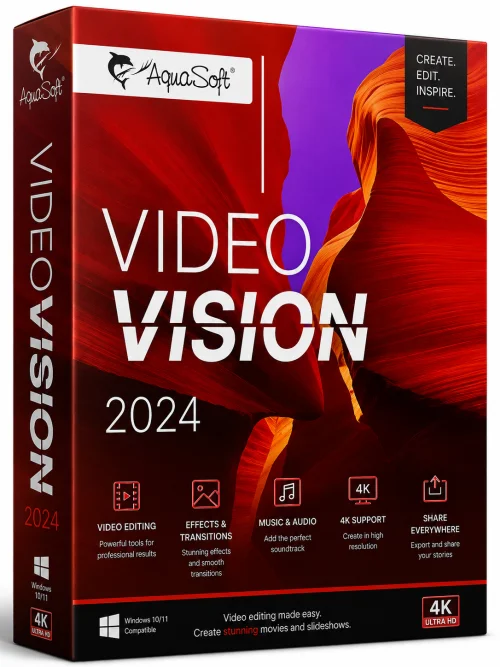
AquaSoft Video Vision is a powerful and versatile video editing and slideshow creation software designed for both beginners and professionals. Developed by AquaSoft, this application stands out in the crowded market of video tools by offering a timeline-based approach that combines stunning animations, transitions, and effects with an intuitive user interface. Whether you want to create a compelling slideshow from vacation photos, produce a professional business presentation, or craft a memorable birthday video, AquaSoft Video Vision provides all the necessary tools to bring your vision to life. With support for 4K resolutions and a vast library of templates, it is the go-to solution for anyone looking to create high-quality videos without a steep learning curve.
Key Features
AquaSoft Video Vision is packed with features that simplify the video creation process while delivering professional results:
- Timeline-Based Editing: Work with a multi-track timeline that offers precise control over each clip, image, and audio file.
- Stunning Transitions and Effects: Choose from hundreds of 2D and 3D transitions, including zoom, pan, blur, and rotation effects to make your content dynamic.
- Animation and Keyframes: Create custom animations using keyframes to move, scale, rotate, and adjust opacity of any element over time.
- Slideshow Wizard: Use the built-in wizard to automatically generate a slideshow from your photos with music and effects in just a few clicks.
- 4K and Ultra HD Support: Export your projects in stunning 4K resolution, ensuring your videos look crisp on modern screens.
- Multi-Camera Editing: Sync and switch between multiple camera angles, perfect for event videography.
- Extensive Media Library: Access a rich collection of templates, backgrounds, shapes, and stock music to enhance your project.
- Text and Title Overlays: Add customizable text overlays, titles, and credits with various fonts, shadows, and outline options.
- Audio Mixing: Fine-tune audio tracks with volume control, fade-in/out, and background music features.
- Chroma Key (Green Screen): Replace backgrounds with ease using the included green screen feature.
- Direct Export and Sharing: Export videos in various formats (MP4, WMV, AVI) or directly upload to YouTube and Vimeo.
System Requirements
Before installing AquaSoft Video Vision, ensure your computer meets the following minimum and recommended specifications to achieve the best performance:
Minimum Requirements
- Operating System: Windows 7 SP1, 8, 8.1, or 10 (64-bit)
- Processor: Intel Core i3 or AMD equivalent
- RAM: 4 GB
- Graphics Card: DirectX 10 compatible with at least 256 MB VRAM
- Hard Disk Free Space: 2 GB for installation
- Screen Resolution: 1280 x 768 or higher
Recommended Requirements
- Operating System: Windows 10/11 (64-bit)
- Processor: Intel Core i5 or AMD Ryzen 5
- RAM: 8 GB or more
- Graphics Card: DirectX 12 compatible with 1 GB VRAM (NVIDIA GTX 1050 or higher)
- Hard Disk Free Space: 10 GB for projects and cache
- Screen Resolution: 1920 x 1080 (Full HD) or 4K
How to Install and Use
Follow these simple steps to install AquaSoft Video Vision and start creating your first video project:
Installation
- Download the installation file from the official AquaSoft website or a trusted source.
- Double-click the downloaded .exe file to launch the setup wizard.
- Follow the prompts, read and accept the license agreement, and choose an installation directory.
- Select additional components (e.g., codecs, templates) if prompted, and click “Install.”
- Once the installation is complete, launch the software from the desktop icon or Start menu.
Quick Start Guide
- On first launch, choose whether to start a new project or use a template.
- Add media (photos, videos, music) by dragging them into the media pool.
- Drag files onto the timeline in the desired order.
- Enhance your project by adding transitions, effects, and text overlays.
- Use the preview window to review your project in real-time.
- Click the “Export” button, select your desired output format and quality, and save the final video.
Pros and Cons
Weighing the advantages and disadvantages helps decide if AquaSoft Video Vision is the right choice for you:
Pros
- User-friendly interface that is easy to learn, even for beginners.
- Extensive library of transitions, effects, and templates.
- Powerful keyframe animation system for advanced customization.
- Supports 4K video export, ensuring high quality.
- Multi-camera editing capability is a standout feature.
- Regular updates and reliable technical support.
Cons
- Windows-only – no macOS version available.
- No cloud-based collaboration feature.
- The full version is relatively expensive compared to some competitors.
- Rendering can be slow on lower-end PCs, especially with 4K projects.
Conclusion
AquaSoft Video Vision is a robust video editing and slideshow software that strikes an excellent balance between power and usability. Its rich feature set, including 4K support, multi-camera editing, and a comprehensive effect library, makes it suitable for a wide range of projects, from personal slideshows to professional presentations. While the lack of a Mac version and a premium price may deter some users, those on Windows seeking a reliable and feature-rich tool will find it an invaluable addition to their software toolkit. If you are ready to elevate your video creation experience, AquaSoft Video Vision is undoubtedly worth considering.