Bloons TD 6 Full PC Old & Previous Versions
Download legacy versions of Bloons TD 6 Full PC.
Overview
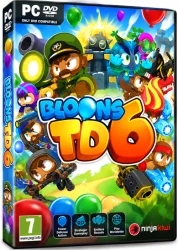
Bloons TD 6 Full PC is the definitive tower defense experience, bringing the beloved Bloons franchise to your desktop with enhanced graphics, advanced mechanics, and endless hours of strategic gameplay. Developed by Ninja Kiwi, this full PC version takes the core formula of popping colorful balloons (Bloons) with cleverly placed monkey towers and elevates it to new heights with 3D visuals, deep upgrade paths, and a massive amount of content. Whether you're a series veteran or a newcomer to the tower defense genre, Bloons TD 6 on PC offers a polished and addictive challenge that scales from casual fun to hardcore optimization.
Key Features
Bloons TD 6 Full PC is packed with features that make it stand out in the tower defense landscape. Here are the highlights:
- 3D Graphics and Dynamic Visuals: The shift to 3D brings vibrant, detailed maps and fluid animations, making each Bloon pop satisfying and each tower ability spectacular.
- Over 20 Unique Monkey Towers: Choose from a diverse roster including Dart Monkeys, Boomerang Throwers, Snipers, Ninjas, Alchemists, and more, each with distinct attack styles and roles.
- Deep Upgrade System: Each tower has three upgrade paths with up to five tiers per path, allowing for over 700 unique tower configurations. Mixing and matching upgrades creates endless strategic possibilities.
- Heroes with Special Abilities: Unlock and level up powerful heroes like Quincy, Gwendolin, Striker Jones, and Obyn Greenfoot, each bringing powerful active abilities and passive buffs to the battlefield.
- Diverse Game Modes: From the standard Easy, Medium, and Hard difficulties to special modes like Deflation, Chimps (a purist challenge), and Boss Bloon events, there's always a new way to play.
- Cooperative and Competitive Multiplayer: Team up with up to three friends in online co-op or compete in leaderboards to prove your tactical superiority.
- Regular Content Updates: Ninja Kiwi continuously releases new towers, maps, challenges, and seasonal events, ensuring the game never grows stale.
- Blons and Other Special Bloons: Face off against dozens of Bloon types, including Camo, Fortified, Regrow, and the dreaded DDTs, each requiring specific counter-strategies.
- Accessible yet Deep: The game easily eases you in with simple mechanics, but mastery requires precise timing, resource management, and in-depth knowledge of synergies.
System Requirements
To enjoy Bloons TD 6 Full PC without issues, make sure your system meets the following specifications:
Minimum Requirements
- OS: Windows 7 or newer (64-bit)
- Processor: Dual-core 2.0 GHz or better
- Memory: 4 GB RAM
- Graphics: Integrated graphics with 512MB VRAM (e.g., Intel HD 4000)
- DirectX: Version 10
- Storage: 700 MB available space
Recommended Requirements
- OS: Windows 10 or 11 (64-bit)
- Processor: Quad-core 3.0 GHz or faster
- Memory: 8 GB RAM
- Graphics: Dedicated graphics card with 2GB VRAM (e.g., NVIDIA GTX 960, AMD R9 280)
- DirectX: Version 11
- Storage: SSD with 1 GB free space
How to Install and Use
Getting Bloons TD 6 Full PC on your machine is straightforward. Follow these steps:
- Purchase or Download: The game is available on Steam, Epic Games Store, and the official Ninja Kiwi website. For the full PC version, we recommend purchasing from an official store to receive automatic updates and access to online features. If you have a standalone installer, double-check its source for security.
- Run the Installer: Once downloaded, locate the setup file (e.g., setup.exe) and double-click it. Follow the on-screen instructions to choose the installation directory and create a desktop shortcut if desired.
- Launch the Game: After installation, start Bloons TD 6 either via the desktop shortcut or from your game library. The first launch may take a moment to initialize.
- Log In or Create Account: To unlock cloud saves, cross-progression, and online multiplayer, log in with a Ninja Kiwi account, Steam account, or Epic account as prompted.
- Complete the Tutorial: The game begins with a simple tutorial on a basic map. Follow the prompts to learn the core mechanics: placing towers, popping Bloons, and earning cash.
- Start Your First Game: After the tutorial, choose a difficulty level and map from the main menu. Place your first Dart Monkey near the track, upgrade it, and let the popping begin!
- Explore and Master: Dive into different game modes, try out various tower combinations, and experiment with hero powers. The more you play, the more you'll unlock.
- Troubleshooting: If you encounter performance issues, try lowering the graphics settings in the Options menu. Ensure your graphics drivers are up to date. For online connectivity problems, check your firewall or router settings.
Pros and Cons
As with any game, Bloons TD 6 has its strengths and occasional weaknesses. Here's an honest breakdown:
Pros
- Incredible Depth: With multiple upgrade paths and tower synergies, the strategic complexity is immense. There is always a more efficient strategy to discover.
- Endless Replayability: Hundreds of maps, multiple difficulty levels, daily challenges, and unique events ensure you'll never run out of things to do.
- Polished and Responsive: The PC version runs smoothly with crisp controls, and the UI is intuitive once you learn it.
- Beautiful Presentation: The 3D art style is charming and colorful, with satisfying animations for tower attacks and Bloon pops.
- Great Multiplayer: Co-op play is seamless, and playing with friends adds a layer of coordination and fun.
- Affordable with No Pay-to-Win: The base game includes everything necessary; microtransactions only offer cosmetic skins or convenience items, not competitive advantages.
Cons
- Late-Game Difficulty Spikes: Some expert maps and harder difficulties can feel overwhelming for casual players, requiring significant trial and error.
- Microtransactions for Cosmetics: While not pay-to-win, the sheer number of cosmetic items and purchasable hero skins can feel predatory to completionists.
- Steep Learning Curve: The massive amount of towers, upgrades, and Bloon types can intimidate newcomers. The tutorial only scratches the surface.
- Occasional Balance Issues: Certain towers or upgrades may dominate the meta, leading to repetitive strategies in optimal play, though Ninja Kiwi regularly patches balance.
Conclusion
Bloons TD 6 Full PC is more than just a casual mobile port—it's a fully-fledged tower defense masterpiece that shines on the PC platform. Its combination of charming visuals, deep strategic gameplay, and constant content updates makes it a must-have for both tower defense fans and strategy gamers alike. The game is easy to pick up for a casual session yet offers a bottomless well of optimization for hardcore players. Whether you're popping Bloons solo or cooperating with friends, the satisfaction of perfectly planned defenses and perfectly executed maneuvers is unmatched. With robust system requirements that are accessible to most PCs, there's little reason not to dive in. If you're looking for a game that blends simplicity with depth, Bloons TD 6 Full PC is an outstanding choice that will keep you coming back for countless hours of popping fun.