Cozy Cleaner Game Old & Previous Versions
Download legacy versions of Cozy Cleaner Game.
Overview
Introduction and Overview
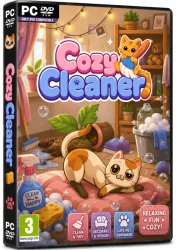
Cozy Cleaner Game is a delightful and immersive simulation game that combines the charm of a casual home-organizing experience with the stress-relieving satisfaction of cleaning and decorating. Developed by a small indie studio passionate about cozy gaming, this title has quickly become a favorite among players who love Unpacking, PowerWash Simulator, or House Flipper. In Cozy Cleaner Game, you take on the role of a helpful cleaner who enters messy homes, offices, and even whimsical fantasy spaces, restoring them to pristine condition while unlocking the stories of the inhabitants. The game offers a non-linear, meditative gameplay loop where you sort, scrub, organize, and redecorate at your own pace. With a soothing soundtrack, warm color palettes, and intuitive controls, it provides a perfect escape from daily stress. Whether you're a seasoned gamer or a newcomer, Cozy Cleaner Game delivers hours of relaxing fun and creative satisfaction.
Key Features
- Immersive Storytelling: Each level reveals the personal stories of the characters whose spaces you clean, making every task meaningful and emotionally engaging.
- Realistic Cleaning Mechanics: From wiping surfaces to vacuuming carpets and washing windows, the game simulates a wide range of cleaning activities with satisfying physics and feedback.
- Customizable Decor: After cleaning, you can choose furniture, paint colors, and decorative items to transform each room according to your taste – or follow the client's preferences.
- Multiple Environments: Clean cozy apartments, cluttered offices, dusty libraries, magical cabins, and more, each with unique challenges and aesthetics.
- Relaxing Soundtrack: A calming, ambient soundtrack adapts to your actions, enhancing the meditative gameplay experience.
- No Time Limits or Pressure: Play at your own pace with no penalties for taking your time – perfect for winding down after a long day.
- Accessible Controls: Designed for PC with mouse and keyboard, and fully compatible with controllers for a laid-back couch experience.
- Replayability: Each level offers multiple solutions and decoration options, encouraging you to revisit and experiment.
System Requirements
Minimum Requirements
- OS: Windows 10 64-bit
- Processor: Intel Core i3-2100 or AMD equivalent
- Memory: 4 GB RAM
- Graphics: NVIDIA GeForce GTX 660 or AMD Radeon HD 7850 (2 GB VRAM)
- DirectX: Version 11
- Storage: 2 GB available space
- Additional Notes: 64-bit processor and OS required
Recommended Requirements
- OS: Windows 10 64-bit or Windows 11
- Processor: Intel Core i5-8400 or AMD Ryzen 5 2600
- Memory: 8 GB RAM
- Graphics: NVIDIA GeForce GTX 1060 (6 GB) or AMD Radeon RX 580 (8 GB)
- DirectX: Version 12
- Storage: 4 GB available space (SSD recommended)
How to Install and Use
- Purchase and Download: Buy Cozy Cleaner Game from an official digital store such as Steam, Itch.io, or the Humble Store. Add it to your library and initiate the download.
- Install the Game: Once downloaded, run the installer (if on a platform like Itch.io) or let Steam complete the installation automatically. Follow the on-screen prompts, accept the terms, and choose your installation directory.
- Launch the Game: After installation, either launch directly from the installer or open the game from your platform library. The main menu will load with options: New Game, Continue, Settings, and Extras.
- Start a New Game: Click "New Game" to begin your journey. You'll be greeted with a brief tutorial that teaches the basic controls: left-click to interact with objects, right-click to cancel, and scroll to change tool settings.
- Clean and Organize: In each level, you'll see a checklist of tasks on the screen. Start by picking up trash, then use the appropriate tools (sponge, vacuum, cloth) to clean surfaces. Sort items into their correct containers or shelves. Once cleaned, you can redecorate by dragging furniture and choosing colors from the palette.
- Complete Objectives: Fulfill the level's goals – cleaning percentage, item placement, and client satisfaction. When all tasks are done, a summary screen appears with your rating.
- Save and Quit: The game autosaves frequently, but you can manually save from the pause menu (Esc key). To quit, return to the main menu and exit the application.
Pros and Cons
Pros
- Exceptional Relaxation Value: The combination of gentle gameplay, pleasing visuals, and soothing audio makes it an excellent tool for stress relief.
- Engaging Narrative: Uncovering the stories behind messes adds depth and emotional resonance to the cleaning tasks.
- Highly Customizable: Decoration options allow for creative expression, giving each playthrough a personal touch.
- Great for All Ages: Simple mechanics and non-violent content make it family-friendly.
- Optimized Performance: Runs smoothly even on lower-end hardware, with reasonable system requirements.
Cons
- Repetitive Gameplay: Some players may find the cleaning loop monotonous after many hours, though the stories and environments mitigate this.
- Limited Replayability: Once you've completed all levels and seen the stories, there's little incentive to replay unless you enjoy sandbox mode.
- No Multiplayer: Currently a single-player experience only, which might disappoint those who want to clean co-op.
- Short Playthrough: The main campaign can be completed in about 6-8 hours, leaving some wanting more content.
Conclusion
Cozy Cleaner Game is a must-play for anyone who enjoys chill, story-driven simulation games. It expertly balances the mundane yet satisfying act of cleaning with heartfelt storytelling and creative freedom. While it may not have endless replayability, the quality of the experience is high, with polished mechanics, beautiful art, and a soundtrack that lulls you into a state of calm. Whether you're looking to destress after work, introduce a child to gaming, or simply indulge in the joy of making things neat and tidy, this game delivers. Its modest system requirements also make it accessible to a wide range of PCs. We highly recommend downloading Cozy Cleaner Game from your favorite platform and losing yourself in its warm, clutter-free world.