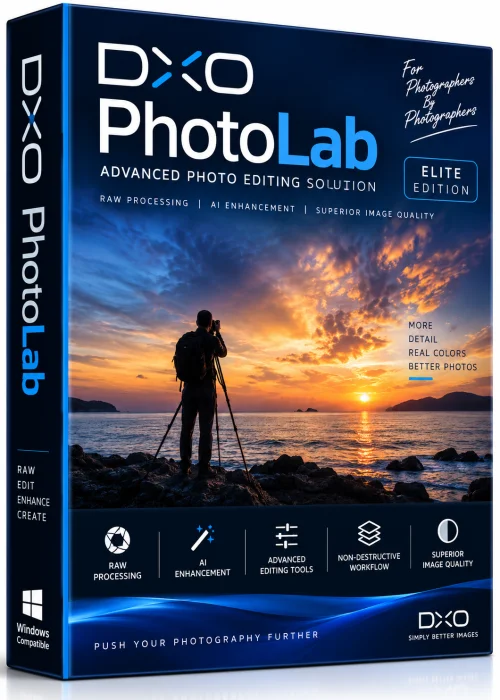
DxO PhotoLab Full PC Old & Previous Versions
Download legacy versions of DxO PhotoLab Full PC.
Overview
Introduction and Overview
DxO PhotoLab Full PC is a powerful, professional-grade photo editing application designed for photographers who demand precision and efficiency. Developed by DxO, this software stands out for its exceptional RAW image processing capabilities, advanced noise reduction, and intuitive color management tools. Unlike many subscription-based editors, DxO PhotoLab offers a one-time purchase model, making it a cost-effective solution for both hobbyists and professionals. With its advanced optical corrections and AI-driven enhancements, it transforms complex editing tasks into straightforward workflows. Whether you're correcting lens distortion, adjusting exposure, or eliminating digital noise, DxO PhotoLab Full PC delivers outstanding results while preserving the natural essence of your images.
Key Features
- Industry-leading noise reduction with PRIME and DeepPRIME technology that recovers detail in high-ISO shots.
- Precise optical corrections using lens and camera modules automatically applied based on EXIF data.
- Non-destructive editing with a comprehensive HSL tool, color line, and color wheel for tonal control.
- Smart lighting and local adjustments with control points and brush for targeted edits.
- Full RAW support for over 700 camera models, including the latest mirrorless and DSLRs.
- Integrated view of EXIF data, histogram, and customizable workspace.
- Photo library management with keyword tagging, star ratings, and smart collections.
System Requirements
Minimum Requirements
- Windows 10 or 11 (64-bit)
- Intel Core i3 or AMD Ryzen 3 processor
- 4 GB RAM
- 2 GB free hard disk space
- Screen resolution: 1280x768
- DirectX 11 or higher
Recommended Requirements
- Windows 11 (64-bit)
- Intel Core i7 or AMD Ryzen 7
- 16 GB RAM
- 4 GB free hard disk space (SSD recommended)
- Screen resolution: 1920x1200
- DirectX 12 and OpenCL 1.2 compliant GPU
- Calibrated display for accurate color rendering
How to Install and Use
- Download: Obtain the DxO PhotoLab Full PC installer from the official DxO website or an authenticated reseller, ensuring you have a valid license key.
- Install: Run the executable file and follow the on-screen instructions. Accept the license agreement, choose installation path, and select components (e.g., optional plugins). Complete the installation.
- Launch and Activate: Open DxO PhotoLab, enter your license key, and activate the software. If you have a trial version, activate to unlock full features.
- Import Photos: Create a new project or drag and drop your RAW files into the library. DxO automatically applies camera/lens profiles.
- Edit: Use the corrective palette to adjust exposure, contrast, color, and sharpness. Apply DeepPRIME noise reduction for high ISO images.
- Export: Select the desired output format (JPEG, TIFF, etc.) and export your final images.
Pros and Cons
Pros
- Exceptional RAW processing and noise reduction quality.
- Comprehensive optical corrections integrated.
- Lifetime license without subscription fees.
- Intuitive and customizable interface.
- Constantly updated with new camera/lens support.
Cons
- Steeper learning curve for beginners.
- No built-in layer or collage features (compared to Photoshop).
- Requires a relatively powerful PC for optimal performance, especially with DeepPRIME.
- Limited cloud storage and collaboration options.
Conclusion
DxO PhotoLab Full PC is a top-tier photo editing solution that excels in RAW conversion, noise reduction, and optical corrections. It is particularly suitable for landscape, architecture, and event photographers who rely on precise color and detail. While it may not replace layer-based compositing tools, its strengths make it an indispensable asset in any photographer's workflow. With a one-time purchase and continuous updates, DxO PhotoLab delivers long-term value. Download DxO PhotoLab Full PC today and experience editing at its finest.