GoldWave Program Old & Previous Versions
Download legacy versions of GoldWave Program.
Overview
Introduction and Overview
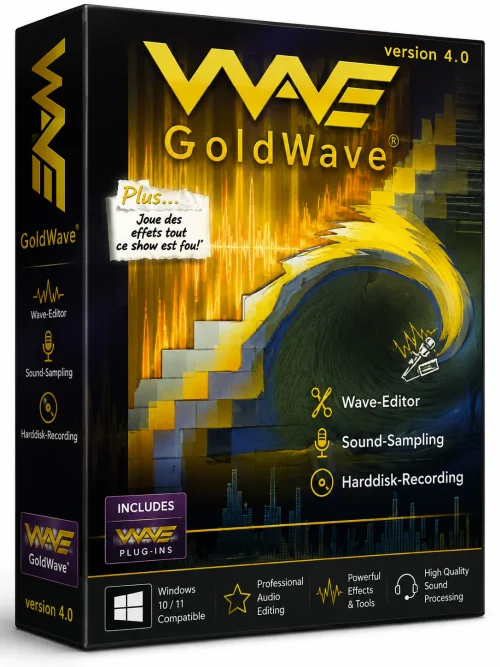
GoldWave Program is a comprehensive digital audio editor that has been a staple in the audio processing world for over two decades. Developed by GoldWave Inc., this powerful yet lightweight software allows users to record, edit, mix, and analyze audio with professional-grade precision. Whether you're a podcaster, musician, sound designer, or casual user looking to trim a song, GoldWave offers an intuitive interface packed with advanced tools. Unlike many modern subscription-based editors, GoldWave provides a one-time purchase model, making it an affordable choice for those who need robust audio editing without recurring fees. With support for a wide range of audio formats, including MP3, WAV, FLAC, OGG, and more, GoldWave ensures compatibility across various platforms and use cases. In this article, we will delve into the software's key features, system requirements, installation steps, and overall pros and cons to help you decide if GoldWave is the right tool for your audio editing needs.
Key Features
- Multi-Format Support: GoldWave can open, edit, and save over a dozen audio file formats, including MP3, WAV, AAC, FLAC, OGG, and WMA, ensuring flexibility for any project.
- High-Quality Recording: The software allows direct recording from a microphone, line-in, or any streaming audio source, with support for up to 24-bit/96kHz audio resolution for studio-grade captures.
- Advanced Editing Tools: Cut, copy, paste, splice, and trim audio with precision. Effects like time stretching, pitch shifting, and noise reduction are built-in and can be applied in real-time.
- Effect Processing: A vast library of effects includes reverb, chorus, flanger, equalizer, compressor, and more. The built-in expression evaluator allows creating custom mathematical formulas for unique audio manipulation.
- Analyzer and Visualization: Real-time spectrogram, waveform, and spectrum analysis help users visually inspect audio characteristics, making it easier to identify artifacts or perfect levels.
- Batch Processing: The batch converter enables users to apply effects and convert multiple files at once, saving significant time for large audio libraries.
- Multi-Track Capabilities: Though not a full DAW, GoldWave supports multi-track editing with a separate mix editor, allowing users to combine multiple clips, adjust volume envelopes, and create simple mixes.
- DirectX and VST Support: Users can enhance functionality with third-party plugins, giving access to thousands of additional effects and tools.
- User-Friendly Interface: The clean, customizable layout offers drag-and-drop functionality, an integrated file browser, and extensive help documentation, making it accessible to beginners and pros.
- Lightweight and Fast: The software runs efficiently on modest hardware, with quick startup and low memory footprint, unlike many bloated audio suites.
System Requirements
Minimum Requirements
- Operating System: Windows 7 or newer (including Windows 10 and 11)
- Processor: Intel Pentium 4 or equivalent
- RAM: 1 GB (2 GB recommended for larger files)
- Hard Disk Space: 500 MB free space for installation
- Sound Card: Any sound card compatible with Windows
- Display: 1024x768 resolution, 16-bit color
Recommended Requirements
- Operating System: Windows 10 or 11 (64-bit)
- Processor: Intel Core i5 or AMD Ryzen 5
- RAM: 8 GB or more
- Hard Disk Space: 1 GB free SSD space for better performance
- Sound Card: High-definition sound card with ASIO support
- Display: 1920x1080 or higher resolution, 32-bit color
- Internet: Active connection for software updates and online help
How to Install and Use
Installing GoldWave is straightforward, but following these detailed steps will ensure a smooth setup and optimal usage.
Installation
- Visit the official GoldWave website at www.goldwave.com and navigate to the download section. Click the download link for the latest version (make sure to select the appropriate 32-bit or 64-bit installer based on your Windows version).
- Once the download is complete, locate the installer file (usually named goldwave.exe) in your Downloads folder. Double-click to run it.
- If a User Account Control prompt appears, click "Yes" to allow the installer to make changes to your device.
- Follow the on-screen instructions in the Setup Wizard: click "Next" to accept the license agreement, choose an installation destination folder (the default is usually fine), and select the components you wish to install (most users can keep all options checked).
- Click "Install" and wait for the process to complete. Once finished, click "Finish" to exit the wizard. GoldWave is now installed and can be launched from the desktop shortcut or the Start menu.
Basic Usage
- Open GoldWave from the shortcut. On first launch, you may be prompted to enable the fully functional trial or enter a license key. If you haven't purchased it, you can use the trial with certain limitations.
- To record audio, click the "Record" button in the toolbar or go to File > New to create a blank file. Adjust the recording source and sample rate in the "Device" tab under Options > Control Properties.
- To edit an existing audio file, go to File > Open, browse to your file, and select it. The waveform will appear in the main window. Use the playback controls to listen and the mouse pointer to select portions of the waveform.
- Apply effects by selecting a portion of the audio and then navigating to the Effect menu. Choose an effect like "Reverb" or "Noise Reduction," adjust parameters, and press OK to process. The effect can be undone with Ctrl+Z.
- For saving, go to File > Save As, choose the desired format, and configure compression/quality settings. You can also export multiple files using the Batch Conversion tool under Tools.
- Use the Mix Editor (View > Mix Editor) to create multi-track projects. Drag audio clips to separate tracks, adjust volume envelopes, and use the "Finish Mix" option to export the final stereo mix.
Pros and Cons
Pros
- Affordable one-time purchase: Unlike software like Adobe Audition, GoldWave has no subscription, making it budget-friendly for hobbyists and small studios.
- Low system footprint: Runs smoothly on older computers, making it ideal for users with limited hardware resources.
- Extensive feature set: Despite its small size, it includes a surprising number of professional tools such as spectrogram analysis, batch processing, and VST support.
- Fast and responsive: The interface is snappy, and even heavy edits render quickly, boosting productivity.
- Easy to learn: The UI is straightforward for basic tasks, with comprehensive help files and a free customizable manual.
Cons
- Outdated appearance: The interface looks dated compared to modern DAWs and may feel less sleek to new users.
- Limited multi-track capabilities: For advanced music production with dozens of tracks, users may find the lack of a full DAW environment limiting.
- Windows-only: There is no native version for macOS or Linux, though it works under compatibility layers like WINE with varying results.
- Trial limitations: The trial version restricts certain features and saves files with a watermark, which could deter some users from fully evaluating the software.
Conclusion
GoldWave Program remains a reliable and versatile audio editor that bridges the gap between simple tools and full-fledged production suites. Its robust feature set, lightweight design, and affordable pricing make it an excellent choice for beginners, hobbyists, and even professionals who need a quick and efficient audio editor for specific tasks. While the interface might not be the most modern, and the multi-track capabilities are not on par with dedicated DAWs, the core editing and processing features are exceptional. If you're searching for a dependable, no-nonsense audio editor for Windows, GoldWave is definitely worth downloading. Head to the official website to get your free trial or purchase a full license to unlock its entire potential.