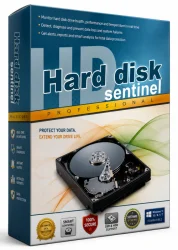
Hard Disk Sentinel Pro Full Old & Previous Versions
Download legacy versions of Hard Disk Sentinel Pro Full.
Overview
Hard Disk Sentinel Pro Full is a comprehensive hard disk health monitoring and analysis tool designed to prevent data loss and ensure optimal performance of your storage devices. This powerful software goes beyond basic SMART monitoring, offering a complete suite of features that help you detect, diagnose, and repair potential disk issues before they become critical. Whether you are a home user looking to safeguard personal files or an IT professional managing multiple systems, Hard Disk Sentinel Pro provides the visibility and control needed to keep your drives healthy and reliable for years to come.
Introduction and Overview
Hard Disk Sentinel Pro (HDS) is a widely respected utility that acts as a personal data protection guardian. It continuously monitors the health status of your hard disk drives (HDDs), solid-state drives (SSDs), and NVMe drives, including external USB and eSATA drives. The software uses the Self-Monitoring, Analysis, and Reporting Technology (S.M.A.R.T.) system to read real-time data from your drives, translating complex metrics into an easy-to-understand health percentage and overall status.
The "Pro Full" edition elevates the experience with advanced features such as disk benchmarking, scheduled backups, and network monitoring. It gives you a clear insight into temperature, wear level, errors, and performance. The software can even predict possible failures, giving you ample warning to back up your crucial data. Its robust reporting and alert systems ensure you are always in the know, whether you are at home or in a large-scale enterprise environment.
Key Features
Hard Disk Sentinel Pro Full is packed with a wealth of powerful features designed to maximize the lifespan and reliability of your storage devices:
- Comprehensive Health Monitoring: Real-time S.M.A.R.T. analysis for HDD, SSD, and NVMe drives with a clear health percentage scale from 0 to 100%.
- Failure Prediction and Prevention: Advanced algorithms detect any signs of deterioration, allowing you to act before a complete drive failure occurs.
- Temperature Management: Continuous temperature tracking with alerts to prevent overheating, which is a leading cause of drive wear.
- Disk Performance Benchmarking: In-depth benchmark tests to measure read/write speeds and compare the performance of your drives over time.
- Network Monitoring: Monitor the health of all computers in your network from a single central console, ideal for IT administrators and small business owners.
- Scheduled Automatic Backups: Set up backup routines for critical files and folders, ensuring data safety without manual intervention.
- Detailed Logging and Reports: Keep track of disk events, errors, and warnings with comprehensive log files and exportable HTML or CSV reports.
- Alerts and Notifications: Receive instant alerts via pop-up messages, sound, email, or even SMS if any disk problem is detected.
- SSD Wear Leveling and Life Prediction: Specific tools for SSDs to estimate remaining life based on flash memory wear.
- Acoustic & Power Management: Optimize your drive's noise level and power consumption to match your usage needs.
System Requirements
To get the most out of Hard Disk Sentinel Pro Full, your system should meet the following prerequisites. The software is elegantly lightweight, so even older computers can run it without significant overhead.
Minimum Requirements:
- Operating System: Windows 7, 8, 10, 11 or Windows Server 2008/2012/2016/2019/2022
- Processor: Intel or AMD processor, 1 GHz or faster
- RAM: 512 MB
- Hard Disk Space: 100 MB of free space for installation and log files
- Additional: A monitor with at least 1024x768 resolution, and a standard USB or SATA port for external drives
Recommended Requirements:
- Operating System: Windows 10/11 64-bit
- Processor: Multi-core processor, 2.4 GHz or faster
- RAM: 2 GB or more
- Hard Disk Space: 500 MB of free space (for extensive log storage and backups)
- Additional: Network access for monitoring remote systems, and a stable internet connection for email/SMS alerts
How to Install and Use
Installing and using Hard Disk Sentinel Pro Full is straightforward, even for those with limited technical expertise. Follow these step-by-step instructions to get started:
Installation
- Step 1: Download the Hard Disk Sentinel Pro Full setup file from a trusted source. Ensure you have the latest version to access all new features.
- Step 2: Double-click the downloaded file to launch the installation wizard. If prompted by Windows User Account Control, click "Yes" to allow changes.
- Step 3: Follow the on-screen prompts. Choose the installation directory (the default is usually fine) and select any additional components you might need, such as shortcut creation.
- Step 4: After installation, launch the application. On the first run, you will be presented with the main dashboard, which automatically scans all connected storage devices.
Basic Usage
- Step 1: Reviewing Health Status: The main window shows a list of your drives, each with an icon indicating its health (green for good, yellow for caution, red for failing). Click on any drive to see detailed S.M.A.R.T. attributes, temperature, and performance data.
- Step 2: Setting up Alerts: Navigate to "File > Settings" (or "Configuration"). Go to the "Alerts" tab and configure your preferred alert methods. You can choose to send email alerts by entering SMTP details, or simply use sound and pop-up notifications.
- Step 3: Running a Performance Test: Select a drive from the main list, then click the "Performance" tab. Press the "Start Benchmark" button to test read/write speeds. This will give you a clear overview of your drive's performance compared to its peak.
- Step 4: Scheduling Backups: Go to the "Tools" menu and select "Backup". Use the wizard to choose folders and files to back up, select a destination drive (preferably a different physical disk), and set a schedule for automatic backups.
- Step 5: Monitoring Network Systems: If you have multiple systems, use the "Network" tab to add remote computers. You will need to install the Hard Disk Sentinel client on each remote PC, or open the appropriate firewall ports for communication.
Pros and Cons
As with any software, Hard Disk Sentinel Pro Full has its strengths and potential drawbacks. We've outlined these below to help you make an informed decision.
Pros:
- Comprehensive Monitoring: It supports all major drive types and provides a wealth of SMART data that is clearly displayed and easy to interpret.
- Advanced Failure Prediction: The software is known for its accurate failure prediction capabilities, giving users valuable time to backup essential data.
- Network Management: The ability to monitor multiple PCs from one console is a huge advantage for IT professionals and small to medium businesses.
- Lightweight and Fast: It runs quietly in the background without consuming significant system resources.
- Automatic Backups: Integrated backup scheduling is a fantastic extra, making it a multifaceted data protection tool.
- Detailed Reporting: The exportable reports are excellent for auditing drive health over time or for maintaining documentation in an enterprise environment.
Cons:
- Paid License: While a trial version is available, the full Pro features require a paid purchase. Some free tools offer basic SMART monitoring, though they lack the depth and network features.
- Complex for Beginners: The sheer number of options and settings can be intimidating for average users who only need basic monitoring.
- Alert Overload: Without proper configuration, users might be flooded with notifications for minor issues, which can lead to alert fatigue.
- Limited Mac Support: Hard Disk Sentinel is designed for Windows only; Mac users would need to look for alternative solutions.
Conclusion
In conclusion, Hard Disk Sentinel Pro Full is a top-tier hard disk monitoring solution that offers far more than simple health checks. Its robust feature set, including predictive failure detection, performance benchmarking, network monitoring, and scheduled backups, makes it an indispensable tool for anyone who values their data. Whether you are a student safeguarding a thesis, a gamer protecting years of saved progress, or an IT administrator managing an entire server room, this software delivers peace of mind and a proactive approach to data security. While the price tag might be a hurdle for some, the cost is negligible when compared to the potential loss of irreplaceable files. By investing in Hard Disk Sentinel Pro Full, you are not just buying software—you are ensuring the longevity and stability of your digital life.