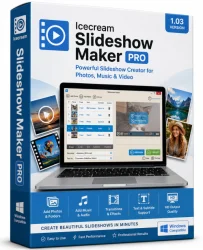
Icecream Slideshow Pro Old & Previous Versions
Download legacy versions of Icecream Slideshow Pro.
Overview
Introduction to Icecream Slideshow Pro
Icecream Slideshow Pro is a powerful yet user-friendly software designed to create stunning slideshows from your photos and videos. Whether you are a professional photographer, a marketer creating promotional content, or a casual user preserving family memories, this tool offers an intuitive interface combined with advanced editing capabilities. With support for a wide range of multimedia formats, transition effects, and audio integration, Icecream Slideshow Pro enables you to produce high-quality slideshows for personal or commercial use in minutes. The software is particularly favored for its balance of simplicity and feature richness, making it accessible to beginners while still offering depth for power users.
Key Features
- Drag-and-Drop Interface: Easily add photos, videos, and music by dragging them into the timeline.
- Rich Transition Effects: Choose from over 100 stunning transitions, including fade, zoom, slide, and 3D effects.
- Customizable Motion: Apply pan-and-zoom (Ken Burns) effects to static images for dynamic presentations.
- Audio Integration: Add background music or narration with volume control and fade in/out options.
- Text Overlays: Insert titles, captions, and credits with various fonts, colors, and animations.
- Export in Multiple Formats: Save slideshows as MP4, AVI, MOV, WMV, or even create a video for YouTube or social media.
- HD and 4K Support: Output high-resolution videos up to 4K quality.
- Batch Processing: Create multiple slideshows simultaneously to save time.
- Built-in Media Player: Preview your slideshow before exporting with a built-in player.
System Requirements
Minimum System Requirements
- OS: Windows 7, 8, 10, 11 (64-bit)
- Processor: 1.5 GHz Intel or AMD
- RAM: 2 GB
- Graphics: DirectX 9 compatible with 512 MB VRAM
- Storage: 500 MB free space
- Display: 1024x768 resolution
Recommended System Requirements
- OS: Windows 10 or 11 (64-bit)
- Processor: 2.5 GHz dual-core or better
- RAM: 4 GB or more
- Graphics: DirectX 11 compatible with 1 GB VRAM
- Storage: 1 GB free space
- Display: 1920x1080 resolution or higher
How to Install and Use Icecream Slideshow Pro
Installation Steps
- Download the installer from the official Icecream Apps website.
- Run the downloaded file and follow the on-screen instructions.
- Choose the installation directory (default is fine) and click 'Install'.
- Once installed, launch the program. A free trial is available; upgrade to Pro for full features.
Step-by-Step Guide to Create a Slideshow
- Add Media: Click 'Add Photos/Videos' or drag files into the media library.
- Arrange Order: Drag and drop items on the timeline to reorder them.
- Apply Transitions: Click between slides and select a transition from the panel. Adjust duration if needed.
- Add Motion Effects: Select a slide, click 'Motion', and choose a preset like zoom-in or pan.
- Insert Music: Click 'Add Music' to import an audio file. Trim and adjust volume as desired.
- Add Text: Use the 'Text' button to add titles or captions. Customize font, color, and animation.
- Preview: Click the Play button to see your slideshow.
- Export: Click 'Export', choose format and resolution (e.g., 1080p), then select destination folder. Click 'Start Export'.
Pros and Cons
Pros
- Intuitive drag-and-drop workflow suitable for all skill levels.
- Extensive library of transitions and motion effects.
- Supports high-resolution exports up to 4K.
- Allows integration of both music and voiceover.
- Quick export times and batch processing capability.
- Regular updates and responsive customer support.
Cons
- Free version adds a watermark to exported videos.
- No built-in stock media library (must provide your own photos/music).
- Advanced features like keyframe animation are absent.
- Limited audio editing tools (no equalizer or noise reduction).
- Only available for Windows (no macOS or Linux support).
Conclusion
Icecream Slideshow Pro stands out as a reliable and efficient tool for creating professional slideshows without a steep learning curve. Its rich set of features, including hundreds of transitions, motion effects, and multimedia support, makes it a solid choice for both personal projects and commercial presentations. While it has some limitations—such as the watermark in the free version and lack of advanced audio editing—the paid Pro version offers excellent value for its price. If you need a straightforward yet powerful slideshow maker on Windows, Icecream Slideshow Pro is definitely worth considering. Download it today and turn your memories into captivating videos.