KMPlayer Old & Previous Versions
Download legacy versions of KMPlayer.
Overview
Introduction and Overview
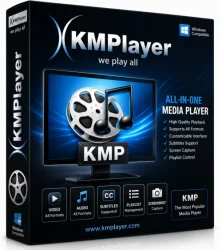
KMPlayer is a versatile, all-in-one media player that has garnered a massive following among Windows, macOS, Android, and iOS users. Originally developed as a lightweight alternative to bulky media suites, KMPlayer supports an extensive range of audio and video formats without the need for additional codecs. Its sleek interface, combined with powerful playback features, makes it a top choice for both casual viewers and power users who demand high-quality playback, subtitle customization, and advanced control over their media experience. Whether you're watching 4K UHD movies, listening to music, or streaming online content, KMPlayer delivers exceptional performance with minimal system resource usage.
Key Features
- Wide Format Support: Plays virtually any media file, including AVI, MP4, MKV, FLV, MOV, WMV, and more, plus audio formats like MP3, FLAC, AAC, and AC3. No external codec packs required.
- 4K, UHD, and 3D Playback: Handles high-resolution content smoothly with hardware acceleration (DXVA, CUDA, QuickSync).
- Built-in Codecs: Includes internal codecs for most formats, ensuring out-of-the-box compatibility.
- Subtitle Support: Advanced subtitle engine with multiple formats (SRT, ASS, SSA, PGS), adjustable sync, font, color, and position. Can also search and download subtitles directly.
- Audio & Video Filters: Extensive equalizer, audio effects (normalization, reverb, 3D), and video filters (sharpness, noise reduction, deinterlacing).
- Playlist & Bookmark Management: Create, save, and manage playlists; set bookmarks for quick access to specific scenes.
- Screen Capture: Grab screenshots or record video clips during playback.
- Remote Control & Streaming: Control playback via smartphone app (KMPlayer Remote) or stream content to DLNA-compatible devices.
- Lightweight & Customizable: Minimal system footprint; extensive skin and theme support; customizable hotkeys and interface.
- 360° Video & VR Support: View 360-degree videos with mouse or VR headset manipulation.
System Requirements
Minimum Requirements
- OS: Windows 7/8/10/11 (32-bit or 64-bit); macOS 10.12 or later; Android 5.0+; iOS 11+
- Processor: Intel Pentium 4 or equivalent
- RAM: 512 MB
- Graphics: DirectX 9.0c compatible (for Windows)
- Storage: 50 MB free disk space
- Internet: Required for online features and updates
Recommended Requirements
- OS: Windows 10/11 (64-bit); macOS 11 Big Sur or later
- Processor: Intel Core i5 or AMD Ryzen (or better) for 4K/8K playback
- RAM: 4 GB or more
- Graphics: Dedicated GPU with DXVA, CUDA, or QuickSync support for hardware acceleration
- Storage: 200 MB free disk space
- Internet: Broadband for streaming and subtitle download
How to Install and Use
Installation Steps
- Download: Visit the official KMPlayer website (kmplayer.com) or trusted software download portal. Select your platform (Windows/macOS/Android/iOS) and download the installer.
- Run Installer: Double-click the downloaded file. On Windows, follow the setup wizard; choose installation path and select components (default is fine). Beware of optional bundled offers—uncheck if unwanted.
- Launch: After installation, launch KMPlayer from the Start Menu or desktop shortcut. The player opens with a simple, clean interface.
Basic Usage
- Open a File: Click the 'Open File(s)' button or drag & drop files into the player window. KMPlayer automatically detects the file type and starts playback.
- Control Playback: Use the toolbar buttons (Play/Pause, Stop, Next, Previous) or keyboard shortcuts (Space: pause, Arrow keys: seek).
- Adjust Subtitles: Right-click > Subtitle > Open Subtitle to load external files; use 'Shift+Page Up/Down' to adjust sync.
- Use Equalizer: Right-click > Audio > Equalizer to tweak sound.
- Playlist: Drag files into the playlist panel or use 'Ctrl+L' to toggle it. Save playlists for later.
- Advanced Features: Explore right-click menu for screen capture, bookmark, A-B repeat, and more.
- Stream Online: Use 'Open URL' under the file menu to input a streaming link (HTTP, RTMP, etc.).
Pros and Cons
Pros
- Format Versatility: Plays virtually any media file without codec hunting.
- High Performance: Smooth 4K, 8K, and 3D playback with hardware acceleration.
- Subtitle Excellence: Comprehensive subtitle support with customization and search.
- Feature-Rich: Built-in equalizer, filters, capture, and remote control.
- Lightweight: Low resource consumption compared to many competitors.
- Cross-Platform: Available on multiple devices with syncing options.
Cons
- Adware Concern: The installer may bundle optional third-party apps; requires careful unchecking.
- Outdated UI: Some users find the interface less polished than modern players like VLC or PotPlayer.
- Update Spam: Frequent update prompts can be annoying.
- Limited Help Documentation: Official guides are basic; advanced features may require online forums.
- Mobile Version Ads: The free mobile app contains ads (removable via in-app purchase).
Conclusion
KMPlayer stands out as a powerful, multi-format media player that caters to both beginners and enthusiasts. Its extensive codec support, superior subtitle handling, and hardware-accelerated playback make it an excellent choice for high-quality video experiences. While the installer's bundled offers and occasional UI quirks are drawbacks, the overall performance and feature set more than compensate. Whether you're a movie buff, a music lover, or someone who needs a reliable player for diverse media files, KMPlayer is a solid download. For those seeking an alternative to VLC or MPC-HC, KMPlayer offers a compelling blend of versatility and ease of use. Give it a try—you might find it becomes your default media player.