Softros LAN Messenger Full PC Free Download Old & Previous Versions
Download legacy versions of Softros LAN Messenger Full PC Free Download.
Overview
Introduction and Overview
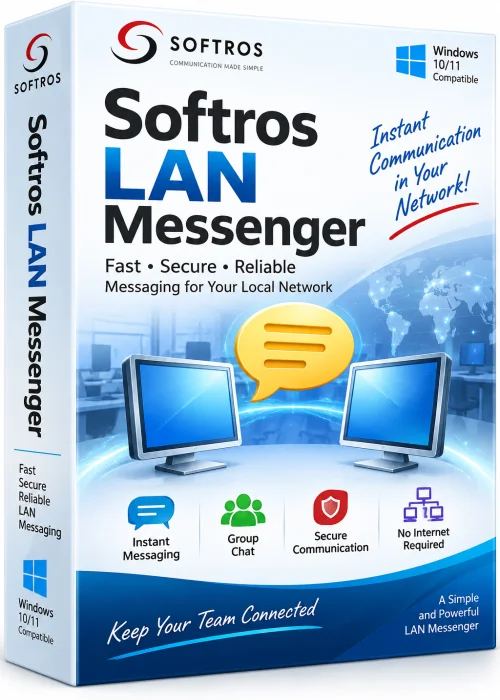
Softros LAN Messenger is a lightweight, serverless instant messaging application built for local area networks. If you are looking for a Softros LAN Messenger full PC free download, this guide explains what the software does, how to install it, and why it remains a popular choice for offices, schools, and home labs. Unlike cloud-based chat apps, Softros LAN Messenger works entirely inside your LAN, so messages, files, and group chats stay on your network. It is ideal for teams that need fast, private communication without relying on internet access or external servers. The program supports Windows PCs and can run in portable mode, making deployment simple for IT administrators. It also offers encryption, offline messaging, and Active Directory integration for larger organizations.
Key Features
- Serverless LAN communication with automatic user discovery.
- Secure encrypted messaging using AES and RSA algorithms.
- One-to-one and group chats for teams and departments.
- Fast file and folder transfer directly between users.
- Offline messages that are delivered when a user reconnects.
- Broadcast messages to all users or selected groups.
- Active Directory support for user management.
- Portable mode for USB drives and restricted PCs.
- Message logging, chat history, and notification controls.
- No internet connection required for core features.
System Requirements
Minimum
- Windows 7, 8, 10, 11, or Windows Server 2008 R2 or newer.
- 1 GHz processor.
- 512 MB RAM.
- 50 MB free disk space.
- Ethernet or Wi-Fi connection to a local network.
Recommended
- Windows 10 or Windows 11 64-bit.
- 2 GHz dual-core processor or better.
- 2 GB RAM or more.
- 100 MB free disk space.
- Wired Ethernet for stable corporate use.
How to Install and Use
- 1. Download the Softros LAN Messenger setup file from the official website or a trusted software portal.
- 2. Run the installer and accept the license agreement.
- 3. Choose the installation folder and select whether to create a desktop shortcut.
- 4. Complete the setup wizard and launch the application.
- 5. Enter your display name and optional status message.
- 6. Allow the app through Windows Firewall so it can discover other users on the LAN.
- 7. Select a contact from the automatically populated user list.
- 8. Start a chat, send a file, or create a group conversation.
- 9. Adjust encryption, logging, and notification settings from the options menu.
Pros and Cons
Pros
- Works without internet or cloud servers.
- Fast and reliable on local networks.
- Strong encryption and privacy controls.
- Easy to deploy for small and medium offices.
- Supports file transfer, group chat, and offline messages.
Cons
- Not designed for communication outside the LAN.
- Full business version requires a paid license after the trial.
- Interface may feel basic compared to modern cloud chat apps.
- Mobile support is limited or unavailable.
Conclusion
Softros LAN Messenger is a practical, secure, and efficient solution for local network communication. Whether you need quick messaging between office workstations or a private chat system that never touches the internet, it delivers reliable performance. A Softros LAN Messenger full PC free download gives you a chance to test the software, but long-term business use may require a valid license. For organizations that value privacy, speed, and simple deployment, Softros LAN Messenger remains a strong choice.