TechSmith Snagit 2026 Old & Previous Versions
Download legacy versions of TechSmith Snagit 2026.
Overview
Introduction and Overview
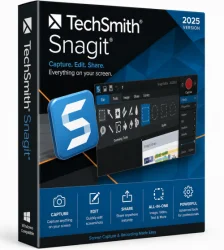
TechSmith Snagit 2026 is the latest iteration of the premier screen capture and recording software, designed to streamline visual communication for professionals, educators, and content creators. With its intuitive interface and powerful editing tools, Snagit 2026 enables users to capture screenshots, record videos, and annotate content effortlessly. Whether you need to document a workflow, create training materials, or share feedback, Snagit delivers a comprehensive solution that integrates seamlessly with popular platforms like Microsoft Office, Google Drive, and Slack. Version 2026 introduces enhanced AI-powered features, cloud collaboration, and improved performance, making it the go-to tool for anyone who relies on visual clarity.
Key Features
- AI-Powered Smart Capture: Automatically detect and capture the active window, region, or scrolling content with intelligent edge detection.
- Screen Recording with System Audio: Record high-quality videos including microphone and system audio, ideal for tutorials and presentations.
- Advanced Image Editor: Annotate screenshots with arrows, text, shapes, and callouts; use the 'Step' tool to number actions, and apply effects like blur or magnify.
- Video Editing Studio: Trim, cut, or combine video clips, add zoom-in effects, and insert captions directly in the timeline.
- Cloud Library & Sharing: Save captures to TechSmith’s cloud, organize with tags, and share via link or directly to platforms like Slack, Teams, or YouTube.
- OCR (Optical Character Recognition): Extract text from screenshots for copying or editing.
- Scrolling Capture: Capture entire web pages, documents, or chat windows that extend beyond the screen.
- Presets & Templates: Apply custom capture presets (e.g., 'Window', 'Full Screen') and save frequently used annotation styles.
- Multi-Monitor Support: Capture across multiple displays with ease.
- Integration with TechSmith Camtasia: Seamlessly send recordings to Camtasia for advanced video editing.
System Requirements
Minimum Requirements:
- Windows 10 (64-bit) version 21H2 or later, or macOS 11 (Big Sur) or later
- Intel Core i3 or AMD Ryzen 3 processor
- 4 GB RAM
- 1 GB free disk space
- 1,366 x 768 display resolution
- Microsoft .NET Framework 4.8 (Windows)
Recommended Requirements:
- Windows 11 or macOS 14 (Sonoma) or later
- Intel Core i5/i7 or AMD Ryzen 5/7 processor
- 8 GB RAM (16 GB for 4K recording)
- 2 GB free SSD disk space
- 1920 x 1080 or higher display resolution
- Internet connection for cloud features
How to Install and Use
- Installation: Download the installer from the official TechSmith website. Run the .exe (Windows) or .dmg (macOS) file, follow the on-screen prompts, and accept the license agreement. Choose installation path and preferences. The process typically takes 2-5 minutes.
- Launch and Setup: Open Snagit. On first launch, you’ll see a quick tour. Set your default capture profile (Image, Video, or All-in-One). Enable or disable cloud sync if desired.
- Capture a Screenshot: Press Print Screen (Windows) or Command+Shift+4 (macOS) to open the capture window. Select the region, window, or scrolling content. Click the camera icon for image or record button for video.
- Annotate an Image: After capture, the editor opens automatically. Use the toolbar to add arrows, text boxes, highlights, or blur. Customize colors and fonts. Use the 'Step' tool to number actions for instructions.
- Record a Video: Choose the video capture mode, select recording area, and choose audio input. Click record. During recording, you can pause, draw on screen, or insert a camera overlay. Stop recording to access the video editor.
- Edit and Share: Trim or adjust video in the timeline. Use the 'Export' button to save as MP4, GIF, or PDF. Alternatively, share directly via Snagit’s sharing menu to email, Slack, or TechSmith Cloud.
- Use Presets: Create a preset for repetitive tasks (e.g., 'Capture full screen and save as PDF'). Access from the main capture window dropdown.
Pros and Cons
Pros
- Intuitive user interface with minimal learning curve
- Powerful annotation and editing tools for both images and videos
- AI-powered smart capture reduces manual adjustments
- Excellent screen recording quality with audio options
- Seamless integration with third-party apps and cloud storage
- Regular updates with new features and bug fixes
- Free trial available with full functionality for 15 days
Cons
- No free version; subscription or one-time purchase required
- Video editing is basic compared to dedicated software like Camtasia
- Requires decent hardware for 4K recording without lag
- Some advanced features (e.g., OCR, cloud storage) may need internet
- Limited customer support options for non-subscribers
Conclusion
TechSmith Snagit 2026 cements its position as the industry standard for screen capture and recording. Its blend of simplicity, depth, and integration makes it indispensable for professionals who need to communicate visually. While the price point may deter casual users, the time saved with AI-powered features and streamlined workflows justifies the investment for business and education environments. Whether you're creating step-by-step guides, recording software demos, or collaborating on feedback, Snagit 2026 delivers reliability and efficiency. Download the trial today to experience the difference visual clarity makes.