Tenorshare 4DDiG PC Data Recovery Tool Full PC Old & Previous Versions
Download legacy versions of Tenorshare 4DDiG PC Data Recovery Tool Full PC.
Overview
Introduction and Overview
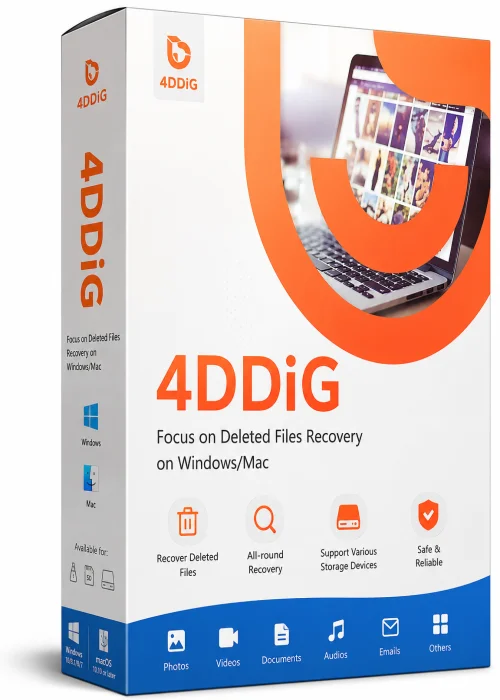
Tenorshare 4DDiG Full PC is a powerful and comprehensive data recovery solution designed for Windows and macOS users. Whether you have accidentally deleted critical files, formatted a drive, experienced a system crash, or encountered a virus attack, 4DDiG helps you retrieve lost data with just a few clicks. This software supports recovery from various storage devices including hard drives, SSDs, USB drives, memory cards, and even external drives. With its user-friendly interface and advanced scanning algorithms, Tenorshare 4DDiG Full PC has become a trusted choice for both everyday users and IT professionals looking to rescue irreplaceable documents, photos, videos, and more.
Key Features
- Comprehensive Data Recovery: Recovers over 1000+ file types, including photos, videos, documents, emails, and audio files.
- Multiple Scenarios: Handles accidental deletion, formatting, system crash, partition loss, virus attack, and even corrupted drives.
- High Success Rate: Uses advanced deep scan technology to thoroughly search your storage and restore every recoverable file.
- Bootable Media: Create a bootable USB or CD/DVD to recover data even when your operating system cannot start.
- Preview Before Recovery: Allows you to preview files before restoring to ensure you get exactly what you need.
- Fixed Drive Support: Works with internal and external drives, including HDD, SSD, and NVMe.
- Repair Corrupted Videos: Additional feature to repair damaged or corrupted video files after recovery.
System Requirements
Minimum Requirements
- Operating System: Windows 7/8/8.1/10/11, macOS 10.13 or later
- CPU: 1GHz Intel/AMD processor
- RAM: 1 GB
- Free Disk Space: 200 MB
Recommended Requirements
- Operating System: Windows 10/11 or macOS Ventura
- CPU: Multi-core Intel Core i5 or higher
- RAM: 4 GB or more
- Free Disk Space: 1 GB for optimal performance and data caching
How to Install and Use
Installing and using Tenorshare 4DDiG Full PC is a straightforward process. Follow these simple steps:
Installation
- Download the installation file from the official Tenorshare website.
- Run the downloaded file and follow the on-screen instructions.
- Accept the license agreement, choose the installation location, and click 'Install'.
- Wait for the installation to complete, then launch the application.
Using the Software
- Connect the storage device (if external) to your computer.
- Select the drive or partition where your data was lost.
- Click the 'Scan' button to start the scanning process. The deep scan will automatically begin after the quick scan.
- After scanning, use the filter options to locate the files you need and preview them.
- Select the desired files and click 'Recover' to save them to a safe location. Do not save to the same drive to prevent overwriting data.
Pros and Cons
Pros
- Intuitive and easy-to-navigate interface suitable for beginners.
- High recovery success rate even for severely corrupted drives.
- Supports a wide range of file types and storage devices.
- Option to create a bootable environment for non-booting systems.
- Regular updates with improved algorithms and new features.
Cons
- The full version can be relatively expensive compared to some rivals.
- Free version only recovers up to 1GB of data, which is limited.
- Scanning large drives can take considerable time.
Conclusion
Tenorshare 4DDiG Full PC stands out as a reliable and feature-rich data recovery tool. Its comprehensive scanning capabilities, combined with a clean interface and bootable media support, make it an excellent choice for both emergency recoveries and routine backups. While the price point may be a drawback for some, the peace of mind that comes from knowing your precious data can be recovered is invaluable. If you're searching for an effective data recovery solution, Tenorshare 4DDiG Full PC is certainly worth considering.