USB Flash Security Full Old & Previous Versions
Download legacy versions of USB Flash Security Full.
Overview
Introduction and Overview
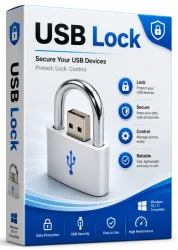
USB Flash Security Full is a powerful and reliable software solution designed to protect sensitive data stored on USB flash drives, external hard drives, and other removable storage devices. In an age where data breaches and unauthorized access are increasingly common, safeguarding portable storage is more critical than ever. This application gives you the ability to password-protect your USB drives, encrypt files, and even partition your drive into public and private sections. Whether you are a business professional carrying confidential client information, a student protecting personal documents, or an IT administrator managing multiple devices, USB Flash Security Full offers a comprehensive suite of security features that are both easy to use and highly effective.
The software works by creating a secure, encrypted area on your drive that is only accessible with the correct password. Without the password, the protected data remains invisible and inaccessible, preventing anyone else from viewing, copying, or modifying your files. Unlike simple file-locking utilities, USB Flash Security Full uses strong encryption algorithms such as AES-128 or AES-256, providing military-grade protection that can withstand even the most determined hacking attempts. This makes it an ideal choice for anyone who values privacy and data integrity.
One of the standout aspects of USB Flash Security Full is its user-friendly interface. Even users with minimal technical expertise can set up password protection and encrypted partitions in just a few clicks. The software supports all major operating systems, including Windows, macOS, and Linux, ensuring broad compatibility across different devices. With its lightweight footprint and minimal resource consumption, it runs quietly in the background without slowing down your system.
Key Features
- Strong AES Encryption: Utilizes advanced AES-128 and AES-256 encryption standards to secure files and folders, making them unreadable without the correct password.
- Password Protection: Requires a unique password to access protected content. Users can set different passwords for different drives or partitions.
- Public and Private Partitioning: Split your USB drive into a public section for everyday files and a private, hidden section for sensitive data. The private section is only visible after entering the correct password.
- Auto-Lock: Automatically locks the protected partition when the drive is unplugged or after a specified period of inactivity, preventing unauthorized access.
- Intuitive Interface: The clean and straightforward design makes it simple for anyone to protect their data without needing technical knowledge.
- Portable Mode: Can be installed directly onto a USB drive, allowing you to use the security features on any compatible computer without installing additional software on the host system.
- File Shredder: Securely and permanently deletes files from the protected area, ensuring that deleted data cannot be recovered.
- Compatibility: Works with various removable storage devices, including USB flash drives, memory cards, and external HDDs/SSDs.
System Requirements
Before installing USB Flash Security Full, it is important to ensure that your computer meets the minimum and recommended system requirements. Meeting the recommended specifications guarantees smooth performance and full feature functionality.
Minimum Requirements
- Operating System: Windows 7, 8, or 10; macOS 10.12 or later; Linux (with kernel 3.x or higher)
- Processor: 1 GHz or faster processor
- RAM: 512 MB
- Free Hard Disk Space: 50 MB
- USB Port: USB 2.0 or higher
Recommended Requirements
- Operating System: Windows 10/11, macOS 11 or later, recent Linux distributions
- Processor: Dual-core 2 GHz or faster
- RAM: 2 GB or more
- Free Hard Disk Space: 100 MB
- USB Port: USB 3.0 for faster transfer speeds
How to Install and Use
Installing and using USB Flash Security Full is a straightforward process. Follow these step-by-step instructions to secure your USB drives effectively.
Step 1: Download and Install
- Visit the official website or a trusted download source to obtain the latest version of USB Flash Security Full.
- Run the installer file and follow the on-screen instructions. Choose the desired installation directory and select any additional options, such as creating a desktop shortcut.
- Once the installation is complete, launch the application.
Step 2: Connect and Select Your USB Drive
- Plug your USB flash drive into an available USB port on your computer.
- In the main interface, you will see a list of connected removable devices. Select the drive you wish to protect.
Step 3: Partition the Drive (Optional)
- If you want to create both public and private sections, use the partition manager within the app to allocate space. Choose the size for the private (encrypted) partition, leaving space for the public partition.
- This step is optional; you can also encrypt the entire drive as one protected unit.
Step 4: Set Up Password and Encryption
- Click on the 'Encrypt' or 'Protect' button.
- Create a strong password and enter it twice for confirmation. Use a mix of upper and lower case letters, numbers, and special characters.
- Select the encryption type (AES-128 or AES-256). For maximum security, choose AES-256.
- Click 'OK' or 'Apply' to begin the encryption process. This may take a few minutes depending on the size of the drive.
Step 5: Access Protected Data
- Once encryption is complete, your private partition will appear as a separate drive letter (on Windows) or as a volume (on macOS/Linux).
- Whenever you connect the USB drive, the public section is visible immediately. To access private data, you must launch USB Flash Security Full and enter your password.
- After entering the correct password, the private partition becomes accessible. When you are done, lock it again by right-clicking the system tray icon and selecting 'Lock', or by safely ejecting the drive.
Pros and Cons
Pros
- Strong encryption with industry-standard AES algorithms
- User-friendly interface that is easy to navigate
- Allows both public and private partitions on the same drive
- Portable mode is convenient for on-the-go use
- Auto-lock feature adds an extra layer of security
- Cross-platform compatibility
- Reasonable performance impact
Cons
- Free version has limited features; the 'Full' version requires a paid license
- Encryption process can be slow for very large drives
- Password recovery is not possible; losing the password means losing data
- May conflict with some third-party security software
Conclusion
USB Flash Security Full stands out as one of the most reliable and easy-to-use solutions for protecting data on external storage devices. Its robust encryption methods, flexible partitioning options, and cross-platform support make it suitable for both personal and professional use. While the necessity of a paid license and the risk of losing data if the password is forgotten are worth considering, the peace of mind that comes from knowing your sensitive files are secure far outweighs these drawbacks.
Whether you are securing financial records, proprietary business documents, or private family photos, USB Flash Security Full delivers the protection you need in a simple and accessible package. Its auto-lock and portable mode features further enhance convenience, making it an excellent investment for anyone who regularly carries data on USB drives. We highly recommend USB Flash Security Full to anyone serious about safeguarding their digital information.