Zortam Mp3 Media Studio Pro Old & Previous Versions
Download legacy versions of Zortam Mp3 Media Studio Pro.
Overview
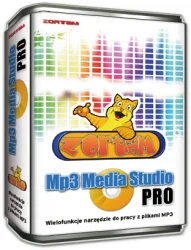
Zortam Mp3 Media Studio Pro is an all-in-one audio management suite designed for music enthusiasts, DJs, and audio professionals who need a robust tool to organize, edit, and manage their MP3 collections. This software combines a powerful ID3 tag editor, a media library organizer, a CD ripper, a audio converter, and a music player into a single seamless interface. With support for batch processing and advanced features like automatic tagging from online databases, Zortam Mp3 Media Studio Pro streamlines the process of cleaning up messy music libraries and preparing tracks for playback on any device. Whether you are looking to fix incorrect metadata, convert files between formats, or simply create the perfect playlist, this software delivers a comprehensive solution that saves time and enhances your listening experience.
Key Features
- Advanced ID3 Tag Editor: Edit metadata for thousands of files at once. Supports ID3v1, ID3v2.3, and ID3v2.4 tags, and automatically fetches album art, lyrics, and track information from online databases like MusicBrainz and Amazon.
- Batch Tagging & Renaming: Rename files based on tag details (e.g., artist – title.mp3) and add custom tags like year, genre, and comments quickly.
- CD Ripper: Rip audio CDs directly to MP3, WAV, FLAC, OGG, or WMA with error correction. Automatically tags ripped tracks using Gracenote.
- Audio Converter: Convert between MP3, WAV, FLAC, OGG, WMA, APE, and more. Preserve metadata during conversion.
- Media Library Organizer: Automatically scan folders and organize your music by artist, album, genre, year, or custom criteria.
- Music Player: Built-in player with playlists, equalizer, and support for various audio formats.
- Cover Art Finder: Automatically download album covers from multiple sources.
- Lyrics Finder: Fetch and embed lyrics from LyricFind and other databases.
- Duplicate File Finder: Search and remove duplicate tracks from your library.
- Report Generation: Create HTML or text reports of your music collection, including tag details and file properties.
System Requirements
Minimum Requirements
- Operating System: Windows 7/8/10/11 (32-bit or 64-bit)
- Processor: 1 GHz Intel or AMD CPU
- RAM: 512 MB
- Hard Disk Space: 50 MB for installation
- Sound Card: Compatible with DirectX 9.0c
- Internet Connection: Required for online tag fetching
Recommended Requirements
- Operating System: Windows 10 or 11 (64-bit)
- Processor: 2.5 GHz dual-core or better
- RAM: 2 GB or more
- Hard Disk Space: 200 MB for cache and working files
- Sound Card: DirectX 9.0c compatible
- Internet Connection: Broadband recommended
How to Install and Use
- Download: Visit the official Zortam website and download the Pro version installer. Save the file to your computer.
- Install: Run the installer and follow the on-screen instructions. Accept the license agreement, choose an installation folder (default is recommended), and select whether to create a desktop shortcut. Click "Install" and wait for the process to complete.
- Launch: Open Zortam Mp3 Media Studio Pro. You will see the main interface with tabs for Tag Editor, Replacer, Duplicate Finder, CD Ripper, Converter, Player, and more.
- Add Files: Click "Add File(s)" or "Add Folder" in the Tag Editor tab to import your music. You can also drag and drop files from Windows Explorer.
- Edit Tags: Select one or multiple files. Edit fields like Artist, Album, Title, and Genre. To auto-tag, click the "Auto Tag" button and choose a source (e.g., MusicBrainz). Confirm changes and click "Save".
- Convert Audio: Go to the Converter tab. Add files, choose output format and destination folder. Click "Convert" to start batch conversion.
- Rip a CD: Insert an audio CD into your drive. Open the CD Ripper tab, select tracks, output format, and tagging options. Click "Rip".
- Organize Library: Use the Media Library to categorize your music. Create custom playlists by dragging tracks from the library to the playlist pane.
- Play Music: Double-click a file in any list to play it in the built-in player. Use the equalizer to adjust sound.
Pros and Cons
Pros
- Comprehensive toolset: all-in-one solution for tagging, converting, ripping, and organizing.
- Batch processing: saves time when working with large libraries.
- Accurate tag fetching from online databases.
- Supports a wide range of audio formats.
- Intuitive user interface with clear categorization.
- Regular updates and good customer support.
Cons
- Windows-only: no macOS or Linux version.
- Some advanced features require the Pro version (free version has limitations).
- Occasional false positives in duplicate detection.
- Cover art search may not always find correct images for rare albums.
- Player lacks advanced features like gapless playback or streaming support.
Conclusion
Zortam Mp3 Media Studio Pro stands out as a powerful and versatile tool for anyone serious about managing their digital music collection. Its extensive feature set, from batch ID3 editing to audio conversion and CD ripping, makes it indispensable for cleaning up messy libraries and preparing music for various devices. While it is limited to Windows and some features may need manual tweaking, the overall reliability and efficiency of the software outweigh these minor drawbacks. For music lovers who value organization and metadata accuracy, Zortam Mp3 Media Studio Pro is a worthy investment that will transform the way you handle your tunes. Download it today and take control of your audio library.