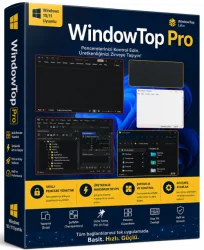
WindowTop Pro
Window Management Enhancement Tool
Overview
Introduction and Overview
WindowTop Pro is a powerful and versatile window management utility designed to supercharge your productivity on Windows. Whether you are a multitasker, a programmer, a writer, or a casual user, this software provides an intuitive way to control how your windows behave. With WindowTop Pro, you can set any application window to stay always on top, adjust its opacity, enable click-through mode, and even add handy shortcuts for quick actions. This tool is perfect for keeping reference materials visible while you work, monitoring videos while browsing, or simply decluttering your desktop. It is lightweight, fast, and integrates seamlessly with your existing workflow, making it an essential addition to any Windows setup.
Key Features
WindowTop Pro offers a rich set of features that enhance the way you interact with windows. Here are some of the most notable capabilities:
- Always on Top: Pin any window to stay permanently above other windows, ensuring you never lose sight of important information.
- Opacity Control: Adjust the transparency of any window from fully opaque to 20% transparent, allowing you to see underlying content without switching windows.
- Click-Through Mode: Make a window click-through, so mouse clicks pass directly to the windows behind it – ideal for overlaying a video or a reference while you interact with other apps.
- Window Shading: Roll up a window into its title bar to save space, then click the title bar to restore it instantly.
- Title Bar Shortcuts: Add custom buttons to any window’s title bar for one-click access to features like always-on-top or opacity adjustments.
- Multi-Monitor Support: Works flawlessly across multiple displays, allowing you to manage windows on any screen.
- Customizable Hotkeys: Assign keyboard shortcuts to toggle features quickly without using the mouse.
- Profile-Based Settings: Save different window configurations for different apps or workflows, and switch between them seamlessly.
System Requirements
WindowTop Pro is designed to be lightweight and runs on most modern Windows systems. Here are the minimum and recommended specifications to ensure smooth operation:
Minimum Requirements
- Operating System: Windows 10 (64-bit) or Windows 11
- Processor: 1 GHz or faster
- RAM: 1 GB
- Hard Disk Space: 20 MB of free space
- Display: 1280x800 resolution
Recommended Requirements
- Operating System: Windows 11 (64-bit)
- Processor: 2 GHz dual-core or better
- RAM: 4 GB or more
- Hard Disk Space: 50 MB of free space (for settings and logs)
- Display: 1920x1080 or higher
How to Install and Use
Getting started with WindowTop Pro is straightforward. Follow these step-by-step instructions to install and begin using the software:
- Download the installer: Visit the official WindowTop Pro website or a trusted software repository and download the latest version of the installer.
- Run the installer: Double-click the downloaded file and follow the on-screen prompts. You can choose a custom installation directory if needed.
- Launch WindowTop Pro: After installation, the application will start automatically. You will see a small icon in your system tray, indicating it is running in the background.
- Enable features on a window: Hover your mouse over any window’s title bar. A small toolbar will appear with icons for always-on-top, opacity, click-through, and shading. Click the desired icon to activate the feature.
- Adjust opacity: If you click the opacity icon, a slider will appear. Drag it to set the desired transparency level.
- Use keyboard shortcuts: By default, you can use Ctrl+Space to toggle always-on-top, and other shortcuts are available in the settings. You can customize these from the right-click system tray menu.
- Configure settings: Right-click the tray icon and select 'Settings' to adjust preferences such as startup behavior, hotkeys, and profile management.
Pros and Cons
Like any software, WindowTop Pro comes with its own set of advantages and potential drawbacks. Here is an honest look at both sides:
Pros
- Improves productivity significantly by keeping important windows visible.
- Extremely lightweight and uses negligible system resources.
- Easy to use with a minimal learning curve – features are accessible directly from the title bar.
- Offers advanced features like click-through and shading that many similar tools lack.
- Highly customizable with hotkeys and profile-based settings.
- Supports all major Windows versions (10 and 11) and multi-monitor setups.
Cons
- The free version has limited features; some advanced options require a paid Pro license.
- Occasional compatibility issues with certain full-screen applications or games.
- Opacity and click-through features may interfere with touchscreen gestures on some devices.
- Some users may find the title bar toolbar slightly intrusive, though it can be disabled in settings.
Conclusion
WindowTop Pro is a must-have utility for anyone who frequently juggles multiple applications. Its ability to pin windows, adjust transparency, and enable click-through mode transforms the way you interact with your desktop. The software is particularly useful for students, researchers, remote workers, and creative professionals who need to reference content while working on other tasks. Despite a few minor drawbacks, its speed, reliability, and customization options make it one of the best window management tools available for Windows. Whether you are a power user or just starting to explore productivity tools, WindowTop Pro is definitely worth trying. Download it today and experience a more organized, efficient, and enjoyable computing environment.