Best Alternatives to HDRsoft Photomatix Pro
Explore top software like HDRsoft Photomatix Pro in 2026.
Overview
Introduction and Overview
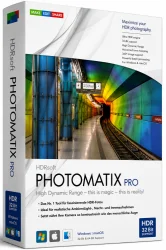
HDRsoft Photomatix Pro is a leading high dynamic range (HDR) imaging software designed for photographers who want to create stunning, natural-looking HDR photos from multiple exposures. Whether you're a professional landscape, architectural, or real estate photographer, Photomatix Pro offers powerful tools to merge bracketed exposures, tone map, and enhance details in both highlights and shadows. With its intuitive interface and advanced algorithms, it helps you achieve realistic or artistic HDR effects with minimal effort. The software supports RAW files, offers batch processing, and integrates seamlessly with major photo editors like Adobe Lightroom and Photoshop.
Key Features
- Advanced Tone Mapping: Proprietary algorithms produce natural or creative HDR effects with fine control over details, contrast, and color.
- Exposure Fusion: Combine multiple exposures without tone mapping for a more natural look, reducing artifacts like halos.
- Batch Processing: Apply presets and process multiple sets of bracketed photos in one go, saving time.
- Presets Library: Over 40 built-in presets for quick results, plus custom preset creation and sharing.
- RAW Support: Work directly with RAW files from most cameras, preserving maximum image data.
- Ghost Removal Tools: Automatically or manually remove moving objects (e.g., people, clouds) from merged images.
- Selective Adjustments: Use adjustment brushes and gradients to fine-tune specific areas after tone mapping.
- Lightroom & Photoshop Plugins: Integrate seamlessly as a plugin for a smooth workflow.
- HDR Batch: Standalone application for batch HDR creation with customizable settings.
- Multi-Platform: Available for Windows and macOS.
System Requirements
Minimum Requirements:
- Windows: 64-bit version of Windows 7 or later, Intel or AMD processor with 64-bit support, 4 GB RAM, 2 GB free hard disk space, DirectX 10 compatible graphics card with 1 GB VRAM, screen resolution 1024x768.
- macOS: macOS 10.12 Sierra or later, Intel processor, 4 GB RAM, 2 GB free disk space, OpenGL 3.3 compatible graphics card with 1 GB VRAM, screen resolution 1024x768.
Recommended Requirements:
- Windows: 64-bit Windows 10/11, multi-core processor (e.g., Intel Core i7 or AMD Ryzen 7), 16 GB RAM, SSD with 10 GB free space, dedicated graphics card with 4 GB VRAM (NVIDIA or AMD).
- macOS: macOS 10.15 Catalina or later, multi-core Intel or Apple Silicon (M1/M2) processor, 16 GB RAM, SSD with 10 GB free space, dedicated graphics card with 4 GB VRAM.
How to Install and Use
Installation Steps:
- Download the installer from the official HDRsoft website (photomatix.com).
- Run the installer and follow the on-screen instructions. On Windows, accept the license agreement and choose installation directory. On macOS, drag the app to the Applications folder.
- Launch Photomatix Pro. For first-time use, you can opt to activate the trial or enter a license key.
- Optionally, install the Lightroom plugin: In Photomatix Pro, go to File > Plugin Extras > Install Lightroom Plugin and follow prompts.
Basic Usage Steps:
- Take a series of bracketed exposures (e.g., -2, 0, +2 EV) on your camera using a tripod for best results.
- In Photomatix Pro, click Load Bracketed Photos and select your images. The software will auto-align them and show preview options.
- Choose between Tone Mapping (for dramatic HDR) or Exposure Fusion (for natural look). Adjust sliders like Strength, Detail, Smoothing, etc.
- Use the Presets panel to apply one of many built-in styles, then fine-tune with selective adjustments if needed.
- Once satisfied, click Save to export as JPEG, TIFF, or PSD. For further editing, save as a 16-bit TIFF and open in Photoshop or Lightroom.
For batch processing: use HDR Batch (included) to apply a preset to multiple sets of brackets automatically.
Pros and Cons
Pros:
- Excellent HDR quality: Produces natural, artifact-free HDR images with robust tone mapping.
- User-friendly: Clean interface suitable for beginners and pros, with helpful presets.
- Fast batch processing: Saves time on large photo sets.
- Ghost removal: Effective at eliminating moving subjects, with manual options for tricky scenes.
- Plugin integration: Works seamlessly with Lightroom and Photoshop, enhancing existing workflows.
- Regular updates: Active development and support for new camera RAW formats.
Cons:
- Price: At around $99 for the standard version, it's more expensive than some competitors (e.g., Aurora HDR which is discontinued, but still).
- No standalone RAW developer: Does not include a full RAW editor; you need an external converter for complex adjustments.
- Learning curve for advanced features: While basic use is easy, mastering selective adjustments and presets requires practice.
- Limited export options: Lacks direct sharing to social media or cloud services without third-party tools.
- Mac version slightly slower: Some users report slower performance on macOS compared to Windows, especially with large files.
Conclusion
HDRsoft Photomatix Pro remains a top choice for photographers seeking professional-grade HDR creation. Its powerful tone mapping, exposure fusion, and batch processing capabilities make it an indispensable tool for real estate, landscape, and architectural photography. While the price may be a barrier for hobbyists, the software's consistent updates, robust ghost removal, and seamless plugin integration justify the investment for serious users. Whether you aim for natural HDR realism or artistic flair, Photomatix Pro delivers outstanding results. Combine it with a solid RAW editor and a good tripod, and you'll be producing breathtaking HDR images in no time. Download the trial from the official site to see why it's been a industry standard for over a decade.