Best Alternatives to Wondershare UniConverter
Explore top software like Wondershare UniConverter in 2026.
Overview
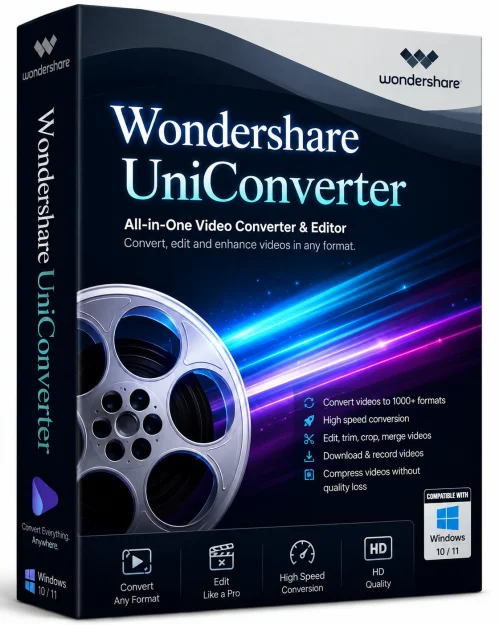
In today's fast-paced digital world, managing video files efficiently is more important than ever. Whether you're a professional content creator, a marketer, or simply someone who loves capturing memories, you need a reliable, feature-rich tool to handle all your video needs. Enter Wondershare UniConverter – a comprehensive, all-in-one video toolkit that simplifies conversion, compression, editing, and burning. With support for over 1,000 formats, UniConverter stands out as a versatile solution for anyone looking to streamline their video workflow. In this detailed guide, we'll explore everything you need to know about this powerful software, from its standout features to installation steps and real-world pros and cons.
Introduction and Overview
Wondershare UniConverter, developed by Wondershare, is a multi-functional video processing software designed to handle virtually every aspect of video management. It is often described as a Swiss Army knife for video files because it combines a video converter, compressor, editor, screen recorder, DVD burner, and file transfer tool into one seamless application. Whether you need to convert a clip from MKV to MP4 for better compatibility, compress a large 4K video to share on social media, or even create a custom DVD with a menu, UniConverter makes it easy.
What truly sets UniConverter apart is its speed and efficiency. It uses advanced hardware acceleration technology, including NVIDIA® CUDA™, Intel® HD Graphics, and AMD GPUs, to ensure lightning-fast conversions without compromising quality. The interface is clean, intuitive, and suitable for both beginners and advanced users. Moreover, it integrates cloud-based tools for additional functionality, such as video trimming and compression, without installing extra software. In short, UniConverter is not just a converter; it's a complete media companion.
Key Features
Wondershare UniConverter packs an impressive arsenal of tools. Here are the most notable features:
Video Conversion in a Flash
- Supports over 1,000 video and audio formats, including MP4, AVI, MOV, MKV, FLV, WebM, and more.
- Convert videos for any device, such as iPhone, iPad, Android, PlayStation, Xbox, and smart TVs, with preset profiles.
- Batch conversion allows you to process multiple files simultaneously, saving time and effort.
Compression Without Quality Loss
- Compress large 4K/8K videos effortlessly.
- Choose from various output sizes or customize settings using the advanced compression options.
- Preview the compressed file instantly to ensure quality remains intact.
Built-in Video Editor
- Trim, crop, rotate, and merge clips using the built-in editor.
- Add subtitles, watermarks, and dynamic filters to personalize your videos.
- Access a library of royalty-free music and sound effects to enhance your productions.
DVD Burning and Copying
- Burn videos to DVD with customizable menu templates and background music.
- Copy DVD content to ISO files or digital videos for backup.
- Create professional-looking DVDs that play on standard players.
Screen Recorder and Webcam Capture
- Record your screen, webcam, or both simultaneously with high quality.
- Ideal for tutorials, gaming, webinars, and video calls.
- Schedule recording sessions in advance.
Seamless File Transfer
- Transfer converted files directly to devices via USB cable.
- Share videos to popular social platforms like YouTube, Vimeo, and TikTok.
- Wirelessly transfer files between PC and mobile when on the same network.
Additional Handy Tools
- Download videos and music from 10,000+ websites, including YouTube without premium.
- Fix media metadata (artist, album, year) automatically for better library management.
- Create GIFs from video clips with just a few clicks.
System Requirements
Before installing Wondershare UniConverter, ensure your system meets the following specifications to enjoy smooth performance.
Minimum Requirements:
Operating System: Windows 7/8/10/11 (64-bit) or macOS 10.13 High Sierra (or later)
Processor: 1 GHz Intel or AMD processor
RAM: 2 GB (4 GB recommended)
Hard Disk Space: 2 GB of free space for installation
Graphics: 64 MB DirectX-compatible video card
Recommended Requirements:
Operating System: Windows 11 (64-bit) or macOS 14 Sonoma (or later)
Processor: Intel Core i5 or AMD Ryzen 5 or higher
RAM: 8 GB or more
Solid State Drive (SSD) with at least 10 GB free space
Dedicated graphics card with CUDA or hardware encoding support (NVIDIA, AMD, Intel)
How to Install and Use
Getting started with Wondershare UniConverter is straightforward. Follow these simple steps to install and begin using the software.
Step 1: Download the Installer
Visit the official Wondershare UniConverter product page. Click the 'Download' button and choose your platform (Windows or Mac). The download will start immediately.
Step 2: Install the Application
Once the installer is downloaded, double-click the file. Follow the on-screen instructions. You can accept the default installation path or change it to your preferred folder. Wait for the installation to complete.
Step 3: Launch UniConverter
After installation, open UniConverter from your desktop or start menu. You'll be greeted with a clean dashboard displaying all available tools on the left sidebar.
Step 4: Convert Your First Video
Click the 'Converter' tab, then click the '+' icon to import media files. Choose your output format from the profile list at the bottom. Customize settings like resolution, bitrate, and frame rate if needed. Finally, click 'Convert' and wait for the magic to happen.
Step 5: Explore Other Tools
Don't limit yourself to conversion. Try the 'Compress' feature to shrink large files, use the 'Screen Recorder' to capture your screen, or burn a DVD by selecting the 'DVD Burner' option. The layout is intuitive, so you'll find everything within reach.
Pros and Cons
Like any software, Wondershare UniConverter has its strengths and weaknesses. Here's a balanced look at what you can expect.
Pros
- All-in-One Functionality: Replaces multiple tools, saving both money and system resources.
- Unmatched Format Support: Handles rare and common formats with ease.
- Fast Performance: Hardware acceleration significantly speeds conversions.
- User-Friendly Interface: Even beginners can navigate without a learning curve.
- Batch Processing and Preview: Process multiple files and check output quality before saving.
- Cloud Tools Included: Access extra web-based features like online video compression.
Cons
- Price: The full version requires a subscription, which might be costly for occasional users.
- Resource Heavy: Older PCs may experience lag, especially with 4K files.
- Online Feature Dependence: Some features, such as the video downloader, require internet connection and are subject to website changes.
- Limited Free Version: The free trial adds watermarks and limits certain functions.
Conclusion
Wondershare UniConverter is a robust, versatile software that delivers on its promise of being a one-stop solution for video management. Its extensive format support, blazing-fast conversion, and diverse toolset make it indispensable for both casual users and professionals. While the price point may deter some, the time saved and the convenience of having all features under one roof easily justify the investment. If you're looking to simplify your video workflow and ensure your files are always in the right format for any device or platform, UniConverter is definitely worth a try. Give it a spin – you'll wonder how you ever managed without it.