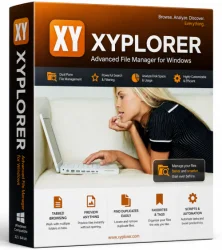
XYplorer Full for Windows 10/11
Optimize your PC with the fully compatible Windows 10 version.
Overview
Introduction and Overview
XYplorer Full is a powerful, feature-rich file manager for Microsoft Windows, designed to replace the default File Explorer with a faster, more intuitive, and highly customizable experience. Whether you are a casual user looking for a cleaner interface or a power user managing thousands of files, XYplorer offers a robust set of tools to streamline your workflow. The software is particularly known for its tabbed browsing, dual-pane views, and an impressive array of search and automation features. It is available as a standard installer or a portable version, making it ideal for both home and professional use. This article provides an in-depth look at XYplorer Full, covering its key features, system requirements, installation steps, pros and cons, and overall value.
Key Features
- Tabbed Browsing: Navigate multiple folders in a single window with tabs, similar to a web browser, for efficient multitasking.
- Dual-Pane View: Display two folders side-by-side to easily copy, move, or compare files across directories.
- Advanced Search: Search for files by name, content, date, size, attributes, and even boolean operators; support for portable search indexes.
- File Preview: Quickly preview files (images, documents, videos, and more) without opening them.
- Batch Rename: Rename multiple files at once using powerful patterns, counters, and metadata.
- Custom Columns: Display custom metadata columns like EXIF, MP3 tags, and file dimensions for deeper insights.
- Color Coding and File Icons: Assign colors and custom icons to files or folders for visual organization.
- Portable Mode: Run XYplorer directly from a USB drive without installation, keeping all settings portable.
- Multi-Tab Undo and Redo: Undo file operations and re-apply changes easily.
- Scripting and Automation: Automate repetitive tasks using a powerful scripting language.
- Folder Size Statistics: View folder sizes instantly in the status bar or a dedicated panel.
- Enhanced File Operations: Faster copy/move operations with pause/resume, and safe delete options.
System Requirements
Minimum Requirements
- Operating System: Windows 7 or later (32-bit or 64-bit)
- Processor: 1 GHz or faster
- RAM: 512 MB
- Hard Disk Space: 50 MB free space (for installation)
- Display: 1024x768 screen resolution
Recommended Requirements
- Operating System: Windows 10/11 (64-bit)
- Processor: Dual-core or higher
- RAM: 4 GB or more (8 GB for heavy usage)
- Hard Disk Space: SSD with 100 MB free space
- Display: 1920x1080 or higher with True Color
How to Install and Use
Step 1: Download XYplorer Full
Visit the official XYplorer website (xyplorer.com) and download the latest version of the software. You have the option to choose between the installer version or the portable ZIP version. For this guide, we will use the installer version.
Step 2: Run the Installer
Locate the downloaded file (usually named 'xyplorer_full.exe') and double-click it. If prompted by Windows User Account Control, click 'Yes' to allow the installer to run.
Step 3: Choose Installation Options
Follow the on-screen instructions. You can select the destination folder, whether to create a desktop shortcut, and if you want to integrate XYplorer into the Windows context menu. For most users, the default settings are recommended.
Step 4: Complete the Installation
Click 'Install' and wait for the process to finish. Once completed, launch XYplorer from the Start Menu or desktop shortcut.
Step 5: Initial Configuration
On first launch, XYplorer will prompt you to choose between using a free evaluation or entering a license key. If you have purchased the full version, enter your license key to unlock all features. You can also skip this and use the trial.
Step 6: Basic Usage
Once the interface loads, you will see a familiar layout with a folder tree on the left, file list on the right, and tabs at the top. To navigate, simply click folders or use the address bar. To open a new tab, press Ctrl+T or click the plus icon. Use the dual-pane mode (Window menu → Dual Pane) to view two folders concurrently. To search, press F3 to open the search bar and enter your query. The preview pane can be toggled with F11.
Pros and Cons
Pros
- Extremely Feature-Rich: Offers an exhaustive set of tools that cover every file management need, from batch renaming to scripting.
- Customizable Interface: Users can tailor the layout, toolbars, colors, and context menus to their liking.
- Portable Option: The portable version is perfect for users who want their file manager on the go without leaving traces.
- Fast Search: The search functionality is blazing fast, especially when using saved indexes.
- Regular Updates: The developer often releases updates with new features and bug fixes.
- Light on System Resources: Despite its features, XYplorer runs smoothly even on older hardware with minimal RAM usage.
Cons
- Steep Learning Curve: The sheer number of features can be overwhelming for beginners.
- License Cost: Unlike free alternatives, XYplorer requires a paid license for full functionality (though a trial is available).
- Windows Only: No macOS or Linux version is available.
- Interface Slightly Outdated: Some users find the default interface less modern compared to newer file managers.
Conclusion
XYplorer Full is a top-tier file manager that excels in both breadth and depth of functionality. It is a must-have for power users, IT professionals, and anyone who deals with large volumes of files daily. The robust search engine, tabbed dual-pane interface, and extensive customization options set it apart from the default Explorer. While the learning curve may be steep and the software is paid, the productivity gains and reliability it brings are well worth the investment for serious users. If you are looking for a dependable, feature-packed file manager that can be carried in your pocket, XYplorer Full deserves a spot on your Windows machine.