Boris FX Sapphire Old & Previous Versions
Download legacy versions of Boris FX Sapphire.
Overview
Introduction and Overview
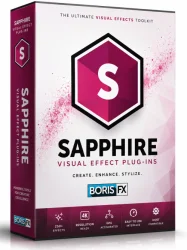
Boris FX Sapphire is a renowned visual effects (VFX) plugin suite that brings Hollywood-grade effects directly into your editing timeline. Developed by Boris FX, this powerful collection of over 300 effects and transitions integrates seamlessly with major host applications such as Adobe After Effects, Premiere Pro, Avid Media Composer, DaVinci Resolve, and more. Sapphire is celebrated for its ability to transform ordinary footage into cinematic masterpieces with stunning color grading, stylized looks, particle effects, lens flares, and much more. Whether you are a professional colorist, editor, or motion graphics artist, Sapphire provides the creative tools to elevate your projects without leaving your editing environment. This article provides an in-depth look at Sapphire's key features, system requirements, installation steps, pros and cons, and a conclusion to help you decide if it is right for your workflow.
Key Features
- Over 300 Effects and Transitions: Including lens flares, glows, light rays, particles, stylizes, blurs, and more, all fully customizable.
- Industry-Standard Lens Flares: Sapphire's lens flare effects are widely used in film and television for adding realistic or stylized light sources.
- Powerful Color Correction and Grading Tools: Adjust levels, color wheels, match grades, and apply looks with precision.
- Particle System: Generate complex particle effects such as sparks, smoke, fire, snow, and abstract organic forms with GPU acceleration.
- Unique Effects: From Edge Rays and Muzzle Flash to Streaks and Swirls, Sapphire offers effects not found in standard editors.
- Transition Generator: Create custom wipes, pushes, flashes, and more with built-in transition presets.
- Versatile Presets: Thousands of presets for quick looks, including film stocks, vintage, and modern cinema styles.
- GPU Acceleration: Optimized for fast rendering with support for CUDA, OpenCL, and Metal on compatible hardware.
- Host Integration: Works seamlessly with Adobe, Avid, DaVinci Resolve, Foundry Nuke, and others via a consistent interface.
- Node-Based Effects: For advanced users, Sapphire effects can be combined and layered using a node workflow for complex composites.
- Animation and Tracking: Built-in tracking parameters and On-Screen Widgets allow for precise positioning and animation of effects.
- Free Trial: A fully functional 14-day trial is available to test the full suite before purchase.
System Requirements
Minimum Requirements
- Operating System: Windows 10 or later (64-bit), macOS 10.15 or later
- Host Application: Compatible with Adobe After Effects / Premiere Pro 2019+, Avid Media Composer 2018+, DaVinci Resolve 16+, or other supported host
- CPU: Multi-core processor (SSE2 support) – Intel or AMD
- RAM: 8 GB (16 GB recommended)
- Graphics Card: Dedicated GPU with 1 GB VRAM (supports OpenGL 2.0)
- Disk Space: 2 GB free for installation
- Display: 1280x1080 or higher
Recommended Requirements
- Operating System: Windows 10/11 (64-bit), macOS 12 or later
- Host Application: Latest version of After Effects, Premiere Pro, DaVinci Resolve, Avid
- CPU: Intel i7 or AMD Ryzen 7 (or better) with high clock speed
- RAM: 32 GB or more
- Graphics Card: NVIDIA GeForce RTX 30 series or AMD Radeon RX 6000 series with 4+ GB VRAM (CUDA or OpenCL)
- Disk Space: 5 GB free for effects cache and downloadable presets
- Display: 1920x1080 or 4K
How to Install and Use
Installation Steps
- Download: Visit the official Boris FX website and download the Sapphire installer for your operating system.
- Run Installer: Launch the installer and follow the on-screen instructions. The installer will automatically detect compatible host applications on your system.
- Choose Hosts: Select the hosts you wish to install Sapphire for (e.g., After Effects, Premiere Pro).
- License Activation: After installation, open the Sapphire License Manager (found in your Start Menu or Applications folder). Enter your serial number or log in with your Boris FX account to activate.
- Restart Host: Close and reopen your host application to load the effects.
Basic Usage Guide
- Applying an Effect: In your host's effects panel, search for 'Sapphire'. Browse the categories (e.g., Lights, Stylize, Particles) or use the preset browser.
- Customizing: Drag the effect onto a clip. Select the effect in the timeline and open the Effect Controls panel. Adjust parameters such as intensity, color, scale, and position.
- Using Presets: Click the 'Presets' button in the effect controls to access thousands of curated looks. Double-click a preset to apply it instantly.
- On-Screen Widgets: Many effects include on‑screen widgets (points, rings, etc.) for visual manipulation. Click and drag directly in the monitor to reposition effect centers or adjust falloff.
- Combining Effects: Use multiple Sapphire effects on the same clip by stacking them. For advanced workflows, use the Sapphire node effect (available in After Effects) to create complex comps.
- Rendering: Sapphire effects are GPU accelerated, allowing real‑time preview (if your GPU is supported). Render your final output as usual; Sapphire effects are included in the render.
Pros and Cons
Pros
- Extensive library of professional, high-quality effects that reduce the need for additional plug-ins.
- Excellent performance with GPU acceleration, enabling real‑time previews on powerful systems.
- Seamless integration across multiple host applications; consistent UI reduces learning curve.
- Regular updates and new effects added; active community and support from Boris FX.
- Wide range of presets suitable for both quick fixes and custom creations.
- On‑screen widgets and tracking make animation intuitive.
- Free trial available for evaluation.
- Used by major studios for film and TV, ensuring trustworthiness.
Cons
- High cost: Professional license is expensive for freelancers or hobbyists ($1,700 per node or subscription).
- Steep learning curve for some complex effects like particle systems or node‐based compositing.
- Requires a powerful graphics card for optimal use; older or integrated GPUs may struggle.
- Some effects can be overused if not customized, leading to generic looks.
- Not all hosts support all effects (e.g., node effect is limited to After Effects).
- Subscription model (Sapphire Subscription) may be less attractive compared to perpetual license.
Conclusion
Boris FX Sapphire remains a top‑tier VFX suite for professionals demanding high‑quality results without leaving their editing timeline. With its vast array of effects, strong GPU performance, and deep integration with leading host applications, it excels in post‑production environments where efficiency and creativity are key. While the price point and hardware demands may be prohibitive for some, the return on investment for professionals is substantial: faster workflow, access to iconic effects, and the ability to deliver stunning visuals consistently. Whether you are adding subtle lens flares or crafting complex particle systems, Sapphire provides the tools to realize your vision. We recommend taking advantage of the free trial to see if Sapphire fits your workflow. For anyone serious about visual effects, Boris FX Sapphire is an industry standard that lives up to its reputation.