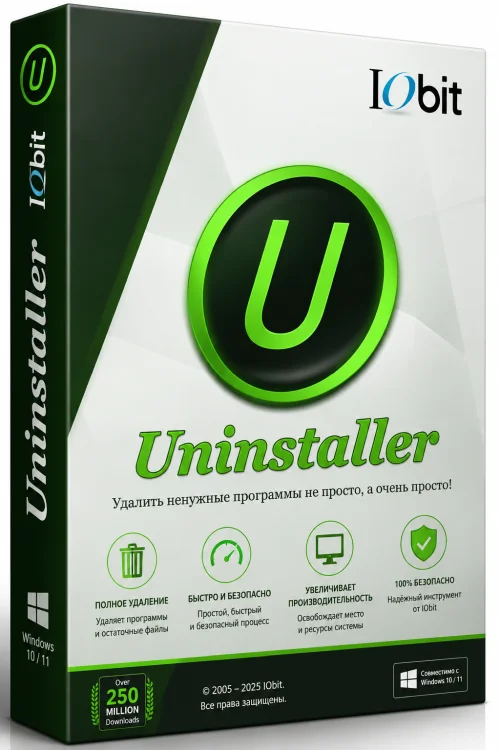
IObit Uninstaller Pro Full Old & Previous Versions
Download legacy versions of IObit Uninstaller Pro Full.
Overview
Introduction and Overview
IObit Uninstaller Pro Full is a powerful and comprehensive uninstaller software designed to completely remove unwanted programs, browser extensions, and Windows apps from your PC. Unlike the default Windows uninstaller, which often leaves behind leftover files, registry entries, and invalid shortcuts, IObit Uninstaller Pro ensures a deep and thorough cleanup, freeing up valuable disk space and optimizing system performance. Whether you're dealing with stubborn pre-installed bloatware, malicious plugins, or simply want to keep your computer clutter-free, this full version offers advanced tools for a smoother, faster, and more secure PC experience. Its user-friendly interface and one-click solutions make it ideal for both beginners and advanced users.
Key Features
- Deep Cleanup: Removes all leftover files, folders, and registry entries after uninstallation to ensure no trace remains.
- Batch Uninstall: Uninstall multiple programs at once to save time and effort.
- Browser Extension Removal: Eliminates unwanted toolbars, extensions, and plugins from all major browsers including Chrome, Firefox, Edge, and IE.
- Windows App Uninstaller: Removes built-in Windows 10/11 apps and bloatware that are difficult to delete otherwise.
- Forced Uninstall: Cleans up broken or incomplete installations when standard uninstallation fails.
- Real-time Installation Monitor: Monitors new installations to track all changes for future clean uninstalls.
- Large and Recently Installed Programs: Quickly identifies large or recently installed apps to help you decide what to remove.
- Automatic Startup Items Cleanup: Manages and removes unnecessary startup entries to boost boot time.
- File Shredder: Permanently destroys sensitive files so they cannot be recovered.
- Smart Scan: Performs a comprehensive scan to detect leftover data after uninstallation.
System Requirements
Minimum Requirements
- Operating System: Windows XP, Vista, 7, 8, 8.1, or 10 (32-bit or 64-bit)
- Processor: 1 GHz or faster
- RAM: 512 MB or more
- Hard Disk Space: 100 MB of free space
Recommended Requirements
- Operating System: Windows 10 or 11 (64-bit)
- Processor: 2 GHz dual-core or better
- RAM: 2 GB or more
- Hard Disk Space: 200 MB of free space for optimal performance
How to Install and Use
Installing and using IObit Uninstaller Pro Full is straightforward. Follow these steps to get started:
Installation
- Step 1: Download the IObit Uninstaller Pro Full setup file from the official website or a trusted download source.
- Step 2: Locate the downloaded file (usually in your Downloads folder) and double-click it to launch the installer.
- Step 3: If a User Account Control (UAC) prompt appears, click 'Yes' to allow the installer to run.
- Step 4: Choose your preferred language and click 'Install'. You can also select the installation folder by clicking 'Custom' if you wish to change the default path.
- Step 5: Wait for the installation to complete, then click 'Finish' to launch the program.
Using the Software
- Basic Uninstall: On the main interface, you'll see a list of installed programs. Select the program you want to remove and click the 'Uninstall' button. Follow the prompts to complete the uninstallation.
- Deep Cleanup: After the standard uninstaller finishes, IObit Uninstaller Pro will automatically scan for leftovers. Click 'Delete' to remove all residual files and registry entries.
- Batch Uninstall: To remove multiple programs, check the boxes of the desired programs and click the 'Uninstall' button at the top. Confirm the action, and the software will process them one by one.
- Forced Uninstall: If a program won't uninstall, navigate to 'Toolbox' > 'Forced Uninstall'. Drag the program's icon or select it from the list, then click 'Forced Uninstall' to eliminate it completely.
- Browser Extensions: Go to the 'Browser Extensions' tab to manage plugins. Select any unwanted extension and click 'Delete' to remove it from all browsers.
- Windows Apps: Under 'Windows Apps', you can uninstall built-in apps. Simply select the app and click 'Uninstall'.
- Install Monitor: Enable 'Install Monitor' from the 'Toolbox' before installing new software. IObit Uninstaller will track all changes, allowing for a clean uninstall later.
- Startup Manager: Use 'Startup' in the 'Toolbox' to enable or disable startup items, improving boot speed.
Pros and Cons
Pros
- Completely removes programs and all associated leftovers, leaving no trace.
- Simple and intuitive interface that is easy to navigate.
- Batch uninstall saves time and effort.
- Effectively removes pre-installed Windows bloatware.
- Includes additional tools like File Shredder and Startup Manager.
- Real-time installation monitor ensures future clean uninstalls.
- Regular updates and strong technical support.
Cons
- Some advanced features are reserved for the Pro version; the free version is limited.
- Occasionally flags legitimate programs as potential threats during scans.
- May require system restore points for safety, which can consume disk space.
- No native support for macOS or Linux; Windows only.
Conclusion
IObit Uninstaller Pro Full is an exceptional tool for anyone looking to maintain a clean, high-performing Windows PC. Its deep cleaning capabilities go far beyond what standard Windows uninstallers offer, removing stubborn leftovers, bloatware, and browser hijackers that often slow down your system. The software's user-friendly design, combined with powerful features like batch uninstall, real-time monitoring, and forced uninstall, makes it a must-have utility for both casual users and power users alike. While the Pro version comes with a price tag, the time saved and the performance gains are well worth the investment. If you value a clutter-free, optimized, and secure computer, IObit Uninstaller Pro Full is undoubtedly a top choice.